

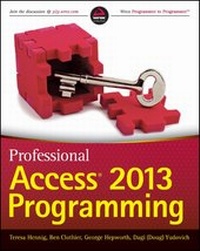
Professional Access 2013 Programming
Published on 1. August 2013
1008 pages
978-1-118-53082-5 (ISBN)
Description

Authoritative and comprehensive coverage for building Access2013 Solutions
Access, the most popular database system in the world, justopened a new frontier in the Cloud. Access 2013 providessignificant new features for building robust line-of-businesssolutions for web, client and integrated environments. Thisbook was written by a team of Microsoft Access MVPs, withconsulting and editing by Access experts, MVPs and members of theMicrosoft Access team. It gives you the information and examples toexpand your areas of expertise and immediately start to develop andupgrade projects.
* Explores the new development environment for Access webapps
* Focuses on the tools and techniques for developing robust webapplications
* Demonstrates how to monetize your apps with Office Store andcreate e-commerce solutions
* Explains how to use SQL Server effectively to support both weband client solutions
* Provides techniques to add professional polish and deploydesktop application
* Shows you how to automate other programs using Macros, VBA, APIcalls and more.
Professional Access 2013 Programming is a complete guide onthe latest tools and techniques for building Access 2013applications for both the web and the desktop so that developersand businesses can move forward with confidence. Whether you wantto add expand your expertise with Client/Server deployments orstart developing web apps, you will want this book as a companionand reference.
More details
Other editions
Additional editions
Teresa Hennig | Ben Clothier | George Hepworth
Professional Access 2013 Programming
Book
09/2013
Wrox Press
Unfortunately, price unknown
Article exhausted; check different version
Persons
Teresa Hennig, an Access MVP and business owner of 15years, creates innovative and effective Access solutions for herclients. She is the president of two Access User Groups, the authorof six books on Access, and an acclaimed presenter and trainer.
Ben Clothier, an Access MVP since 2009, is an Access andSQL Server expert at the forefront of Access web apps. Ben is anadministrator at UtterAccess.
George Hepworth, an Access MVP, is an Access/SQL Serverdeveloper and consultant. He has written numerous books on Accessand Access web apps, and is an administrator on UtterAccess.
Dagi Yudovich, an Access MVP, develops Access SQL Serversolutions to support BI needs. He is an administrator onUtterAccess.
Wrox Professional guides are planned and written byworking programmers to meet the real-world needs of programmers,developers, and IT professionals. Focused and relevant, theyaddress the issues technology professionals face every day. Theyprovide examples, practical solutions, and expert education in newtechnologies, all designed to help programmers do a better job.
Content
- Intro
- Professional Access® 2013 Programming
- Copyright
- Credits
- About the Authors
- About the Technical Editors/ Contributors
- Technical Contributors
- Acknowledgments
- Contents
- Introduction
- Who This Book Is For
- What This Book Covers
- Part I: Access Web Application Design and Development
- Part II: Client Server Design and Development
- Online Material
- How This Book Is Structured
- What You Need to Use This Book
- Conventions
- Source Code
- Errata
- P2P.Wrox.Com
- Part I: Access Web Application Design and Development
- Chapter 1: Introduction to Access Web Apps and Architecture
- Deprecated Components
- Access Data Projects
- Jet Replication
- Menus and Toolbars
- Import/Export/Link to Jet 3.x and dBASE Files
- PivotTables and PivotCharts
- Collect Data via E-mail
- SharePoint Workflow
- Source Code Control Extension
- Packaging Wizard
- Upsizing Wizard
- Creating Access Web Databases
- New Components Added
- Database Compare
- Audit and Control Management Server
- What Is an App?
- How Is an App Hosted?
- How Is an App Distributed?
- App Marketplace for Publicly Available Solutions
- App Catalogs for Internal-Facing Solutions
- How are Security and Trust Managed In Apps?
- Setting Up a SharePoint Site for Your Apps
- Setting Up an Office 365 Trial Account
- Solving Business Problems
- The Maid to Order Work Schedule Database
- Summary
- Chapter 2: Designing Tables
- Creating a Blank App
- Keeping Your Log Ins Straight
- Creating Tables
- Creating Tables Using Nouns
- Creating Tables from Imported Data Sources
- Creating Tables the Traditional Way
- Tables and Their Related Views
- Data Type Changes from Previous Versions
- Text Data Type
- Hyperlink Fields
- Numeric Data Type
- Date/Time Data Type
- Image Data Type
- Lookup Data Type
- Field Properties
- Linking Sharepoint Lists
- Summary
- Chapter 3: Understanding the New User Interface
- Web Navigation
- Navigation Tools
- The New Approach to Layout
- The New Ribbon
- Mobile Devices Support
- Sharepoint and Office 365
- Creating a Web App via Team Site
- Deleting Web Apps
- Sharing Web Apps with Others
- Summary
- Chapter 4: Designing Views
- View Design Surface
- Ribbon
- Tiles
- Links and Creating Views
- Field List
- Popup Properties
- Manipulating Control Placement
- Duplicating a View
- Action Bar and Action Bar Buttons
- Action Bar Button Properties
- Default Action Button
- Custom Action Buttons
- Controls
- Changed Controls
- New Controls
- Common Properties
- Client Controls with No Counterparts
- Web Browser Control
- Summary
- Chapter 5: Creating Queries and Writing Expressions
- Query Architecture
- SQL Server Views
- Table-Valued Functions
- Changes in the Query Designer
- Creating, Editing, Saving, and Previewing Queries
- Action Queries
- Parameterized Queries
- Aggregates, Unique Values, and Top Values
- Query Properties
- Functions and Expressions
- Delimiters
- Operator Differences
- New Constants
- Data Type Inspection and Conversion
- String Functions
- Date and Time Functions
- Math Functions
- Other Functions
- Availability by Context
- Summary
- Chapter 6: Creating Macros
- Why We Need a New Web-Compatible Macro Language
- Where We've Been
- Access's Traditional Role as Tool of First Choice
- Macro Designer
- Action Catalog
- Expressions and Expression Builder
- Data Macro Tracing
- Parameter Box
- Macro Links
- Interacting with the Macro Designer
- Different Types of Macros
- UI Macros
- Data Macros
- Data Macro Architecture
- UI Macro Architecture
- Block Macro Action
- Creating and Editing Data Macros
- Creating a Standalone Data Macro
- Using the Action Catalog
- Using the Add New Action Drop-Down
- Using Program Flow Actions
- How to Use the LookupRecord Data Block
- How to Use ForEachRecord and EditRecord
- How to Use DeleteRecord
- Creating and Editing UI Macros
- How to Use SetProperty
- How to Use ChangeView and OpenPopup
- How to Use RequeryRecords
- How to Use Data Entry Operations
- Using UI and Data Macros Together
- How to Create and Use Parameters
- How to Return Values
- Summary
- Chapter 7: Designing the Table Structure
- New Data Types
- Short and Long Text Fields
- Number Fields
- Date/Time Fields
- Currency
- Yes/No
- Hyperlink
- Image
- Calculated Fields
- Lookup Fields
- Validation Rules and Text
- Field Level Validation
- Record Level Validation
- Editing Validation Rules with Existing Data
- Validation Rules Design Consideration
- Leveraging Calculated Fields
- Creating Concatenated Fields
- Configuration Tables
- Tally Table
- Utility Table
- Summary
- Chapter 8: Designing the User Interface
- Naming Convention for Web Apps
- Planning the User Interface
- Reusing Create, Read, Update, and Delete Views
- Effective Navigation Design
- Traditional Navigation Patterns
- Web Design Principles
- Tile-Bound View and Popup Views
- Creating a Splash Screen
- Designing an Index Form
- List View: Searching on a field
- Summary View: Searching on an Aggregated Value
- Datasheet: Filtering Cumulatively
- Creating a Query by View
- SQL Construction
- Techniques for Filtering
- Design Requirements
- Creating Filter Tables
- Creating Data Macro to Clear Selections
- Creating Query By View
- Filtering Query
- Building Data Macros to Populate Filter Tables
- Building a Popup View to Display the Filter Results
- Building a Click Event Handler
- Summary
- Chapter 9: Solving Business Problems with Macros
- Macro Design Considerations
- When to Use Data Macros
- When to Use UI Macros
- On Start Macro
- Using Freestanding Macros
- Cloning a Record
- Generating a Set of Records with Variable Parameters
- Generating Records in Different Tables
- Updating and/or Deleting Several Records
- Using Table Events
- Performance Considerations
- Preventing Deletions of Completed Records
- Acquiring Default Values from Other Tables
- Maintaining a History of Change
- Summary
- Chapter 10: Extending Web Apps
- Integration Options
- Security Considerations
- Introduction to Web Services
- Linking a Web App for Additional Functionality
- Locating and Adding the Locations Mapper App
- Configuring and Using the Locations Mapper App
- Inlining a Web App in Access Web App
- Adding a PayPal Button
- Getting the PayPal HTML
- Authoring a Custom Page In SharePoint Designer
- Allowing Framing of Custom Page
- Adding the PayPal HTML
- Showing a PayPal Button on an Access Web App
- Adding a Site Mailbox
- Configuration for a Site Mailbox
- Setting Up the Site Mailbox
- Team Site Mailbox as a Shared Tool
- Using APIs with a Web Browser Control
- Building a Page to Handle JavaScript Code
- Development Experience
- Adding the Charting Page to Access Web App
- Consuming Zip-Lookup Web Services in the Client
- Creating a User Account for the Web Service
- Library References and Code
- Summary
- Chapter 11: Connecting to Your Web App
- Info Backstage
- Connections
- Enable/Disable Connection
- Getting Connection Details
- Reset Passwords
- Using the Access Client
- Adding VBA Code to Relink
- Best Practices
- Using Excel
- Creating an ODC Connectio
- Creating an Excel Table
- Creating an Excel PivotChart
- Creating an Excel PivotTable
- External Data Considerations
- Sharing Excel Workbooks on the Web
- Using SSMS
- Connecting to a Web App Database
- Adding a Linked Server on the Web App Database
- Querying Data in a Linked Server
- Using Linked Server Programmability Objects
- Summary
- Chapter 12: Web Apps in the Enterprise
- Creating a Document Library
- Creating a Custom Content Type
- Importing Image Files
- Customizing a Library
- Customizing a Library Ribbon
- Version Control
- Customizing an App Package
- Linking to a Template File
- Synchronizing Data Between App Databases
- Local Differential Backup
- Choosing Approaches
- Summary
- Chapter 13: Implementing Security Models for the Access Web App
- Security Considerations
- File-Based Security
- Agent-Based Security
- Securing Web Apps on SharePoint
- Security In the Application Layer
- Sharepoint Security
- Team Sites and Personal Storage
- Managing User Accounts
- Extending Permissions
- External User Accounts
- Anonymous Access
- Securing Web Apps in the Web Browser
- Using Subsites to Restrict Users to Specific Apps
- Sites and Subsites
- Traditional Methods for Security in Client Solutions
- Web App Linked File Security
- DSN-Less Linking and Relinking
- Password Storage/Non-Storage
- Local SQL Server
- Summary
- Chapter 14: Deploying Access Web Apps
- Deploying Access Web Apps
- Web Apps and App Catalogs
- On-Premises SharePoint Server
- Versioning Web Apps
- Summary
- Part II: Client-Server Design and Development
- Chapter 15: Managing Data Sources
- Normalization
- First Normal Form: Eliminate Repeating Groups
- Second Normal Form: Eliminate Duplicate Data
- Third Normal Form: Eliminate Fields That Do Not Depend on the Key
- Other Normalization Forms
- Normalization Examples
- Un-Normalized Table
- First Normal Form: Eliminate Repeating Groups
- Second Normal Form: Eliminate Duplicate Data
- Third Normal Form: Eliminate Fields That Do Not Depend on the Key
- Primary Keys
- Overview of Access Files and the Database Engine
- Other Data Sources
- Overview of ODBC Linking
- Managing Linked Objects
- Querying External Data Effectively
- Linked Object Performance and Query Optimization
- Passthrough Query and T-SQL
- Comparing Access SQL and T-SQL
- Summary
- Chapter 16: Programming Using VBA, APIs, and Macros
- VBA
- Procedures
- User-Defined Functions
- Error Handling
- Debugging
- Leveraging Queries
- Enhancing Query Techniques
- Query by Form
- Creating a Query On the Fly Using VBA
- API
- Obtaining Documentation for API Functions
- Mapping Data Types
- VBA User-Defined Types and C-Style Structs
- Pointers and Handles
- 32-Bit vs. 64-Bit
- Putting It All Together: Create and Manage an Explorer Window
- API Declaration
- Declaring the Enumeration Function
- Declaring the Callback Function
- Determining the Class Name of a Window
- Preparing the EnumChildProc for Two Different Uses
- Creating the Main Procedure
- Retrieving Window Information
- Tips and Techniques
- Introduction to Data Macros
- Why Use Data Macros?
- Differences in Client and Web Data Macros
- Use Cases for Data Macros
- Creating Data Macros
- Maintaining Calculated Values to Support Indexing
- Maintaining Quantity On Hand to Support Business Logic
- Data Macros and VBA
- Summary
- Chapter 17: Creating Intuitive Forms
- Creating Intuitive Forms
- Clean Layout
- Guiding the User Through the Process
- Showing and Verifying Data in a Timely Manner
- User-Friendly Messages and Tips
- Leveraging Built-in Functionality
- Textbox
- Label
- Command Buttons
- Split Forms
- Pop-up, Modal, or Dialog Forms
- The Demo Forms
- Tag Property
- Displaying Images
- List and Combo Boxes
- Datasheet View Search Forms
- Multiple Instances of a Form
- Multi-Value Fields
- Appending MVFs
- Appending Attachments
- Report Runner
- Creating the Foundation
- Setting Up the Report and Its Criteria Fields
- Selecting the Criteria and Running the Report
- Summary
- Chapter 18: Creating Powerful Reports
- Introduction to Reports
- Creating Reports
- Fundamentals
- Creating and Customizing Reports
- SubReports
- Drill Down Reports
- Report Examples
- Grouping Data
- Reports with Simple Criteria
- Reports with Simple Groupings
- One Flexible Report
- Calling the Criteria Form from the Report
- Reports that Compare Values
- Professional Polish
- Report Criteria
- Confidentiality Statement
- Page Numbers and Report Date
- Report Name
- Using Work Tables
- Filling Out PDF Forms Using Access
- Using Reports
- Using an XFDF file
- Summary
- Chapter 19: Automating and Integrating with Other Programs
- Overview of Interoperability
- Getting Started with Automation
- Declare and Instantiate Variables
- Early Binding Versus Late Binding
- Automating Office Programs
- Microsoft Excel Integration
- Integration with Excel Using Ribbons, Menus, and Macros
- Referencing the Excel Object Library
- Working with the Excel Object Model
- Using Automation to Send Data to Excel
- Creating an Excel PivotTable from Access
- Generating an Excel Chart from Access
- Word Integration
- Integration with Word Using Ribbons, Menus, and Macros
- Referencing the Word Object Library
- Working with the Word Object Model
- Sending Access Data to Word with Automation
- Using Access Automation to Create Word Tables
- Powerpoint Integration
- Setting a Reference to the PowerPoint Object Library
- Working with the PowerPoint Object Model
- Creating a Presentation from an Access Table
- Outlook Integration
- Sending Outlook Mail Using a Macro Action
- Referencing the Outlook Object Model
- Sending Mail Using VBA and Automation
- Reading and Moving Mail Using VBA and Automation
- Creating Other Outlook Items Using VBA and Automation
- Integrating Access with Other Applications
- Summary
- Chapter 20: Securing, Deploying, and Maintaining Access Applications
- User Level Security and Audit Trail
- Local User Table
- Network Identity
- Network Identity with a User Table In Access Database
- Different Front-end Files for Different User Roles
- Security Summary
- Converting from .mdb with User Level Security to .accdb
- Audit Trail
- Using VBA
- Using Data Macros
- Remote Query
- Deployment Considerations
- Deploying Front-end Files
- Auto-Updating the Front End
- Deploying Back-end Changes
- Maintaining Different Environments
- Development, Test, and Production Environments
- Promoting Files from Test to Production
- Version Control
- Data Maintenance
- Automating Backups
- Automating Maintenance
- How to Kick Users Out of the Application
- Ownership of Code
- Intellectual Property Rights
- Trial Version
- Summary
- Chapter 21: Maximizing SQL Server Capabilities
- Upsizing
- When to Upsize
- The Upsizing Process
- Things to Watch for When Upsizing
- Working with SQL Server as the Back End
- SQL Server Management Studio
- SQL Server Objects
- Troubleshooting
- Summary
- Index
- Advertisement
