

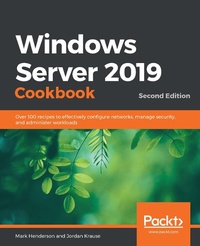
Windows Server 2019 Cookbook
Over 100 recipes to effectively configure networks, manage security, and administer workloads
2nd Edition
Published on 3. June 2024
650 pages
978-1-83898-982-8 (ISBN)
Description

Efficiently manage and administer enterprise environments using Microsoft Windows Server 2019Key FeaturesBook DescriptionDo you want to get up and running with essential administrative tasks in Windows Server 2019? This second edition of the Windows Server 2019 Cookbook is packed with practical recipes that will help you do just that. The book starts by taking you through the basics that you need to know to get a Windows Server operating system working, before teaching you how to navigate through daily tasks using the upgraded graphical user interface (GUI). You'll then learn how to compose an optimal Group Policy and perform task automation with PowerShell scripting. As you advance, you'll get to grips with faster app innovation, improved Windows security measures, and hybrid cloud environments. After you've explored the functions available to provide remote network access to your users, you'll cover the new Hyper-V enhancements. Finally, this Windows Server book will guide you through practical recipes relating to Azure integration and important tips for how to manage a Windows Server environment seamlessly. By the end of this book, you'll be well-versed with Windows Server 2019 essentials and have the skills you need to configure Windows services and implement best practices for securing a Windows Server environment.What you will learn - Get up and running with Windows Server 2019's new features
- Install, configure, and administer Windows Server 2019 effectively
- Configure the server to host any enterprise application
- Discover ways to manage a server without a GUI
- Safeguard your virtual machines in the event of server failure
- Explore new ways to integrate Windows Server with Microsoft Azure
- Deploy Windows containers using Docker
Who this book is forThis Windows Server 2019 book is for system administrators and IT professionals who have basic experience in Windows environments and are interested in acquiring the skills and knowledge needed to manage and maintain the core infrastructure required for a Windows Server 2019 environment.
- Install, configure, and administer Windows Server 2019 effectively
- Configure the server to host any enterprise application
- Discover ways to manage a server without a GUI
- Safeguard your virtual machines in the event of server failure
- Explore new ways to integrate Windows Server with Microsoft Azure
- Deploy Windows containers using Docker
Who this book is forThis Windows Server 2019 book is for system administrators and IT professionals who have basic experience in Windows environments and are interested in acquiring the skills and knowledge needed to manage and maintain the core infrastructure required for a Windows Server 2019 environment.
More details
Other editions
Additional editions
Mark Henderson | Jordan Krause
Windows Server 2019 Cookbook
Over 100 recipes to effectively configure networks, manage security, and administer workloads, 2nd Edition
Book
07/2020
2nd Edition
Packt Publishing
€65.90
Shipment within 3-4 weeks
Persons
Henderson Mark :
Mark Henderson is a Site Reliability Engineer. He has worked for companies like Take 2 Games and Stack Overflow. He has Bachelor of Information Systems and over 13 years of experience in Windows administration, focussed on internet-facing applications and scaling enterprise applications. He works daily with containers, Azure, Amazon Web Services, Active Directory, IIS, SQL Server, and.NET. He lives in a quiet, peaceful beach town in Australia with his family, but has been working with small, medium and large American companies since 2015Krause Jordan :
Jordan Krause has been an IT professional for more than 20 years and has received 9 Microsoft MVP awards for his work with Microsoft server and networking technologies. One of the world's first experts on Microsoft DirectAccess, he has a passion for helping companies find the best ways to enable a remote workforce. Committed to continuous learning, Jordan holds certifications as an MCSE, MCSA, and MCITP Enterprise Administrator, and has authored numerous books on Microsoft technologies. Jordan lives in beautiful West Michigan (USA), but works daily with companies around the world.
Mark Henderson is a Site Reliability Engineer. He has worked for companies like Take 2 Games and Stack Overflow. He has Bachelor of Information Systems and over 13 years of experience in Windows administration, focussed on internet-facing applications and scaling enterprise applications. He works daily with containers, Azure, Amazon Web Services, Active Directory, IIS, SQL Server, and.NET. He lives in a quiet, peaceful beach town in Australia with his family, but has been working with small, medium and large American companies since 2015Krause Jordan :
Jordan Krause has been an IT professional for more than 20 years and has received 9 Microsoft MVP awards for his work with Microsoft server and networking technologies. One of the world's first experts on Microsoft DirectAccess, he has a passion for helping companies find the best ways to enable a remote workforce. Committed to continuous learning, Jordan holds certifications as an MCSE, MCSA, and MCITP Enterprise Administrator, and has authored numerous books on Microsoft technologies. Jordan lives in beautiful West Michigan (USA), but works daily with companies around the world.
Content
Table of Contents - Learning the Interface
- Core Infrastructure Tasks
- Security and Networking
- Working with Certificates
- Internet Information Services
- Remote Access
- Remote Desktop Services
- Monitoring and Hybrid Backup
- System Insights
- Group Policy
- File Services and Data Control
- Windows Server Core
- Hyper-V and Azure
- Containers and Docker
- Desired State Configuration and Automation
- Hardening your infrastructure
- Core Infrastructure Tasks
- Security and Networking
- Working with Certificates
- Internet Information Services
- Remote Access
- Remote Desktop Services
- Monitoring and Hybrid Backup
- System Insights
- Group Policy
- File Services and Data Control
- Windows Server Core
- Hyper-V and Azure
- Containers and Docker
- Desired State Configuration and Automation
- Hardening your infrastructure
