

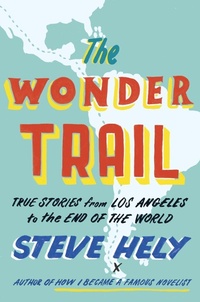
The Wonder Trail
True Stories from Los Angeles to the End of the World
Published on 14. June 2016
336 pages
978-0-698-40423-6 (ISBN)
Description

Steve Hely, writer for The Office and American Dad!, and recipient of the Thurber Prize for American Humor, presents a travel book about his journey through Central and South America. Part travel book, part pop history, part comic memoir, Hely's writing will make readers want to reach for their backpack and hiking boots.
The Wonder Trail is the story of a trip from Los Angeles to the bottom of South America, presented in 102 short chapters. From Mexico City to Oaxaca; into ancient Mayan ruins; the jungles, coffee plantations, and remote beaches of Central America; across the Panama Canal; by sea to Colombia; to the wild Easter celebration of Popayán; to the Amazon rainforest; the Inca sites of Cuzco and Machu Picchu; to the Galápagos Islands; the Atacama Desert of Chile; and down to wind-worn Patagonia at the bottom of the Western Hemisphere; Steve traveled collecting stories, adventures, oddities, marvels, bits of history and biography, tales of weirdos, fun facts, and anything else interesting or illuminating.
Steve's plan was to discover the unusual, wonderful, and absurd in Central and South America, to seek and find the incredible, delightful people and experiences that came his way. And the book that resulted is just as fun. A blend of travel writing, history, and comic memoir, The Wonder Trail will inspire, inform, and delight.
The Wonder Trail is the story of a trip from Los Angeles to the bottom of South America, presented in 102 short chapters. From Mexico City to Oaxaca; into ancient Mayan ruins; the jungles, coffee plantations, and remote beaches of Central America; across the Panama Canal; by sea to Colombia; to the wild Easter celebration of Popayán; to the Amazon rainforest; the Inca sites of Cuzco and Machu Picchu; to the Galápagos Islands; the Atacama Desert of Chile; and down to wind-worn Patagonia at the bottom of the Western Hemisphere; Steve traveled collecting stories, adventures, oddities, marvels, bits of history and biography, tales of weirdos, fun facts, and anything else interesting or illuminating.
Steve's plan was to discover the unusual, wonderful, and absurd in Central and South America, to seek and find the incredible, delightful people and experiences that came his way. And the book that resulted is just as fun. A blend of travel writing, history, and comic memoir, The Wonder Trail will inspire, inform, and delight.
More details
Other editions
Additional editions
Book
06/2016
Dutton
€25.50
Shipment within 10-20 days
Person
Steve Hely was a writer for 30 Rock, Late Show with David Letterman and the acclaimed animated comedy American Dad! He also wrote the Thurber-winning novel How I Became a Famous Novelist, and coauthored the comic travelogue The Ridiculous Race. He's cohost of The Great Debates podcast.
