

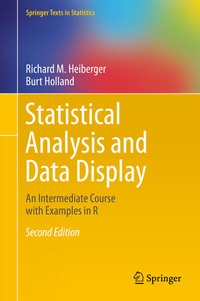
Statistical Analysis and Data Display
Description

Reviews / Votes
"It is a thorough and self-contained book. Keeping with the spirit with earlier edition, the second edition is well organized and structured and builds on statistical knowledge and its appreciation in a logical and concise manner. The book provides a host of useful topics and techniques for students in the niche of statistical analysis and data display. The book can adopted as textbook for an intermediate level statistics course." (S. E. Ahmed, Technometrics, Vol. 58 (3), August, 2016)
More details
Other editions
Additional editions

Persons
Richard M. Heiberger is Professor Emeritus in the Department of Statistics of Temple University, an elected Fellow of the American Statistical Association, and a former Chair of the Section on Statistical Computing of the American Statistical Association. He was Graduate Chair for the Department of Statistics and Acting Associate Vice Provost for the University. He participated in the design of the linear model and analysis of variance functions while on research leave at Bell Labs. He has taught short courses at the Joint Statistics Meetings, the American Statistical Association Conference on Statistical Practice, the R Users Conference, and the Deming Conference on Applied Statistics. He has consulted with several pharmaceutical companies.
Burt Holland
was Professor in the Department of Statistics of Temple University, an elected Fellow of the American Statistical Association, Chair of the Department of Statistics of Temple University, and Chair of Collegial Assembly of the Fox School. He has taught short courses at the Joint Statistics Meetings and the Deming Conference on Applied Statistics. He has made many contributions to linear modeling and simultaneous statistical inference. He frequently served as consultant to medical investigators. He developed a very popular General Education course on Statistics and the News.
Content
- Intro
- Preface
- 1 Audience
- 2 Motivation
- 3 Structure
- 4 Computation
- 4.1 R
- 4.2 The HH Package in R
- 4.3 S-Plus, now called S+
- 4.4 SAS
- 5 Chapters in the Second Edition
- 5.1 Revised Chapters
- 5.2 Revised Appendices
- 6 Exercises
- Acknowledgments: First Edition
- Acknowledgments
- Contents
- Author Bios
- 1 Introduction and Motivation
- 1.1 Statistics in Context
- 1.2 Examples of Uses of Statistics
- 1.2.1 Investigation of Salary Discrimination
- 1.2.2 Measuring Body Fat
- 1.2.3 Minimizing Film Thickness
- 1.2.4 Surveys
- 1.2.5 Bringing Pharmaceutical Products to Market
- 1.3 The Rest of the Book
- 1.3.1 Fundamentals
- 1.3.2 Linear Models
- 1.3.3 Other Techniques
- 1.3.4 New Graphical Display Techniques
- 1.3.5 Appendices on Software
- 1.3.6 Appendices on Mathematics and Probability
- 1.3.7 Appendices on Statistical Analysis and Writing
- 2 Data and Statistics
- 2.1 Types of Data
- 2.2 Data Display and Calculation
- 2.2.1 Presentation
- 2.2.2 Rounding
- 2.3 Importing Data
- 2.3.1 Datasets for This Book
- 2.3.2 Other Data sources
- 2.4 Analysis with Missing Values
- 2.5 Data Rearrangement
- 2.6 Tables and Graphs
- 2.7 R Code Files for Statistical Analysis and Data Display (HH)
- 2.A Appendix: Missing Values in R
- 3 Statistics Concepts
- 3.1 A Brief Introduction to Probability
- 3.2 Random Variables and Probability Distributions
- 3.2.1 Discrete Versus Continuous Probability Distributions
- 3.2.2 Displaying Probability Distributions-Discrete Distributions
- 3.2.3 Displaying Probability Distributions-Continuous Distributions
- 3.3 Concepts That Are Used When Discussing Distributions
- 3.3.1 Expectation and Variance of Random Variables
- 3.3.2 Median of Random Variables
- 3.3.3 Symmetric and Skewed Distributions
- 3.3.4 Displays of Univariate Data
- 3.3.4.1 Histogram
- 3.3.4.2 Stem-and-Leaf Display
- 3.3.4.3 Boxplots
- 3.3.5 Multivariate Distributions-Covarianceand Correlation
- 3.4 Three Probability Distributions
- 3.4.1 The Binomial Distribution
- 3.4.2 The Normal Distribution
- 3.4.3 The (Student's) t Distribution
- 3.5 Sampling Distributions
- 3.6 Estimation
- 3.6.1 Statistical Models
- 3.6.2 Point and Interval Estimators
- 3.6.3 Criteria for Point Estimators
- 3.6.4 Confidence Interval Estimation
- 3.6.5 Example-Confidence Interval on the Mean µ of a Population Having Known Standard Deviation
- 3.6.6 Example-One-Sided Confidence Intervals
- 3.7 Hypothesis Testing
- 3.8 Examples of Statistical Tests
- 3.9 Power and Operating Characteristic (O.C.) (Beta) Curves
- 3.10 Efficiency
- 3.11 Sampling
- 3.11.1 Simple Random Sampling
- 3.11.2 Stratified Random Sampling
- 3.11.3 Cluster Random Sampling
- 3.11.4 Systematic Random Sampling
- 3.11.5 Standard Errors of Sample Means
- 3.11.6 Sources of Bias in Samples
- 3.12 Exercises
- 4 Graphs
- 4.1 What Is a Graph?
- 4.2 Example-Ecological Correlation
- 4.3 Scatterplots
- 4.4 Scatterplot Matrix
- 4.5 Array of Scatterplots
- 4.6 Example-Life Expectancy
- 4.6.1 Study Objectives
- 4.6.2 Data Description
- 4.6.3 Initial Graphs
- 4.7 Scatterplot Matrices-Continued
- 4.8 Data Transformations
- 4.9 Life Expectancy Example-Continued
- 4.10 Color Vision
- 4.11 Exercises
- 4.A Appendix: R Graphics
- 4.A.1 Cartesian Products
- 4.A.2 Trellis Paradigm
- 4.A.3 Implementation of Trellis Graphics
- 4.A.4 Coordinating Sets of Related Graphs
- 4.A.5 Cartesian Product of Model Parameters
- 4.A.6 Examples of Cartesian Products
- 4.A.7 latticeExtra-Extra Graphical Utilities Basedon Lattice
- 4.B Appendix: Graphs Used in This Book
- 4.B.1 Structured Sets of Graphs
- 4.B.2 Combining Panels
- 4.B.3 Regression Diagnostics
- 4.B.4 Graphs Requiring Multiple Calls to xyplot
- 4.B.5 Asymmetric Roles for the Row and Column Sets
- 4.B.6 Rotated Plots
- 4.B.7 Squared Residual Plots
- 4.B.8 Adverse Events Dotplot
- 4.B.9 Microplots
- 4.B.10 Alternate Presentations
- 5 Introductory Inference
- 5.1 Normal (z) Intervals and Tests
- 5.1.1 Test of a Hypothesis Concerning the Mean of a Population Having Known Standard Deviation
- 5.1.2 Confidence Intervals for Unknown Population Proportion p
- 5.1.3 Tests on an Unknown Population Proportion p
- 5.1.4 Example-One-Sided Hypothesis Test Concerning a Population Proportion
- 5.2 t-Intervals and Tests for the Mean of a Population Having Unknown Standard Deviation
- 5.2.1 Example-Inference on a Population Mean µ
- 5.3 Confidence Interval on the Variance or Standard Deviation of a Normal Population
- 5.4 Comparisons of Two Populations Based on IndependentSamples
- 5.4.1 Confidence Intervals on the Difference Between Two Population Proportions
- 5.4.2 Confidence Interval on the Difference Between Two Means
- 5.4.3 Tests Comparing Two Population Means When the Samples Are Independent
- 5.4.4 Comparing the Variances of Two Normal Populations
- 5.5 Paired Data
- 5.5.1 Example-t-test on Matched Pairs of Means
- 5.6 Sample Size Determination
- 5.6.1 Sample Size for Estimation
- 5.6.2 Sample Size for Hypothesis Testing
- 5.7 Goodness of Fit
- 5.7.1 Chi-Square Goodness-of-Fit Test
- 5.7.2 Example-Test of Goodness-of-Fit to a Discrete Uniform Distribution
- 5.7.3 Example-Test of Goodness-of-Fit to a Binomial Distribution
- 5.8 Normal Probability Plots and Quantile Plots
- 5.8.1 Normal Probability Plots
- 5.8.2 Example-Comparing t-Distributions
- 5.9 Kolmogorov-Smirnov Goodness-of-Fit Tests
- 5.9.1 Example-Kolmogorov-Smirnov Goodness-of-Fit Test
- 5.10 Maximum Likelihood
- 5.10.1 Maximum Likelihood Estimation
- 5.10.2 Likelihood Ratio Tests
- 5.11 Exercises
- 6 One-Way Analysis of Variance
- 6.1 Example-Catalyst Data
- 6.2 Fixed Effects
- 6.3 Multiple Comparisons-Tukey Procedure for Comparing All Pairs of Means
- 6.4 Random Effects
- 6.5 Expected Mean Squares (EMS)
- 6.6 Example-Catalyst Data-Continued
- 6.7 Example-Batch Data
- 6.8 Example-Turkey Data
- 6.8.1 Study Objectives
- 6.8.2 Data Description
- 6.8.3 Analysis
- 6.8.4 Interpretation
- 6.8.5 Specification of Analysis
- 6.9 Contrasts
- 6.9.1 Mathematics of Contrasts
- 6.9.2 Scaling
- 6.9.2.1 Absolute-Sum-2 Scaling
- 6.9.2.2 Normalized Scaling
- 6.9.2.3 Integer Scaling
- 6.10 Tests of Homogeneity of Variance
- 6.11 Exercises
- 6.A Appendix: Computation for the Analysis of Variance
- 6.B Object Oriented Programming
- 7 Multiple Comparisons
- 7.1 Multiple Comparison Procedures
- 7.1.1 Bonferroni Method
- 7.1.2 Tukey Procedure for All Pairwise Comparisons
- 7.1.3 The Dunnett Procedure for Comparing One Mean with All Others
- 7.1.3.1 Computing Note-Specifying the Alternative Hypothesis
- 7.1.4 Simultaneously Comparing All Possible Contrasts Scheffé and Extended Tukey
- 7.1.4.1 The Scheffé Procedure
- 7.1.4.2 Scheffé Intervals with the Turkey Data
- 7.1.4.3 The Extended Tukey Procedure
- 7.2 The Mean-Mean Multiple Comparisons Display (MMC Plot)
- 7.2.1 Difficulties with Standard Displays
- 7.2.2 Hsu and Peruggia's Mean-Mean Scatterplot
- 7.2.2.1 Construction of the Mean-Mean Scatterplot
- 7.2.2.2 Interpretation of the Mean-Mean Scatterplot
- 7.2.3 Extensions of the Mean-Mean Display to Arbitrary Contrasts
- 7.2.3.1 Scaling
- 7.2.3.2 Contrasts
- 7.2.3.3 Labeling
- 7.2.3.4 q Multipliers
- 7.2.4 Display of an Orthogonal Basis Set of Contrasts
- 7.2.5 Hsu and Peruggia's Pulmonary Example
- 7.3 Exercises
- 8 Linear Regression by Least Squares
- 8.1 Introduction
- 8.2 Example-Body Fat Data
- 8.2.1 Study Objectives
- 8.2.2 Data Description
- 8.2.3 Data Input
- 8.2.4 One-X Analysis
- 8.3 Simple Linear Regression
- 8.3.1 Algebra
- 8.3.2 Normal Distribution Theory
- 8.3.3 Calculations
- 8.3.4 Residual Mean Square in Regression Printout
- 8.3.5 New Observations
- 8.4 Diagnostics
- 8.5 ECDF of Centered Fitted Values and Residuals
- 8.6 Graphics
- 8.7 Exercises
- 9 Multiple Regression-More Than One Predictor
- 9.1 Regression with Two Predictors-Least-Squares Geometry
- 9.2 Multiple Regression-Two-X Analysis
- 9.3 Multiple Regression-Algebra
- 9.3.1 The Hat Matrix and Leverage
- 9.3.2 Geometry of Multiple Regression
- 9.4 Programming
- 9.4.1 Model Specification
- 9.4.2 Printout Idiosyncrasies
- 9.5 Example-Albuquerque Home Price Data
- 9.5.1 Study Objectives
- 9.5.2 Data Description
- 9.5.3 Data Input
- 9.6 Partial F-Tests
- 9.7 Polynomial Models
- 9.8 Models Without a Constant Term
- 9.9 Prediction
- 9.10 Example-Longley Data
- 9.10.1 Study Objectives
- 9.10.2 Data Description
- 9.10.3 Discussion
- 9.11 Collinearity
- 9.12 Variable Selection
- 9.12.1 Manual Use of the Stepwise Philosophy
- 9.12.2 Automated Stepwise Regression
- 9.12.3 Automated Stepwise Modeling of the Longley Data
- 9.13 Residual Plots
- 9.13.1 Partial Residuals
- 9.13.2 Partial Residual Plots
- 9.13.3 Partial Correlation
- 9.13.4 Added Variable Plots
- 9.13.5 Interpretation of Residual Plots
- 9.13.5.1 Response Variable Against Each of the Predictors
- 9.13.5.2 Residuals Against Each of the Predictors
- 9.13.5.3 Partial Residuals
- 9.13.5.4 Partial Residual Plots
- 9.13.5.5 Added Variable Plots
- 9.14 Example-U.S. Air Pollution Data
- 9.15 Exercises
- 9.A Appendix: Computation for Regression Analysis
- 10 Multiple Regression-Dummy Variables, Contrasts, and Analysis of Covariance
- 10.1 Dummy (Indicator) Variables
- 10.2 Example-Height and Weight
- 10.2.1 Study Objectives
- 10.2.2 Data Description
- 10.2.3 Data Problems
- 10.2.4 Three Variants on the Analysis
- 10.3 Equivalence of Linear Independent X-Variables (such as Contrasts) for Regression
- 10.4 Polynomial Contrasts and Orthogonal Polynomials
- 10.4.1 Specification and Interpretation of Interaction Terms
- 10.5 Analysis Using a Concomitant Variable (Analysis of Covariance-ANCOVA)
- 10.6 Example-Hot Dog Data
- 10.6.1 Study Objectives
- 10.6.2 Data Description
- 10.6.3 One-Way ANOVA
- 10.6.4 Concomitant Explanatory Variable-ANCOVA
- 10.6.5 Tests of Equality of Regression Lines
- 10.7 ancovaplot Function
- 10.8 Exercises
- 11 Multiple Regression-Regression Diagnostics
- 11.1 Example-Rent Data
- 11.1.1 Study Objectives
- 11.1.2 Data Description
- 11.1.3 Rent Levels
- 11.1.4 Alfalfa Rent Relative to Other Rent
- 11.2 Checks on Model Assumptions
- 11.2.1 Scatterplot Matrix
- 11.2.2 Residual Plots
- 11.3 Case Statistics
- 11.3.1 Leverage
- 11.3.2 Deleted Standard Deviation
- 11.3.3 Standardized and Studentized Deleted Residuals
- 11.3.4 Cook's Distance
- 11.3.5 DFFITS
- 11.3.6 DFBETAS
- 11.3.7 Residuals vs Leverage
- 11.3.8 Calculation of Regression Diagnostics
- 11.4 Exercises
- 12 Two-Way Analysis of Variance
- 12.1 Example-Display Panel Data
- 12.1.1 Study Objectives
- 12.1.2 Data Description
- 12.1.3 Analysis Goals
- 12.2 Statistical Model
- 12.3 Main Effects and Interactions
- 12.4 Two-Way Interaction Plot
- 12.5 Sums of Squares in the Two-Way ANOVA Table
- 12.6 Treatment and Blocking Factors
- 12.7 Fixed and Random Effects
- 12.8 Randomized Complete Block Designs
- 12.9 Example-The Blood Plasma Data
- 12.9.1 Study Objectives
- 12.9.2 Data Description
- 12.9.3 Analysis
- 12.10 Random Effects Models and Mixed Models
- 12.11 Example-Display Panel Data-Continued
- 12.12 Studentized Range Distribution
- 12.13 Introduction to Nesting
- 12.13.1 Example-Workstation Data
- 12.13.2 Data Description
- 12.13.3 Analysis Goals
- 12.14 Example-The Rhizobium Data
- 12.14.1 Study Objectives
- 12.14.2 Data Description
- 12.14.3 First Rhizobium Experiment: Alfalfa Plants
- 12.14.4 Second Rhizobium Experiment: Clover Plants
- 12.14.5 Initial Plots
- 12.14.6 Alfalfa Analysis
- 12.14.7 Clover Analysis
- 12.15 Models Without Interaction
- 12.16 Example-Animal Feed Data
- 12.16.1 Study Objectives
- 12.16.2 Analysis
- 12.17 Exercises
- 12.A Appendix: Computation for the Analysis of Variance
- 13 Design of Experiments-Factorial Designs
- 13.1 A Three-Way ANOVA-Muscle Data
- 13.2 Latin Square Designs
- 13.2.1 Example-Latin Square
- 13.3 Simple Effects for Interaction Analyses
- 13.3.1 Example-The filmcoat Data
- 13.3.2 Study Objectives
- 13.3.3 Data Description
- 13.3.4 Data Analysis
- 13.4 Nested Factorial Experiment
- 13.4.1 Example-Gunload Data
- 13.4.2 Example-Turkey Data (Continued)
- 13.5 Specification of Model Formulas
- 13.5.1 Crossing of Two Factors
- 13.5.2 Example-Dummy Variables for Crossed Factors Nested Within Another Factor-Turkey Data (Continued Again)
- 13.6 Sequential and Conditional Tests
- 13.6.1 SAS Terminology for Conditional Sums of Squares
- 13.6.2 Example-Application to Clover Data
- 13.6.3 Example-Application to Body Fat Data
- 13.7 Exercises
- 13.A Appendix: Orientation for Boxplots
- 14 Design of Experiments-Complex Designs
- 14.1 Confounding
- 14.2 Split Plot Designs
- 14.3 Example-Yates Oat Data
- 14.3.1 Alternate Specification
- 14.3.2 Polynomial Effects for Nitrogen
- 14.4 Introduction to Fractional Factorial Designs
- 14.4.1 Example-28-2 Design
- 14.4.2 Example-25-1 Design
- 14.5 Introduction to Crossover Designs
- 14.5.1 Example-Two Latin Squares
- 14.6 ANCOVA with Blocks: Example-Apple Tree Data
- 14.6.1 Study Objectives
- 14.6.2 Data Description
- 14.6.3 Data Analysis
- 14.6.4 Model 1: yield '176 block + pre * treat
- 14.6.5 Model 2: yield.block '176 pre.block * treat
- 14.6.6 Model 3: yield.block '176 pre.block
- 14.6.7 Model 4: yield.block '176 treat
- 14.6.8 Model 5: yield.block '176 pre.block + treat
- 14.6.9 Model 6: yield.block.pre '176 treat
- 14.6.10 Multiple Comparisons
- 14.7 Example-testscore
- 14.7.1 Study Objectives
- 14.7.2 Data Description
- 14.7.3 Analysis-Plots
- 14.7.4 Analysis-ANOVA
- 14.7.5 Summary of ANOVA
- 14.8 The Tukey One Degree of Freedom for Nonadditivity
- 14.8.1 Example-Crash Data-Study Objectives
- 14.8.2 Data Description
- 14.8.3 Data Analysis
- 14.8.4 Theory
- 14.9 Exercises
- 15 Bivariate Statistics-Discrete Data
- 15.1 Two-Dimensional Contingency Tables-Chi-Square Analysis
- 15.1.1 Example-Drunkenness Data
- 15.1.2 Chi-Square Analysis
- 15.2 Two-Dimensional Contingency Tables-Fisher's Exact Test
- 15.2.1 Example-Do Juvenile Delinquents Eschew Wearing Eyeglasses?
- 15.3 Simpson's Paradox
- 15.4 Relative Risk and Odds Ratios
- 15.4.1 Glasses (Again)
- 15.4.2 Large Sample Approximations
- 15.4.2.1 Odds Ratio
- 15.4.2.2 Relative Risk
- 15.4.3 Example-Treating Cardiac Arrest with Therapeutic Hypothermia
- 15.5 Retrospective and Prospective Studies
- 15.6 Mantel-Haenszel Test
- 15.7 Example-Salk Polio Vaccine
- 15.8 Example-Adverse Experiences
- 15.9 Ordered Categorical Scales, Including Rating Scales
- 15.9.1 Display of Professional Challenges Dataset
- 15.9.2 Single-Panel Displays
- 15.9.3 Multiple-Panel Displays
- 15.9.3.1 One Question with Multiple Subsets of the Sample
- 15.9.3.2 One or More Subpopulations with Multiple Questions
- 15.9.3.3 Common Structure at Multiple Times-Population Pyramids
- 15.10 Exercises
- 16 Nonparametrics
- 16.1 Introduction
- 16.2 Sign Test for the Location of a Single Population
- 16.3 Comparing the Locations of Paired Populations
- 16.3.1 Sign Test
- 16.3.2 Wilcoxon Signed-Ranks Test
- 16.4 Mann-Whitney Test for Two Independent Samples
- 16.5 Kruskal-Wallis Test for Comparing the Locations of at Least Three Populations
- 16.6 Exercises
- 17 Logistic Regression
- 17.1 Example-The Space Shuttle Challenger Disaster
- 17.1.1 Study Objectives
- 17.1.2 Data Description
- 17.1.3 Graphical Display
- 17.1.4 Numerical Display
- 17.2 Estimation
- 17.3 Example-Budworm Data
- 17.4 Example-Lymph Nodes
- 17.4.1 Data
- 17.4.2 Data Analysis
- 17.4.3 Additional Techniques
- 17.4.4 Diagnostics
- 17.5 Numerical Printout
- 17.6 Graphics
- 17.6.1 Conditioned Scatterplots
- 17.6.2 Common Scaling in Comparable Plots
- 17.6.3 Functions of Predicted Values
- 17.7 Model Specification
- 17.7.1 Fitting Models When the Response Is Dichotomous
- 17.7.1.1 R and S-Plus
- 17.7.1.2 SAS
- 17.7.2 Fitting Models When the Response Is a SampleProportion
- 17.7.2.1 R and S-Plus
- 17.7.2.2 SAS
- 17.8 LogXact
- 17.9 Exercises
- 18 Time Series Analysis
- 18.1 Introduction
- 18.2 The ARIMA Approach to Time Series Modeling
- 18.2.1 AutoRegression (AR)
- 18.2.2 Moving Average (MA)
- 18.2.3 Differencing
- 18.2.4 Autoregressive Integrated Moving Average (ARIMA)
- 18.3 Autocorrelation
- 18.3.1 Autocorrelation Function (ACF)
- 18.3.2 Partial Autocorrelation Function (PACF)
- 18.4 Analysis Steps
- 18.5 Some Algebraic Development, Including Forecasting
- 18.5.1 The General ARIMA Model
- 18.5.2 Special Case-The AR(1) Model
- 18.5.3 Special Case-The MA(1) Model
- 18.6 Graphical Displays for Time Series Analysis
- 18.7 Models with Seasonal Components
- 18.7.1 Multiplicative Seasonal ARIMA Models
- 18.7.2 Example-co2 ARIMA(0,1,1)(0,1,1)12 Model
- 18.7.3 Determining the Seasonal AR and MA Parameters
- 18.8 Example of a Seasonal Model-The Monthly co2 Data
- 18.8.1 Identification of the Model
- 18.8.2 Parameter Estimation and Diagnostic Checking
- 18.8.3 Forecasting
- 18.9 Exercises
- 18.A Appendix: Construction of Time Series Graphs
- 18.A.1 Characteristics of This Presentationof the Time Series Plot
- 18.A.2 Characteristics of This Presentation of the Sample ACF and PACF Plots
- 18.A.3 Construction of Graphical Displays
- 18.A.4 Functions in the HH package for R
- A R
- A.1 Installing R-Initial Installation
- A.1.1 Packages Needed for This Book-Macintoshand Linux
- A.1.2 Packages and Other Software Needed for This Book-Windows
- A.1.2.1 RExcel
- A.1.2.2 RExcel Users Need to Install Rcmdr as Administrator
- A.1.2.3 Packages Needed for This Book-Windows
- A.1.2.4 `_12`1~2`$12=-1 Rtools
- A.1.2.5 Windows Potential Complications: Internet, Firewall, and Proxy
- A.1.3 Installation Problems-Any Operating System
- A.1.4 `_12`1~2`$12=-1 XLConnect: All Operating Systems
- A.2 Installing R-Updating
- A.3 Using R
- A.3.1 Starting the R Console
- A.3.2 Making the Functions in the HH Package Available to the Current Session
- A.3.3 Access HH Datasets
- A.3.4 Learning the R Language
- A.3.5 Duplicating All HH Examples
- A.3.5.1 Linux and Macintosh
- A.3.5.2 Windows.
- A.3.6 Learning the Functions in R
- A.3.7 Learning the lattice Functions in R
- A.3.8 Graphs in an Interactive Session
- A.4 S/R Language Style
- A.5 Getting Help While Learning and Using R
- A.6 R Inexplicable Error Messages-Some Debugging Hints
- B HH
- B.1 Contents of the HH Package
- B.2 R Scripts for all Figures and Tables in the Book
- B.2.1 Macintosh
- B.2.2 Linux
- B.2.3 Windows
- B.3 Functions in the HH Package
- B.4 HH and S+
- C Rcmdr: R Commander
- D RExcel: Embedding R inside Excel on Windows
- D.1 Installing RExcel for Windows
- D.1.1 Install R
- D.1.2 Install Two R Packages Needed by RExcel
- D.1.3 Install RExcel and Related Software
- D.1.4 Install Rcmdr to Work with RExcel
- D.1.5 Additional Information on Installing RExcel
- D.2 Using RExcel
- D.2.1 Automatic Recalculation of an R Function
- D.2.2 Transferring Data To/From R and Excel
- D.2.3 Control of a lattice Plot from an Excel/Rcmdr Menu
- E Shiny: Web-Based Access to R Functions
- E.1 NTplot
- E.2 bivariateNormal
- E.3 bivariateNormalScatterplot
- E.4 PopulationPyramid
- F R Packages
- F.1 What Is a Package?
- F.2 Installing and Loading R Packages
- F.3 Where Are the Packages on Your Computer?
- F.4 Structure of an R Package
- F.5 Writing and Building Your Own Package
- F.6 Building Your Own Package with Windows
- G Computational Precision and Floating-Point Arithmetic
- G.1 Examples
- G.2 Floating Point Numbers in the IEEE 754 Floating-PointStandard
- G.3 Multiple Precision Floating Point
- G.4 Binary Format
- G.5 Round to Even
- G.6 Base-10, 2-Digit Arithmetic
- G.7 Why Is .9 Not Recognized to Be the Same as (.3 + .6)?
- G.8 Why Is (2)2 Not Recognized to Be the Same as 2?
- G.9 zapsmall to Round Small Values to Zero for Display
- G.10 Apparent Violation of Elementary Factoring
- G.11 Variance Calculations
- G.12 Variance Calculations at the Precision Boundary
- G.13 Can the Answer to the Calculation be Represented?
- G.14 Explicit Loops
- H Other Statistical Software
- I Mathematics Preliminaries
- I.1 Algebra Review
- I.1.1 Line
- I.1.2 Parabola
- I.1.3 Ellipse
- I.1.4 Simultaneous Equations
- I.1.5 Exponential and Logarithm Functions
- I.1.6 Asymptote
- I.2 Elementary Differential Calculus
- I.3 An Application of Differential Calculus
- I.4 Topics in Matrix Algebra
- I.4.1 Elementary Operations
- I.4.2 Linear Independence
- I.4.3 Rank
- I.4.4 Quadratic Forms
- I.4.5 Orthogonal Transformations
- I.4.6 Orthogonal Basis
- I.4.7 Matrix Factorization-QR
- I.4.8 Modified Gram-Schmidt (MGS) Algorithm
- I.4.9 Matrix Factorization-Cholesky
- I.4.10 Orthogonal Polynomials
- I.4.11 Projection Matrices
- I.4.12 Geometry of Matrices
- I.4.13 Eigenvalues and Eigenvectors
- I.4.14 Singular Value Decomposition
- I.4.15 Generalized Inverse
- I.4.16 Solving Linear Equations
- I.4.16.1 n = m = rank(X)
- I.4.16.2 n & m = rank(X)
- I.4.16.3 m & p = rank(X)
- I.5 Combinations and Permutations
- I.5.1 Factorial
- I.5.2 Permutations
- I.5.3 Combinations
- I.6 Exercises
- J Probability Distributions
- J.1 Continuous Central Distributions
- J.1.1 Beta
- J.1.2 Cauchy
- J.1.3 Chi-Square
- J.1.4 Exponential
- J.1.5 F
- J.1.6 Gamma
- J.1.7 Log Normal
- J.1.8 Logistic
- J.1.9 Normal
- J.1.10 Studentized Range Distribution
- J.1.11 (Student's) T
- J.1.12 Uniform
- J.1.13 Weibull
- J.2 Noncentral Continuous Probability Distributions
- J.2.1 Chi-Square: Noncentral
- J.2.2 T: Noncentral
- J.2.3 F: Noncentral
- J.3 Discrete Distributions
- J.3.1 Discrete Uniform
- J.3.2 Binomial
- J.3.3 Geometric
- J.3.4 Hypergeometric
- J.3.5 Negative Binomial
- J.3.6 Poisson
- J.3.7 Signed Rank
- J.3.8 Wilcoxon
- J.4 Multivariate Distributions
- J.4.1 Multinomial
- J.4.2 Multivariate Normal
- K Working Style
- K.1 Text Editor
- K.1.1 Requirements for an Editor
- K.1.2 Choice of Editor
- K.2 Types of interaction with R
- K.3 Script File
- K.4 Directory Structure
- K.4.1 Directory Structure of This Book
- K.4.2 Directory Structure for Users of This Book
- K.4.3 Other User Directories
- L Writing Style
- L.1 Typographic Style
- L.2 Graphical Presentation Style
- L.2.1 Resolution
- L.2.2 Aspect Ratio
- L.2.3 Other Features
- L.3 English Writing Style
- L.4 Programming Style and Common Errors
- L.5 Presentation of Results
- M Accessing R Through a Powerful Editor-With Emacs and ESS as the Example
- M.1 Emacs Features
- M.1.1 Text Editing
- M.1.2 File Comparison
- M.1.3 Buffers
- M.1.4 Shell Mode
- M.1.5 Controlling Other Programs
- M.2 ESS
- M.2.1 Syntactic Indentation and Color/Font-Based Source Code Highlighting
- M.2.2 Partial Code Evaluation
- M.2.3 Object Name Completion
- M.2.4 Process Interaction
- M.2.5 Interacting with Statistical Programs on Remote Computers
- M.2.6 Transcript Editing and Reuse
- M.2.7 Help File Editing (R)
- M.3 Learning Emacs
- M.3.1 GUI (Graphical User Interface)
- M.3.2 Keyboard Interface
- M.4 Nuisances with Windows and Emacs
- M.5 Requirements
- N LaTeX
- N.1 Organization Using LaTeX
- N.2 Setting Equations
- N.3 Coordination with R
- N.4 Global Changes: Specification of Fonts
- O Word Processors and Spreadsheets
- O.1 Microsoft Word
- O.1.1 Editing Requirements
- O.1.2 SWord
- O.2 Microsoft Excel
- O.2.1 Database Management
- O.2.2 Organizing Calculations
- O.2.3 Excel as a Statistical Calculator
- References
- Index of Datasets
- Index
