

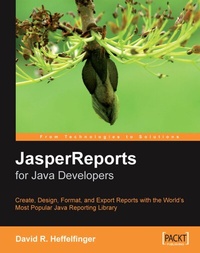
JasperReports for Java Developers
JasperReports for Java Developers
1st Edition
Published on 4. August 2006
344 pages
978-1-84719-073-4 (ISBN)
Description

Create, Design, Format and Export Reports with the world\'s most popular Java reporting libraryKey Features - Get started with JasperReports, and develop the skills to get the most from it
- Create, design, format, and export reports
- Generate report data from a wide range of datasources
- Integrate Jasper Reports with Spring, Hibernate, Java Server Faces, or Struts
Book DescriptionJasperReports is the world's most popular embeddable Java open source reporting library, providing Java developers with the power to easily create rich print and web reports. This book shows you exactly how to get started, and develop the skills to get the most from JasperReports. The book steers you through each point of report setup, to creating, designing, formatting, and exporting reports with data from a wide range of datasources, and integrating JasperReports with other Java frameworks. Starting with the basics of adding reporting capabilities to your application, and creating report templates you will first see how to produce your reports through the use of JRXML files, custom ANT targets, and then see preview them in both the browser and the native browser of JasperReports. Getting data into your reports is the next step, and you will see how to get data from a range of datasources, not only databases, but XML files, and Java Objects, among others. You will create better looking reports with formatting and grouping, as well as adding graphical elements to the report. You will export your reports to a range of different formats, including PDF and XML. Creating reports will be made even easier with a walkthrough of the iReport Designer visual designing tool. To round things off, you will see how to integrate your reports with other Java frameworks, using Spring or Hibernate to get data for the report, and Java Server Faces or Struts for presenting the report.What you will learn - Overview of JasperReports, and what it can do for you
- Adding reporting capabilities to your application
- Creating and formatting reports
- Report layout and design
- Working with database datasources
- Working with other types of datasource such as arrays, collections, TableModels and XML
- Creating subreports
- Adding charts and graphics to a report
- Working with the iReport report designer
- Exporting reports to PDF, Excel spreadsheet or Word document format
- Integrating JasperReports with other Java frameworks like Spring, Java Server Faces, Struts, and Hibernate
Who this book is forThis book is for Java developers who want to create rich reports for either the web or print, and want to get started quickly with JasperReports to do this. No knowledge of JasperReports is presumed, although obviously familiarity with Java, SQL, and XML are assumed where they are required.
- Create, design, format, and export reports
- Generate report data from a wide range of datasources
- Integrate Jasper Reports with Spring, Hibernate, Java Server Faces, or Struts
Book DescriptionJasperReports is the world's most popular embeddable Java open source reporting library, providing Java developers with the power to easily create rich print and web reports. This book shows you exactly how to get started, and develop the skills to get the most from JasperReports. The book steers you through each point of report setup, to creating, designing, formatting, and exporting reports with data from a wide range of datasources, and integrating JasperReports with other Java frameworks. Starting with the basics of adding reporting capabilities to your application, and creating report templates you will first see how to produce your reports through the use of JRXML files, custom ANT targets, and then see preview them in both the browser and the native browser of JasperReports. Getting data into your reports is the next step, and you will see how to get data from a range of datasources, not only databases, but XML files, and Java Objects, among others. You will create better looking reports with formatting and grouping, as well as adding graphical elements to the report. You will export your reports to a range of different formats, including PDF and XML. Creating reports will be made even easier with a walkthrough of the iReport Designer visual designing tool. To round things off, you will see how to integrate your reports with other Java frameworks, using Spring or Hibernate to get data for the report, and Java Server Faces or Struts for presenting the report.What you will learn - Overview of JasperReports, and what it can do for you
- Adding reporting capabilities to your application
- Creating and formatting reports
- Report layout and design
- Working with database datasources
- Working with other types of datasource such as arrays, collections, TableModels and XML
- Creating subreports
- Adding charts and graphics to a report
- Working with the iReport report designer
- Exporting reports to PDF, Excel spreadsheet or Word document format
- Integrating JasperReports with other Java frameworks like Spring, Java Server Faces, Struts, and Hibernate
Who this book is forThis book is for Java developers who want to create rich reports for either the web or print, and want to get started quickly with JasperReports to do this. No knowledge of JasperReports is presumed, although obviously familiarity with Java, SQL, and XML are assumed where they are required.
All prices
More details
Other editions
Additional editions
Book
07/2006
Packt Publishing
€56.30
Shipment within 3-4 weeks
Content
- Intro
- JasperReports for Java Developers
- Table of Contents
- JasperReports for Java Developers
- Credits
- About the Author
- Preface
- What This Book Covers
- What You Need for This Book
- Conventions
- Reader Feedback
- Customer Support
- Downloading the Example Code for the Book
- Errata
- Questions
- 1. An Overview of JasperReports
- Brief History of JasperReports
- What is JasperReports?
- The JasperReports Open-Source License
- Features of JasperReports
- Flexible Report Layout
- Multiple Ways to Present Data
- Multiple Ways to Supply Data
- Multiple Datasources
- Watermarks
- Subreports
- Exporting Capabilities
- Class Library Dependencies
- Typical Workflow
- Where to Get Help?
- Summary
- 2. Adding Reporting Capabilities to Java Applications
- Downloading JasperReports
- Setting Up Our Environment
- JasperReports Class Library
- Required Libraries for Report Compilation
- Jakarta Commons
- Jakarta Commons Digester
- Jakarta Commons Collections
- Jakarta Commons Logging
- Jakarta Commons BeanUtils
- Optional Libraries and Tools
- Apache ANT
- JDT Compiler
- JDBC Driver
- iText
- JFreeChart
- Jakarta POI
- Summary
- 3. Creating Your First Report
- Creating a JRXML Report Template
- Previewing the XML Report Template
- Creating a Binary Report Template
- Compiling a JRXML Template Programmatically
- Previewing the Compiled Report Template
- Compiling a JRXML Template through ANT
- Generating the Report
- Viewing the Report
- Displaying Reports on a Web Browser
- Elements of a JRXML Report Template
- &property&
- &import&
- &reportFont&
- ¶meter&
- &queryString&
- &field&
- &variable&
- &group&
- &background&
- &title&
- &pageHeader&
- &columnHeader&
- &detail&
- &columnFooter&
- &pageFooter&
- &lastPageFooter&
- &summary&
- Summary
- 4. Creating Dynamic Database Reports
- Database for Our Reports
- Generating Database Reports
- Embedding SQL Queries into a Report Template
- Generating the Report
- Modifying a Report Query via Report Parameters
- Database Reporting via a Datasource
- Database Report Methods Compared
- Summary
- 5. Working with Other Datasources
- Empty Datasources
- Map Datasources
- Java Objects as Datasources
- TableModels as Datasources
- XML as Datasource
- Custom Datasources
- Writing a Custom JRDataSource Implementation
- Using the Custom JRDataSource Implementation
- Summary
- 6. Report Layout and Design
- Controlling Report-Wide Layout Properties
- Setting Text Properties
- Styles
- Setting Text Style for Individual Report Elements
- Setting Styles for Text Segments
- Setting a Report's Background
- Adding Multiple Columns to a Report
- A Few Things about Report Columns
- Grouping Report Data
- Report Expressions
- Report Variables
- Built-In Report Variables
- Stretching Text Fields to Accommodate Data
- Laying Out Report Elements
- Setting the Size and Position of a Report Element
- Using the &frame& Element
- Hiding Repeated Values
- Subreports
- Summary
- 7. Adding Charts and Graphics to Reports
- Adding Geometrical Shapes to a Report
- Adding Lines to a Report
- Adding Rectangles to a Report
- Adding Ellipses to a Report
- Adding Images to a Report
- Attributes of the ℑ& Element
- evaluationTime
- evaluationGroup
- hAlign
- vAlign
- isLazy
- isUsingCache
- onErrorType
- Adding Charts to a Report
- Attributes of the &chart& Element
- customizerClass
- evaluationGroup
- evaluationTime
- isShowLegend
- Chart Customization
- Chart Datasets
- Attributes of the &dataset& Element
- incrementType
- incrementGroup
- resetType
- resetGroup
- Plotting Charts
- Attributes of the &plot& Element
- backcolor
- backgroundAlpha
- foregroundAlpha
- orientation
- Pie Charts
- Bar Charts
- XY Line Charts
- Other Types of Charts
- Summary
- 8. Other JasperReports Features
- Report Localization
- Scriptlets
- Crosstabs
- &columnGroup&
- &crosstabCell&
- &crosstabDataset&
- &crosstabParameter&
- &measure&
- ¶metersMapExpression&
- &reportElement&
- &rowGroup&
- &whenNoDataCell&
- Subdatasets
- Adding Hyperlinks and Anchors to Reports
- Bookmarks
- Handling Very Large Reports
- Summary
- 9. Exporting to Other Formats
- Exporting Overview
- Exporting to PDF
- Exporting to RTF
- Exporting to Excel
- Exporting to HTML
- Exporting to XML
- Exporting to CSV
- Exporting to Plain Text
- Directing HTML Reports to a Browser
- Summary
- 10. Graphical Report Design with iReport
- Obtaining iReport
- Setting Up iReport
- Creating a Database Report in Record Time
- Creating a Report "From Scratch
- Creating More Elaborate Reports
- Adding Images to a Report
- Adding Multiple Columns to a Report
- Grouping Report Data
- Adding Charts to a Report
- Help and Support
- Summary
- 11. Integrating JasperReports with other Frameworks
- Integrating JasperReports with Hibernate
- Integrating JasperReports with Spring
- Integrating JasperReports with JavaServer Faces
- Integrating JasperReports with Struts
- Summary
- Index

