

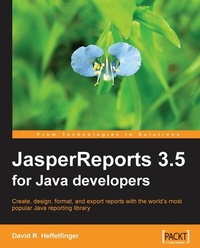
JasperReports 3.5 for Java Developers
JasperReports 3.5 for Java Developers
Published on 13. January 2025
368 pages
978-1-84719-809-9 (ISBN)
Description

Create, Design, Format, and Export Reports with the world\'s most popular Java reporting library
Key Features
Create better, smarter, and more professional reports using comprehensive and proven methods
Group scattered data into meaningful reports, and make the reports appealing by adding charts and graphics
Discover techniques to integrate with Hibernate, Spring, JSF, and Struts, and to export to different file formats
Written in a lucid and practical manner, this book introduces you to JasperReports and gets you creating complex and elegant reports
Book DescriptionDo you want to create easily understood, professional, and powerful reports from disordered, scattered data using a free, open source Java class library? If your answer is yes, this book on JasperReports is what you are looking for. JasperReports is the world's most popular embeddable Java open source reporting library, providing Java developers with the power to easily create rich print and web reports. The book has been fully updated to use JasperReports 3.5, the latest version of JasperReports. Previously accepted techniques that have now been deprecated have been replaced with their modern counterparts. All examples in the book have been updated to use XML schemas for report templates. Coverage of new data sources that JasperReports now supports has been added to the book. Additionally, JasperReports can now export reports to even more formats than before and exporting reports to these new formats is covered in this new edition of the book. This book shows you exactly how to get started, and develop the skills to get the most from JasperReports. It introduces you to the latest version of JasperReports, and gets you creating complex and elegant reports. The book steers you through each point of report setup, to creating, designing, formatting, and exporting reports with data from a wide range of data sources, and integrating JasperReports with other Java frameworks. Starting with the basics of adding reporting capabilities to your application and creating report templates, you will first see how to produce your reports through the use of JRXML files, custom ANT targets, and then preview them in both the web browser and the native browser of JasperReports. Getting data into your reports is the next step, and you will see how to get data from a range of data sources, not only databases, but XML files, and Java Objects, among others. You will create better looking reports with formatting and grouping, as well as adding graphical elements to your reports. You will export your reports to a range of different formats, including PDF and XML. Creating reports will be made even easier with a walkthrough of the iReport Designer visual designing tool. To round things off, you will see how to integrate your reports with other Java frameworks, using Spring or Hibernate to get data for the report, and Java Server Faces or Struts for presenting the report. All examples have been updated to use XML schemas. New export formats, such as OpenDocument Text, and new data sources now supported by JasperReports are now covered in this updated edition.What you will learn
Overview of JasperReports, and what it can do for you
Significantly reduce your report design time by using the iReport report designer
Add reporting capabilities to your Java applications
Learn to ease the task of report navigation by adding hyperlinks, anchors, and bookmarks to your reports
Learn techniques to tweak the report layout and design, and add charts and graphics to your report
Generate database reports and learn to embed SQL queries into your report definition
Work with data sources such as arrays, collections, TableModels, and XML
Simplify report designing by using the subreports feature that allows you to extract complex report sections into a separate report
Export your reports to PDF, Excel spreadsheet, or Word document format, and direct HTML reports to a browser
Integrate JasperReports with Java frameworks like Spring, Java Server Faces, Struts, and Hibernate
Who this book is forIf you are a Java developer who wants to create rich reports for either the Web or print, and wants to get started quickly with JasperReports to do this, this book is for you. No knowledge of JasperReports is presumed.
Key Features
Create better, smarter, and more professional reports using comprehensive and proven methods
Group scattered data into meaningful reports, and make the reports appealing by adding charts and graphics
Discover techniques to integrate with Hibernate, Spring, JSF, and Struts, and to export to different file formats
Written in a lucid and practical manner, this book introduces you to JasperReports and gets you creating complex and elegant reports
Book DescriptionDo you want to create easily understood, professional, and powerful reports from disordered, scattered data using a free, open source Java class library? If your answer is yes, this book on JasperReports is what you are looking for. JasperReports is the world's most popular embeddable Java open source reporting library, providing Java developers with the power to easily create rich print and web reports. The book has been fully updated to use JasperReports 3.5, the latest version of JasperReports. Previously accepted techniques that have now been deprecated have been replaced with their modern counterparts. All examples in the book have been updated to use XML schemas for report templates. Coverage of new data sources that JasperReports now supports has been added to the book. Additionally, JasperReports can now export reports to even more formats than before and exporting reports to these new formats is covered in this new edition of the book. This book shows you exactly how to get started, and develop the skills to get the most from JasperReports. It introduces you to the latest version of JasperReports, and gets you creating complex and elegant reports. The book steers you through each point of report setup, to creating, designing, formatting, and exporting reports with data from a wide range of data sources, and integrating JasperReports with other Java frameworks. Starting with the basics of adding reporting capabilities to your application and creating report templates, you will first see how to produce your reports through the use of JRXML files, custom ANT targets, and then preview them in both the web browser and the native browser of JasperReports. Getting data into your reports is the next step, and you will see how to get data from a range of data sources, not only databases, but XML files, and Java Objects, among others. You will create better looking reports with formatting and grouping, as well as adding graphical elements to your reports. You will export your reports to a range of different formats, including PDF and XML. Creating reports will be made even easier with a walkthrough of the iReport Designer visual designing tool. To round things off, you will see how to integrate your reports with other Java frameworks, using Spring or Hibernate to get data for the report, and Java Server Faces or Struts for presenting the report. All examples have been updated to use XML schemas. New export formats, such as OpenDocument Text, and new data sources now supported by JasperReports are now covered in this updated edition.What you will learn
Overview of JasperReports, and what it can do for you
Significantly reduce your report design time by using the iReport report designer
Add reporting capabilities to your Java applications
Learn to ease the task of report navigation by adding hyperlinks, anchors, and bookmarks to your reports
Learn techniques to tweak the report layout and design, and add charts and graphics to your report
Generate database reports and learn to embed SQL queries into your report definition
Work with data sources such as arrays, collections, TableModels, and XML
Simplify report designing by using the subreports feature that allows you to extract complex report sections into a separate report
Export your reports to PDF, Excel spreadsheet, or Word document format, and direct HTML reports to a browser
Integrate JasperReports with Java frameworks like Spring, Java Server Faces, Struts, and Hibernate
Who this book is forIf you are a Java developer who wants to create rich reports for either the Web or print, and wants to get started quickly with JasperReports to do this, this book is for you. No knowledge of JasperReports is presumed.
All prices
More details
Edition
Digital original
Language
English
Place of publication
Birmingham
United Kingdom
Edition type
Digital original
File size
2,76 MB
ISBN-13
978-1-84719-809-9 (9781847198099)
Copyright in bibliographic data and cover images is held by Nielsen Book Services Limited or by the publishers or by their respective licensors: all rights reserved.
Schweitzer Classification
Other editions
Additional editions
David Heffelfinger
JasperReports 3.5 for Java Developers
Book
08/2009
Packt Publishing
€56.70
Shipment within 3-4 weeks
Person
David R. Heffelfinger is an independent consultant based in the Washington D.C. area. He is a Java Champion and Apache Netbeans Project Management Committee.
He has written several books on Java EE, application servers, NetBeans, and JasperReports. His previous titles include Java EE 8 Application Development, Java EE 7 Development with NetBeans 8, Java EE 7 with GlassFish 4 Application Server, JasperReports 3.5 For Java Developers, among others.
David has spoken at various software conferences, including JavaOne and Oracle Code One, multiple times. He has also presented at NetBeans Day in both San Francisco and Montreal.
He has written several books on Java EE, application servers, NetBeans, and JasperReports. His previous titles include Java EE 8 Application Development, Java EE 7 Development with NetBeans 8, Java EE 7 with GlassFish 4 Application Server, JasperReports 3.5 For Java Developers, among others.
David has spoken at various software conferences, including JavaOne and Oracle Code One, multiple times. He has also presented at NetBeans Day in both San Francisco and Montreal.
Content
Table of Contents

