

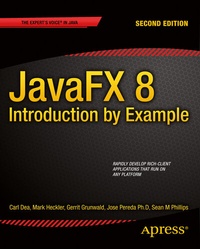
JavaFX 8: Introduction by Example
Description

JavaFX 8: Introduction by Example shows you how to use your existing Java skills to create graphically exciting client applications with the JavaFX 8 platform. The book is a new and much improved edition of JavaFX 2.0: Introduction by Example, taking you through a series of engaging, fun-to-work examples that bring you up to speed on the major facets of the platform. It will help you to create applications that look good, are fun to use, and that take advantage of the medium to present data of all types in ways that engage the user and lead to increased productivity.
Entirely example-based, JavaFX 8: Introduction by Example begins with the fundamentals of installing the software and creating a simple interface. From there, you'll move in progressive steps through the process of developing applications using JavaFX's standard drawing primitives. You'll then explore images, animations, media, and web. This new edition incorporates the changes resulting from the switch to Java 8 SDK. It covers advanced topics such as custom controls, JavaFX 3D, gesture devices, and embedded systems. Best of all, the book is full of working code that you can adapt and extend to all your future projects.
- Entirely example-based
- Filled with fun and practical code examples
- Covers all that's new in Java 8 relating to JavaFX such as Lambda expressions and Streams
- Covers gesture devices, 3D display, embedded systems, and other advanced topics
More details
Other editions
Additional editions
Persons
Content
- Intro
- Contents at a Glance
- Contents
- About the Authors
- About the Technical Reviewer
- Acknowledgments
- Introduction
- Chapter 1: Getting Started
- Installing Required Software
- Installing the Java 8 Development Kit
- Setting Environment Variables
- Installing the NetBeans IDE
- Creating a JavaFX Hello World Application
- Using the Netbeans IDE
- Using the Command-Line Prompt
- Walking Through the Code
- JavaFX Scene Graph
- JavaFX Node
- Packaging a JavaFX Application
- Summary
- Chapter 2: JavaFX Fundamentals
- JavaFX Lines
- Drawing Lines
- Drawing Shapes
- Drawing Complex Shapes
- A Complex Shape Example
- The Cubic Curve
- The Ice Cream Cone
- The Smile
- The Donut
- Painting Colors
- An Example of Color
- Gradient Color
- Radial Gradient
- Semitransparent Gradients
- Reflective Cycle Gradients
- Drawing Text
- Changing Text Fonts
- Applying Text Effects
- Summary
- Chapter 3: Lambdas and Properties
- Lambda
- Lambda Expressions
- Syntax
- Variable Capture
- Functional Interfaces
- Functional vs. Imperative Languages
- Aggregate Operations
- Default Methods
- An Example Case: Cats Large and Small
- Code for the Example
- Explanation of the Code
- Properties and Binding
- UI Patterns
- Properties
- Types of JavaFX Properties
- Read/Writable Properties
- Read-Only Properties
- JavaFX JavaBean
- Property Change Support
- Binding
- Bidirectional Binding
- High-level Binding
- Low-Level Binding
- A Logon Dialog Example
- Login Dialog Source Code
- Explanation of the Code
- Summary
- Chapter 4: Layouts and UI Controls
- Layouts
- HBox
- VBox
- FlowPane
- BorderPane
- GridPane
- UI Controls
- Menus
- Creating Menus and Menu Items
- Invoking a Selected MenuItem
- Example: Working with Menus
- Additional Ways to Select Menus and Menu Items
- Key Mnemonics
- Key Combinations
- Context Menus
- The ObservableList Collection Class
- Working with ListViews
- Working with TableViews
- Generating a Background Process
- Summary
- Chapter 5: Graphics with JavaFX
- Working with Images
- Loading Images
- Viewing Images
- A Photo Viewer Example
- Photo Viewer Features
- Photo Viewer User Instructions
- Photo Viewer Code Listing
- Walking Through the Code
- Current Photo View Area: ImageView
- Drag and Drop: OnDragOver and OnDragDropped
- The OnDragOver Event
- The OnDragDropped Event
- The Custom Button Panel
- Animation
- What are Key Values?
- What are Key Frames?
- What is a Timeline?
- A News Ticker Example
- Adding a Fade in/out Transition to Photos
- Adding a Fade in/out Transition to the Button Panel
- Creating a News Ticker Control
- Summary
- Chapter 6: Custom UIs
- Theming
- Applying JavaFX CSS Themes
- Using the setUserAgentStylesheet(String URL) Method
- Using Scene's getStylesheets().add(String URL) Method
- An Example of Switching Themes
- The Look N Feel Chooser Example Application Code
- How It Works
- JavaFX CSS
- What Are Selectors ?
- CSS id Type Selectors
- CSS class Type Selectors
- Selector Patterns
- Common Selector Patterns
- Pseudo-Class Selectors
- A Selector Styling Example
- How It Works
- How to Define -fx- Based Styling Properties (Rules)
- Styling a Node with a Selector Style Definition Block
- Styling a Node by Inlining JavaFX CSS Styling Properties
- Styling Properties (rules) Limitations
- Obeying the JavaFX CSS Rules
- Scene Builder
- Launching Scene Builder
- FXML
- Loading FXML into a Scene
- Custom Controls
- The LED Custom Control
- Structure of the LED Custom Control Example Code
- The Properties of the LED Control
- The Initialization Code of the LED Control
- Visualization Code
- The LED Control CSS File
- Resizing the LED Control
- How It Works
- Other Ways to Create a Custom Control
- Summary
- Chapter 7: Media with JavaFX
- Media Events
- Playing Audio
- An MP3 Player Example
- The Stop, Play, and Pause Buttons
- The Progress and Seek Position Slider Control
- The Close Button
- MP3 Audio Player Source Code
- How It Works
- The Audio Player Application's Instance Variables
- Setting Up the Stage Window
- The Setup Container Node for Visualizations (the Scene.lookup( ) Method)
- Creating a Custom Button Panel
- Play Progress, Rewind, and Fast Forward
- Seeking Backward or Forward in the Media
- Using a Slider Control to Show Play Progress
- Setting Up Drag-and-Drop Support for Audio Files
- Cleaning Up
- Media Metadata
- Playing Media (the OnReady Event)
- Rewinding (the OnEndOfMedia Event)
- Updating the Visualization Using the AudioSpectrumListener Interface
- Quitting (the Close Button)
- Playing Video
- MPEG-4
- VP6 .flv
- A Video Player Example
- Video Player Source Code
- How It Works
- Setting Up the Stage Window
- The MediaView Node
- Playing Video
- Simulating Closed Captioning: Marking a Position in a Video
- Closed-Captioning Video Example
- How It Works
- Summary
- Chapter 8: JavaFX on the Web
- WebEngine
- WebEngine's load( ) Method
- WebEngine's loadContent( ) Method
- HTML DOM Content
- Obtaining an org.w3c.dom.Document (DOM) Object
- Using Raw XML Content as a String
- Raw HTML5 Content via the JavaScript Bridge
- Communicating from Java to JavaScript
- Communicating from JavaScript to Java
- The URL and HttpURLConnection APIs
- WebEngine Limitations
- Making RESTful Call Requests
- The HTTP GET Request
- One-liner: Reading a File into a String
- HTTP POST Request
- Viewing HTML5 Content (WebView)
- Example: An HTML5 Analog Clock
- Analog Clock Source Code
- How It Works
- Inkscape and SVG
- WebEvents
- Weather Widget Example
- Source Code
- How It Works
- Summary
- Chapter 9: JavaFX 3D
- Basic 3D Scenes in JavaFX
- A Very Basic 3D Scene Example
- Primitives
- Adding a Primitive Example
- Simple Translate and Rotate Example
- Multiple Primitive Transformation Example
- All Together Now: Grouped Primitives
- Interacting with Your Scene
- Primitive Picking for Primitives
- First-Person Movement Using the Keyboard
- First-Person Camera Movement Using the Mouse
- Beyond the Basics
- Custom 3D Objects using the TriangleMesh class
- "Winding" and Wuthering
- A MeshView to a Fill
- Roll Camera!
- Hit the Lights
- Summary
- Chapter 10: JavaFX and Arduino
- The Arduino Board
- The Arduino IDE
- Windows Setup
- Mac OS X Setup
- Linux Setup
- Running the IDE
- Light Tracking
- Tinkering
- The Arduino Photocell Sketch
- How It Works
- Testing the Sketch
- Serial Reading
- Java Simple Serial Connector
- JavaFX, the Charting API, and Sensor Readings
- Serial Communications
- How It Works
- The JavaFX Charts API
- How It Works
- Running the Example
- Adding More Functionality
- Now, What?
- Summary
- Chapter 11: JavaFX on the Raspberry Pi
- Preparing the Raspberry Pi for JavaFX
- Create a Bootable SD Card
- Configuring the Raspberry Pi
- Configuring a Fixed IP Address
- For Wired Networking (Optional, but STRONGLY RECOMMENDED)
- For Wireless Networking (Optional)
- Connecting to the Pi Remotely
- Setting up Secure Shell (SSH)
- Installing JDK8
- Installing JDK8 on Your Development Machine
- Installing JDK8 on the Raspberry Pi
- Installing and Configuring NetBeans 8 for Raspberry Pi Development
- Installing NetBeans 8
- Configuring NetBeans 8 for the Pi
- RaspiCycle: The Code
- Explanation of the Code
- Using NetBeans with the Raspberry Pi
- Summary
- Chapter 12: JavaFX and Gestures
- Recognizing Gestures in Your Application
- Example: Animating Shapes along a Path using Touch Events
- Touch, Rotate, and Zoom in 3D
- The Leap Motion Controller
- How It Works
- Getting Started with the Leap SDK
- Creating a Shooting Star
- Running the Example
- Creating a Water Ripple Effect
- How It Works
- Running the Example
- More Examples
- Summary
- Chapter 13: References
- Java 8 SDK
- Java 8 API Documentation
- IDEs
- Deploying Applications
- JavaFX 2D Shapes
- JavaFX Color
- Java 8's Language Features
- JavaFX 2.x Builder Classes
- JavaFX Printing
- Project Lambda
- Nashorn
- Properties and Bindings
- Layouts
- JavaFX Tools
- Enterprise GUI Frameworks
- Domain-Specific Languages
- Custom UIs
- Operating System Style Guidelines
- JavaFX Media
- JavaFX on the Web
- JavaFX 3D
- JavaFX Gaming
- Java & JavaFX Embedded
- Software and Device Manufacturers
- JavaFX Communities
- Applications
- Java/JavaFX Books and Magazines
- Author Blogs
- Index
