

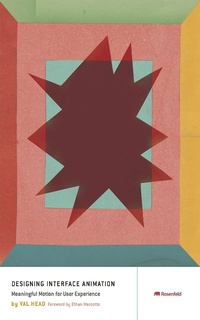
Designing Interface Animation
Improving the User Experience Through Animation
1st Edition
Published on 26. July 2016
240 pages
978-1-933820-16-3 (ISBN)
Description

Effective interface animation deftly combines form and function to improve feedback, aid in orientation, direct attention, show causality, and express your brand's personality. Designing Interface Animation shows you how to create web animation that balances purpose and style while blending seamlessly into the user's experience. This book is a crash course in motion design theory and practice for web designers, UX professionals, and front-end developers alike.
More details
Other editions
Additional editions
Book
07/2016
Rosenfeld Media
€67.40
Shipment within 3-4 weeks
Content
- DESIGNING INTERFACE ANIMATION: Meaningful Motion for User Experience
- How to Use This Book
- Frequently Asked Questions
- Contents
- Foreword
- Introduction
- PART I: THE CASE FOR ANIMATION
- CHAPTER 1: Why You Can't Ignore Animation
- Animation Has Brain Benefits
- Animation Communicates
- Animation Connects Contexts
- UI Choreography
- Animation Grabs Attention
- Staying on Point
- CHAPTER 2: You Already Know More About Animation Than You Think
- Not Just for Cartoons
- Timing (and Spacing) Really Are Everything
- Follow-Through and Overlapping Action
- Anticipation
- Secondary Action
- Arcs
- Squash and Stretch
- Slow In and Slow Out
- Exaggeration
- Solid Drawing
- Straight Ahead and Pose to Pose
- Appeal
- Staging
- Developing an Eye for Animation
- Staying on Point
- CHAPTER 3: Modern Principles of Interactive Animation
- Have a Known Purpose
- Don't Create Obstacles
- Avoid Animation That Becomes an Obstacle
- Keep Animations Flexible
- Be Quick, Be Readable: Timing
- Performance Matters
- Staying on Point
- PART II: USING ANIMATION TO SOLVE DESIGN PROBLEMS
- CHAPTER 4: Using Animation to Orient and Give Context
- Create a Mental Model of What's Out of View
- Orient Interface Layers with Animation
- Orient the User to Off-Screen Objects with Animation
- Guide Tasks
- Inform Context Changes
- Animate Context Changes in Content
- Animate Context Changes in Interactions
- Staying on Point
- CHAPTER 5: Using Animation to Direct Focus and Attention
- Direct Attention to the Most Important Content
- Direct the Eye with Motion
- Think Eye Flow
- Hold Attention with Visual Continuity
- Attract Attention with Contrast in Animation
- Staying on Point
- CHAPTER 6: Using Animation to Show Cause and Effect
- Guide Tasks by Hinting at Affordances
- Cue by Exposing Additional Actions
- Cue the Onboarding Process with Animation
- Preview the Effect of an Action
- Handle Errors with Cause-and-Effect Animations
- Confirm an Action's Effect
- Staying on Point
- CHAPTER 7: Using Animation for Feedback
- Animate Effective Error Messages
- Visually Confirm Tasks Without Losing Your Place
- Loader Animations That Convey Progress
- Contextually Fit Loader Animations, Not Generic Spinners
- Make Waiting Go by Faster
- Staying on Point
- CHAPTER 8: Using Animation to Demonstrate
- Demonstrate Functionality
- Demonstrate with Animations in the Onboarding Process
- Show Personality and Purpose
- Animate Conceptual Illustrations
- Staying on Point
- CHAPTER 9: Using Animation to Express Your Brand
- How Your Brand Moves Tells Its Story
- Defining Your Brand in Motion from the Bottom Up
- The Motion Audit
- Evaluate Your Existing Animation's Design
- Evaluate Your Existing Animation's Purpose
- Define Your Brand in Motion from the Top Down
- The Words You Use to Describe Your Brand
- Referencing Motion from Real Life
- Staying on Point
- PART III: ANIMATION IN YOUR WORK AND PROCESS
- CHAPTER 10: Where Animation Fits in Your Design Process
- Starting the Animation Discussion Early in Your Process
- Identifying Where Animation Could Be Most Helpful
- Sketching and Storyboarding Animation Ideas
- The Purpose of Storyboards
- When to Use Storyboards
- Do You Have to Use Storyboards for Interface Animation?
- Create Animation Prototypes
- When to Use Animation Prototypes
- Animation in Your Style Guide
- Why Document Animation?
- Always Communicate
- Staying on Point
- CHAPTER 11: Prototyping Your Animation Ideas
- Low Fidelity: Sketches and Storyboards
- Medium to High Fidelity: Motion Comps
- High Fidelity: Interactive Prototypes
- Prototyping Web Animation in RWD
- How Many Prototypes Should You Make?
- Staying on Point
- CHAPTER 12: Animating Responsibly
- Your Brain on Animation
- Animation and Vestibular Disorders
- Animation, Epilepsy, and Migraines
- Animation and Motor Control
- Animation and Screen Readers
- The WCAG on Animation
- Progressive Enhancement and Animation
- Staying on Point
- Conclusion
- Index
- Acknowledgments
- About the Author
