

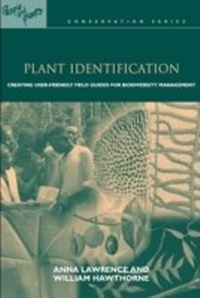
Plant Identification
Creating User-Friendly Field Guides for Biodiversity Management
1st Edition
Published on 17. June 2013
256 pages
978-1-136-55973-0 (ISBN)
Description

An important prerequisite for successful conservation is a good understanding of what we seek to conserve. Nowhere is this more the case than in the fight to protect plant biodiversity, which is threatened by human activity in many regions worldwide. This book is written in the belief that tools that enable more people to understand biodiversity can not only aid protection efforts but also contribute to rural livelihoods. Among the most important of those tools is the field guide.
Plant Identification provides potential authors of field guides with practical advice about all aspects of producing user-friendly guides which help to identify plants for the purposes of conservation, sustainable use, participatory monitoring or greater appreciation of biodiversity.
The book draws on both scientific and participatory processes, supported by the experience of contributors from across the tropics. It presents a core process for producing a field guide, setting out key steps, options and techniques available to the authors of a guide and, through illustration, helps authors choose methods and media appropriate to their context.
Plant Identification provides potential authors of field guides with practical advice about all aspects of producing user-friendly guides which help to identify plants for the purposes of conservation, sustainable use, participatory monitoring or greater appreciation of biodiversity.
The book draws on both scientific and participatory processes, supported by the experience of contributors from across the tropics. It presents a core process for producing a field guide, setting out key steps, options and techniques available to the authors of a guide and, through illustration, helps authors choose methods and media appropriate to their context.
More details
Series
Language
English
Place of publication
London
United Kingdom
Publishing group
Taylor & Francis Ltd
Target group
College/higher education
File size
3,66 MB
ISBN-13
978-1-136-55973-0 (9781136559730)
Copyright in bibliographic data and cover images is held by Nielsen Book Services Limited or by the publishers or by their respective licensors: all rights reserved.
Schweitzer Classification
Other editions
Additional editions
William Hawthorne | Anna Lawrence
Plant Identification
Creating User-Friendly Field Guides for Biodiversity Management
Book
11/2017
1st Edition
Routledge
€282.26
Shipment within 10-20 days
William Hawthorne | Anna Lawrence
PLANT IDENTIFICATION
Creating User-Friendly Field Guides for Biodiversity Management
Book
06/2006
1st Edition
Earthscan Ltd
€96.74
Shipment within 3-4 weeks
Persons
Anna Lawrence leads the Human Ecology Research Programme at Oxford University's Environmental Change Institute.
William Hawthorne is a freelance tropical forest botanist and ecologist, and a senior research associate in the Department of Plant Sciences, Oxford University.
William Hawthorne is a freelance tropical forest botanist and ecologist, and a senior research associate in the Department of Plant Sciences, Oxford University.
Content
Part I, Identifying biodiversity: Why do we need field guides? * How do we 'know' nature? Classifying, naming and recognizing * Field guides * How to use this book * Part II, Producing a successful guide: Principles, purpose, people and process * What makes a successful guide? * Purpose * Principles * People * Process * Part III, Planning and budgeting * Step 1: Identify the needs and purpose of the guide with the stakeholders * Methods for consulting * Step 2: Review the scope in relation to available resources * Step 3: Prepare an action plan and agreements with stakeholders * Summary: Checklist of questions for the planning stage * Part IV, Plant names and botanical publication * Naming, identification and classification * The spectrum of botanical literature * Landmarks in the spectrum of field guides today * Your field guide within the spectrum of types * Part V, Identification: Keys and other access methods * Types of guide: Types of access * Choosing access methods and the medium for your field guide * Part VI, Plant characters suitable for field guides * Characters of younger stems and leaves * Characters of whole plants or plant populations * Part VII, Information: Finding it and presenting it * Kinds of information * Managing information in a database * Nomenclature * Selecting, sampling and recording your sources of information * Primary data: Information direct from people * Secondary sources: Information from existing documented sources * Ownership, intellectual property rights and copyright * Accuracy and reliability * Writing * Part VIII, Illustration * The content of a picture: Some general principles * The options for illustrative material * Use of computers for handling illustrations * Conclusions: Choosing and using imagery * Part IX, Testing the field guide * Overview of the testing process * Methodology * Organizing workshops for testing * Preparing materials for testing * Documentation: Instructions and forms for the test * Using the results of tests and workshops * Part X, Publishing the field guide * Choosing a publisher * Do-it-yourself publication * Desktop publishing * Finalizing content * Printing * Getting your guide to the users * Follow-up: Tracking the success of your field guide *
