

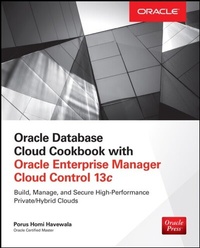
Oracle Database Cloud Cookbook with Oracle Enterprise Manager 13c Cloud Control
1st Edition
Published on 22. November 2016
400 pages
978-0-07-183354-7 (ISBN)
Description

This practical Oracle Press guide teaches cutting-edge techniques for building, configuring, and managing a secure private database cloud with Oracle Enterprise Manager 13c This hands-on volume lays out ready-to-deploy roadmaps for the design and maintenance of high-performance private database clouds using Oracle Enterprise Manager 13c. Learn best practices for a wide variety of different approaches Database as a Service, Snap Clone as a Service, Schema as a Service, and Pluggable Database as a Service. Oracle Private Cloud Cookbook with Enterprise Manager 13c thoroughly explains how to architect, configure, and manage every component in a private database cloud lifecycle. You will get an insider s solutions for securing your cloud-based infrastructure, generating reliable RMAN backups, and protecting your mission-critical enterprise information using Oracle Data Guard. This comprehensive volume from Oracle Press features detailed, step-by-step instructions with multiple screen shots and diagrams that illustrate each technique along the way. Real-world examples and case studies illustrate applications in various industries Offers essential skills for cloud administrators and DBAs Author is an Oracle Certified Master, previous ACE director, and experienced computing writer
More details
Other editions
Additional editions
Porus Homi Havewala
Oracle Database Cloud Cookbook with Oracle Enterprise Manager 13c Cloud Control
Book
09/2016
McGraw-Hill Professional
€77.60
Article not available at the moment
Content
- Cover
- Title Page
- Copyright Page
- Dedication
- Contents at a Glance
- Contents
- Acknowledgments
- Introduction
- 1 Consolidation Planning for the Cloud
- Introducing Oracle Cloud Computing
- Consolidating to Physical Servers
- Running the Host Consolidation Planner
- Creating a Custom Consolidation Scenario for P2P
- Consolidating to Oracle Public Cloud Servers
- Consolidating to Virtual Machines
- Updating the Benchmark Rates
- Database Consolidation Workbench
- Creating a D2S Project and Scenario
- Creating a D2D Project and Scenario
- Implementing the Consolidation
- Summary
- 2 Database as a Service
- Configuring the Self Service Portal
- Set Up the Software Library
- Set Up Self Update
- Deploy the Plug-ins
- Create the Portal Role and User
- Create the PaaS Infrastructure Zone
- Create a Database Pool
- Enter Quotas
- Create a Data Profile: Single-Instance Database
- Create a Data Profile: Snap Clone Database
- Create a Service Template: Single-Instance Database
- Create a Service Template: Snap Clone Database
- Enable Request Settings
- Configure Chargeback
- Self-Service: Request and Create a Database Service
- Self-Service: Request and Create a Snap Clone (CloneDB) Database Service
- Summary
- 3 Schema as a Service
- Create a Schema Pool
- Dealing with Quotas
- Creating a Data Profile
- Creating a Service Template for the HR Schema
- Creating a Service Template for User-Defined Schemas
- Request Settings
- Configuring Chargeback
- Self Service: Request and Create a Schema Service
- Self Service: Request and Create User-Defined Schemas
- Summary
- 4 Pluggable Database as a Service
- Creating a Pluggable Database Pool
- Setting Up Quotas
- Creating a Data Profile for PDB
- Creating a Service Template from a PDB Profile
- Creating a Service Template for an Empty PDB
- Setting Up Request Settings
- Configuring Chargeback
- Self Service: Request and Create a PDB Service for SALES PDB
- Self Service: Request and Create a PDB Service for Empty PDB
- Viewing Chargeback Results
- Administering the Cloud
- Summary
- 5 Hybrid Database Cloud
- Presetup for Hybrid Cloud
- Step 1: Register the Agent
- Step 2: Generate SSH Keys
- Step 3: Create a Named Credential
- Step 4: Changing SELINUX to Permissive
- Other Requirements
- Testing the Hybrid Cloud
- Installing the Cloud Agent
- Discovering the Database and Listener on the Cloud Server
- Comparing On-Premise and Cloud Database Configurations
- Cloning PDBs from On-Premise to Cloud
- Preserving the Agent Home When Patching the Cloud Database
- Cloning to Oracle Cloud
- Masking Results
- Verifying the APEX Version of CDBs
- Cloning from Oracle Cloud
- Summary
- 6 Using the Cloud REST API
- Installing the REST Client
- Presteps
- Step 1: Viewing Details
- Step 2: Creating a Database
- Checking the Progress of Database Creation via the Enterprise Manager API
- Checking the Progress of Database Creation via the Cloud REST API
- Step 3: Refreshing the Database That Was Requested and Created
- Step 4: Deleting the Database That Was Requested and Created
- Step 5: Creating a Schema
- Checking the Progress of the Schema Creation Request via EM13c Screens
- Checking the Progress of the Schema Creation Request via the Cloud REST API
- Step 6: Deleting the Schema Service That Was Requested and Created
- Step 7: Creating a Pluggable Database
- Checking the Progress of the PDB Creation Request via EM13c Screens
- Checking the Progress of the PDB Creation Request via the Cloud REST API
- Step 8: Deleting the Pluggable Database That Was Requested and Created
- Importing Postman Collections from JSON Files (Optional)
- Summary
- 7 Managing Database Backups
- Backups in the Past
- RMAN Benefits
- Initial Backup Steps
- Backup Settings
- Scheduling a Full Backup
- Understanding the Output
- Managing Backups
- Scheduling an Incremental Backup
- Oracle Suggested Backups
- Backup Strategies
- Database Group Backups
- Scheduling Group Backups
- Backups of Oracle Database 12c
- Creating Backup Reports
- Summary
- 8 Managing Standby Databases
- The Old Days of Oracle Disaster Recovery
- Initial Steps
- Adding a Standby Database
- Menu Options for Data Guard
- Data Guard Administration
- Editing Standby Database Properties
- General Tab Settings
- Standby Role Properties Tab Settings
- Common Properties Tab Settings
- Saving and Checking Your Settings
- Editing Primary Database Properties
- Converting to Snapshot Standby
- Switchover and Failover
- Performing a Switchover
- Performing a Failover
- Far Sync in Oracle Database 12c
- Data Guard via Self Service
- Summary
- Index
