

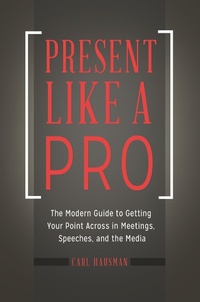
Present Like a Pro
The Modern Guide to Getting Your Point Across in Meetings, Speeches, and the Media
1st Edition
Published on 26. January 2017
192 pages
979-8-216-13187-8 (ISBN)
Description

Highly accessible, full of memorable examples, and at times amusing, this book presents ten powerful techniques for getting your point across in all venues-including new media.
In today's world, nearly everyone, including business professionals and executives, salespeople, teachers, authors, and entrepreneurs-in short, anyone who needs to put an idea before others-needs strong presentation and persuasion skills. Moreover, just as important as traditional public speaking skills is the ability to present effectively via various media. Today's presentation is just as likely to be given over Skype or on YouTube as in a room, before a live audience.
Present Like a Pro shares the expertise of a veteran presenter who knows what is demanded in today's marketplace and has lectured publicly, appeared on television, and testified before Congress. The straightforward, step-by-step instructions provide a sensible "plan of attack" for preparing and presenting. The ten techniques give readers the ability to simplify the challenge of presenting, to understand what works, and to develop an effective strategy for solving any presentation problems not directly covered in the book. Author Carl Hausman addresses all of the common problems for those new to presenting or working in a new environment, such as overcoming stage fright, injecting humor and wit into a presentation while delivering credible expertise, and winning over an inattentive, skeptical, or hostile audience.
In today's world, nearly everyone, including business professionals and executives, salespeople, teachers, authors, and entrepreneurs-in short, anyone who needs to put an idea before others-needs strong presentation and persuasion skills. Moreover, just as important as traditional public speaking skills is the ability to present effectively via various media. Today's presentation is just as likely to be given over Skype or on YouTube as in a room, before a live audience.
Present Like a Pro shares the expertise of a veteran presenter who knows what is demanded in today's marketplace and has lectured publicly, appeared on television, and testified before Congress. The straightforward, step-by-step instructions provide a sensible "plan of attack" for preparing and presenting. The ten techniques give readers the ability to simplify the challenge of presenting, to understand what works, and to develop an effective strategy for solving any presentation problems not directly covered in the book. Author Carl Hausman addresses all of the common problems for those new to presenting or working in a new environment, such as overcoming stage fright, injecting humor and wit into a presentation while delivering credible expertise, and winning over an inattentive, skeptical, or hostile audience.
More details
Edition
1. Auflage
Language
English
Place of publication
New York
United States
Publishing group
Bloomsbury Publishing Plc
Target group
Interest Age: From 7 to 17 years
Illustrations
3 bw illus
ISBN-13
979-8-216-13187-8 (9798216131878)
Copyright in bibliographic data and cover images is held by Nielsen Book Services Limited or by the publishers or by their respective licensors: all rights reserved.
Schweitzer Classification
Other editions
Additional editions
Carl Hausman
Present Like a Pro
The Modern Guide to Getting Your Point Across in Meetings, Speeches, and the Media
Book
01/2017
Praeger Publishers Inc
€58.50
Shipment within 10-20 days
Person
Carl Hausman, PhD, is professor of journalism at Rowan University in Glassboro, NJ, and author of 20 books, some of which have entered into multiple editions.
Content
- Cover
- Title
- Copyright
- Contents
- Expanded Contents
- Introduction
- How to Use This Book
- Chapter 1. Plan It Like You're Patton: Determine Your Battle Plan-Map Out Exactly What You Want to Do and How You Will Do It
- 1. Determine Your Main Takeaway and Write It in One Sentence If You Can't, No One Will Get Your Point
- 2. Remember That a Presentation Is a Journey: Plan Where You Want to Start, Where You Want to Go, and Where You Want to End
- 3. Inventory the Knowledge, Needs, and Interest Level of Your Audience
- 4. Be Focused on the Audience's Needs: What's in It for Them?
- 5. Ruthlessly Narrow Your Focus and the Amount of Material
- 6. Decide on the Format That Works for You: Reading from a Script, Bullet Points, Cue Cards, Memorization, or Ad-Libbing
- 7. Decide Whether to Use Media, What Kind, and Why You Want to Use It
- 8. Rehearse Like a Professional: Make Yourself Better, and Don't Practice Your Mistakes
- 9. Write Your Draft for the Ear, Not for the Eye
- 10. Gear Everything to Your Desired Outcome-and Remember That J. P. Morgan Hit It on the Head When He Said a Person Has Two Reasons for Doing Something: One That Sounds Good, and the Real Reason
- Chapter 2. Present It Like It's a Play: Harness the Structural Power of Mini-Acts, Scenes, and Climaxes
- 1. Visualize It as Three Acts: A Grand Theme Supported by What Aristotle Called "The Rule of Three"
- 2. Tell Stories, Don't Dump Data
- 3. Make Your Audience the Main Characters
- 4. Create Suspense: The Technique of Tension and Release
- 5. Hit All Three of the Classic Drivers of Opinion: Logos, Pathos, Ethos
- 6. Exploit the Power of Silence
- 7. Plan Three Memorable Phrases and Build Your Presentation Around Them
- 8. Alternate Between Problem and Solution
- 9. Use the Playwright's and Composer's Trick of "False Endings" to Build Audience Anticipation as You Approach the Conclusion
- 10. Bring the Curtain Up on Time (But Be Prepared to Fudge with the "Networking" Gimmick If There Are Unavoidable Delays
- Chapter 3. Magnify Your Message with Credibility, Approachability, and Listenability
- 1. Begin With the Three Rules of a Coherent and Engaging Talk: Slow Down, Slow Down, and Slow Down Some More
- 2. Adopt the Power Pose That Research Shows to Be Most Effective
- 3. Move with a Purpose: Use Powerful Gestures and Work the Room Gracefully
- 4. Maintain Eye Contact through Planned Focus Points
- 5. Use Proven Strategies to Invite Audience Involvement
- 6. Get Questions Rolling with a Plant in the Audience
- 7. Eliminate Rhetorical Flourishes
- 8. Project Lucidity and Organization by Monitoring Time and Milestones along the Way to Maintain Interest
- Avoid Running Long or Cutting Material Short
- 9. When Trying to Persuade, Frame Statistics within Stories-But Don't Mislead or Overreach
- 10. Ask for What You Want
- Chapter 4. Maintain an Arsenal of 10 Techniques to Deflect Skepticism, Hostility, and Inattention
- 1. Bridge Agendas: Find What Your Agenda and Your Opponent's Agenda Have in Common, and Pursue That Route
- 2. Use the Ricochet Question to Divert a Troublemaker's Question to Someone Else in the Audience-a Technique That Defuses Hostility and Buys You Time to Think
- 3. Use the Bounceback Question to Put Troublemakers on the Defensive
- 4. Keep an Emergency Store of Additional Information to Overwhelm a Troublemaker
- 5. Reframe and Repeat a Hostile Question to Your Advantage
- 6. Refocus Audience Attention to Deflate a Scene-Stealer
- 7. Be the Grownup in the Room
- 8. Defuse Passive-Aggressive Hecklers by Embarrassing Them
- 9. When Dealing with a Reporter or Someone Assuming That Role, Frame Your Answers Carefully to Avoid Being Taken Out of Context
- 10. Break Up the Routine to Overcome Passive Resistance
- Chapter 5. Perfect and Polish Powerful Opens and Closes
- 1. Whenever Possible, Have Someone Introduce You (with a Script You Provide)
- 2. Don't Start Talking Too Soon
- 3. Go Easy on the Thank-Yous and Other Trite Ingredients of a Tepid Opening
- 4. Grab the Audience by the Lapels
- 5. When You End Your Presentation, Make Sure There Is a Real Ending
- 6. If Appropriate, Insert the Question-and-Answer Session Before the End
- 7. Ensure That There Is a Call to Action at or near the End of Your Presentation
- 8. Somewhere near the End, Use the Jigsaw Puzzle Technique to Show Your Audience How Everything Fits Together-and Validate the Expenditure of Their Time Listening to You
- 9. Somewhere near the End, Circle Back Briefly to the Beginning to Demonstrate That Your Presentation Was a Complete, Spherical Gem
- 10. Your Last Impression Counts-So Make It a Climax and Ensure That You Get the Applause You Deserve
- Chapter 6. Be Master of Your Domain: Make Visual Aids, Handouts, and Room Layouts Work for You
- 1. Scope Out the Room for Visibility, Audibility, and Collegiality
- 2. Prepare Handouts That Augment, Not Supplant, Your Message
- 3. Manage How People Use Your Handouts
- 4. Make Powerpoint Slides Visible, Comprehensible, and Impactful
- 5. Go Beyond Standard Text Slides with Easily Available Artwork and Visuals
- 6. Use Graphics Creatively
- 7. Manage the Projector and the Technology
- 8. Consider Audio, Video, and Other Media, But Use Media in Bite-Size Pieces
- 9. Exploit the Power of Props
- 10. Enhance Future Opportunities with a Leave-Behind Piece
- Chapter 7. Give Your Ideas a Strong Voice: Lower Your Pitch, Raise Your Resonance, and Amplify Your Vocal Power
- 1. Drop Your Pitch by a Third to a Fifth, and Use "The Star Spangled Banner" as a Quick Rangefinder
- 2. Note That the Voice Comes Mostly from the Head, Not the Throat: Try These Exercises for Multiplying Resonance
- 3. Employ Diaphragmatic Breathing to Immediately Boost the Power and Quality of Your Voice
- 4. Adopt an Opera Singer's Posture to Increase Breath Support
- 5. Eliminate Voice Patterns
- 6. Eliminate Other Distracting Vocal Habits
- 7. Use Professional Performers' Relaxation Exercises to Increase Flexibility and Power in the Entire Vocal Chain
- 8. Use Professional Performers' Breathing Exercises to Keep a Steady Column of Air Support
- 9. Regularly Practice for Improvements in Voice and Speech
- 10. Drop the Habits and Practices That Typically Result in Vocal Abuse
- Chapter 8. Control Stage Fright and Understand That What You Can't Control Can Work for You: Being Nervous Is Good If You Channel That Energy the Way Many Famous Performers Do
- 1. First, Remember That This Is Not D-Day and You Are Not on a Higgins Boat, So Realistically, What's the Worst That Could Happen?
- 2. Remember That Audiences Are Poor Perceivers of Nervousness, So Don't Let Your Fear of Being Seen as Nervous Turn into a Self-Amplifying Cycle
- 3. Organize, and Prepare to Overcome the Fear of Getting Lost
- 4. Plan in Advance to Subvert Your Individual Nagging Worries with Your Own Custom Techniques
- 5. Focus on the Content, and Let Excellent Material Be Your Shield
- 6. Memorize the First Two Minutes to Eliminate Launch Anxiety
- 7. Breathe Like a Professional Performer-with the Awareness That Breathing for Performance Does Not Come Naturally
- 8. Monitor Yourself for Nervous Habits That Accelerate Under Pressure
- 9. Remind Yourself That Most Audiences Are Not Hostile
- 10. Finally, Remember That Fear Is Your Friend
- Chapter 9. Harness the Energy of Humor, But Learn How to Use It Appropriately and Gracefully
- 1. Remember That Being Funny Doesn't Happen by Accident
- 2. Know What Makes Something Funny: Misdirection, Incongruity, and Discovered Relationships
- 3. Generally, Opt for Humor over Jokes
- 4. Generally, Opt for Personal, Relevant Humor
- 5. Plan Your "Ad-Libs"
- 6. Recognize That Humor Can Allow You to Say Things You Never Could Get Away With in a Serious Mode, and Use It Accordingly
- 7. Keep a File of Material That Works
- 8. Mine the Vast Resources That Will Help You Be Funny
- 9. Avoid the Types of Humor with a High Risk of Failure
- 10. Express Humor through Other Media During Your Presentation
- Chapter 10. Master the New Media: Presenting Effectively on Skype, Podcasts, Video, and Broadcast
- 1. Use Tablets and Monitors for Surprisingly Effective Small-Scale Presentations
- 2. Present via Skype or Other Remote Video Media, But Beware of Limitations and Pitfalls
- 3. Prepare Podcasts and Other Audio Files for Asynchronous Presentation
- 4. Reach a Massive Audience with YouTube and Other Video Services
- 5. Develop an Area of Expertise
- 6. Become a Recognized Authority and a Media "Go-To" Commentator
- 7. Make a Monument to Your Expertise with a Book and Audiobook
- 8. Get Yourself on the Speaking Circuit
- 9. Tie Your Media Audiences Together Synergistically
- 10. Put Your Mouth Where the Money Is: Explore the Surprisingly Accessible World of Paid Public Speaking
- Chapter 11. Ten Templates for the Types of Presentations You'll Commonly Encounter
- 1. A Training Presentation
- 2. Introducing a Speaker
- 3. A Brief Statement Before a Governing Body, School Board, or Other Type of Group That Is Hearing Opinion Prior to Rendering a Decision
- 4. A Sales Pitch or Other Persuasive Presentation
- 5. Presenting an Award
- 6. Receiving an Award
- 7. Delivering Bad News
- 8. Motivating a Group
- 9. Entertaining a Group
- 10. Delivering a Keynote
- Chapter 12. The Ten Techniques in Action: Classic Demonstrations and Explanations of the "Present Like a Pro" Techniques in Various Presentation Scenarios
- Teach Every Child About Food
- A Commemorative Speech
- Address to the Nation on the Explosion of the Space Shuttle Challenger
- Business and Policy Presentation to a Fairly Unsympathetic Audience
- Television and the Public Interest
- A Motivational Presentation With the Most Famous Call to Action in All of Speech-Making History
- Give Me Liberty or Give Me Death
- Presenting an Award
- Wenonah, New Jersey, Hometown Legend Award, July 4, 2016
- Afterword
- Appendix A Presenter's Guide to Using and Understanding Statistics
- 1. Do Not Equate a Specific-Appearing Number With Accuracy
- 2. Determine Which "Average" You Are Talking About
- 3. Be Skeptical of Any Figure That Mixes Apples and Oranges
- 4. Note That What Is Left Out of a Figure Is at Least as Important as What Is Put in
- 5. Check Comparisons to Make Sure They Are, In the Literal Sense of the Work, Comparable
- 6. Identify Any Veiled Variables Used to Change the Meaning or Impact of the Number in Question
- 7. Remember That Polling Data Can Be Skewed by Where, When, and How the Questions Were Asked, And That Certain Things Cannot Be Measured Very Well
- 8. Filter Out Proportion Distortion in Graphs and Other Images
- 9. When Shown a Graph or Other Visual Representation, Make Sure It Communicates Something Other Than "This Is an Attempt to Make You Think That What I'm Saying Is Scientific"
- 10. No Matter How Tempting, Do Not Automatically Assume a Cause-And-Effect Relationship Between Events That Follow One Another, and do Not Automatically Assume That They Are Statistically Linked
- Notes
- Chapter 1
- Chapter 2
- Chapter 3
- Chapter 4
- Chapter 5
- Chapter 6
- Chapter 7
- Chapter 8
- Chapter 9
- Chapter 10
- Chapter 11
- Chapter 12
- Appendix
- Further Reading
- Books
- Web Sites
- Index
