

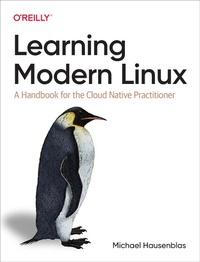
Learning Modern Linux
Published on 15. April 2022
260 pages
978-1-0981-0891-5 (ISBN)
Description

If you use Linux in development or operations and need a structured approach to help you dive deeper, this book is for you. Author Michael Hausenblas also provides tips and tricks for improving your workflow with this open source operating system. Whether you''re a developer, software architect, or site reliability engineer, this hands-on guide focuses on ways to use Linux for your everyday needs, from development to office-related tasks.
Along the way, you''ll gain hands-on experience with modern Linux terminals and shells, and learn how to manage your workloads. You''ll understand how to run Linux applications by using containers, systemd, modern filesystems, and immutable distros such as Flatcar and Bottlerocket.
- Use Linux as a modern work environment, rather than just from an admin perspective
- Learn critical components such as the Linux kernel, terminal multiplexer, human-friendly shells, and portable shell scripting
- Become familiar with access control, from file permissions to capabilities, and understand the role of filesystems as a fundamental building block
- Learn about application dependency management and containers
- Gain hands-on experience with the Linux networking stack and tooling, including DNS
- Apply modern operating system observability to manage your workloads
- Become familiar with interprocess communication, virtual machines, and selected security topics
More details
Other editions
Additional editions
Book
04/2022
O'Reilly
€61.50
Shipment within 15-20 days
Content
- Cover
- Copyright
- Table of Contents
- Preface
- About You
- How to Use the Book
- Conventions
- Using Code Examples
- O'Reilly Online Learning
- How to Contact Us
- Acknowledgments
- Chapter 1. Introduction to Linux
- What Are Modern Environments?
- The Linux Story (So Far)
- Why an Operating System at All?
- Linux Distributions
- Resource Visibility
- A Ten-Thousand-Foot View of Linux
- Conclusion
- Chapter 2. The Linux Kernel
- Linux Architecture
- CPU Architectures
- x86 Architecture
- ARM Architecture
- RISC-V Architecture
- Kernel Components
- Process Management
- Memory Management
- Networking
- Filesystems
- Device Drivers
- syscalls
- Kernel Extensions
- Modules
- A Modern Way to Extend the Kernel: eBPF
- Conclusion
- Chapter 3. Shells and Scripting
- Basics
- Terminals
- Shells
- Modern Commands
- Common Tasks
- Human-Friendly Shells
- Fish Shell
- Z-shell
- Other Modern Shells
- Which Shell Should I Use?
- Terminal Multiplexer
- screen
- tmux
- Other Multiplexers
- Which Multiplexer Should I Use?
- Scripting
- Scripting Basics
- Writing Portable bash Scripts
- Linting and Testing Scripts
- End-to-End Example: GitHub User Info Script
- Conclusion
- Chapter 4. Access Control
- Basics
- Resources and Ownership
- Sandboxing
- Types of Access Control
- Users
- Managing Users Locally
- Centralized User Management
- Permissions
- File Permissions
- Process Permissions
- Advanced Permission Management
- Capabilities
- seccomp Profiles
- Access Control Lists
- Good Practices
- Conclusion
- Chapter 5. Filesystems
- Basics
- The Virtual File System
- Logical Volume Manager
- Filesystem Operations
- Common Filesystem Layouts
- Pseudo Filesystems
- procfs
- sysfs
- devfs
- Regular Files
- Common Filesystems
- In-Memory Filesystems
- Copy-on-Write Filesystems
- Conclusion
- Chapter 6. Applications, Package Management, and Containers
- Basics
- The Linux Startup Process
- systemd
- Units
- Management with systemctl
- Monitoring with journalctl
- Example: scheduling greeter
- Linux Application Supply Chains
- Packages and Package Managers
- RPM Package Manager
- Debian deb
- Language-Specific Package Managers
- Containers
- Linux Namespaces
- Linux cgroups
- Copy-on-Write Filesystems
- Docker
- Other Container Tooling
- Modern Package Managers
- Conclusion
- Chapter 7. Networking
- Basics
- The TCP/IP Stack
- The Link Layer
- The Internet Layer
- The Transport Layer
- Sockets
- DNS
- DNS Records
- DNS Lookups
- Application Layer Networking
- The Web
- Secure Shell
- File Transfer
- Network File System
- Sharing with Windows
- Advanced Network Topics
- whois
- Dynamic Host Configuration Protocol
- Network Time Protocol
- Wireshark and tshark
- Other Advanced Tooling
- Conclusion
- Chapter 8. Observability
- Basics
- Observability Strategy
- Terminology
- Signal Types
- Logging
- Syslog
- journalctl
- Monitoring
- Device I/O and Network Interfaces
- Integrated Performance Monitors
- Instrumentation
- Advanced Observability
- Tracing and Profiling
- Prometheus and Grafana
- Conclusion
- Chapter 9. Advanced Topics
- Interprocess Communication
- Signals
- Named Pipes
- UNIX Domain Sockets
- Virtual Machines
- Kernel-Based Virtual Machine
- Firecracker
- Modern Linux Distros
- Red Hat Enterprise Linux CoreOS
- Flatcar Container Linux
- Bottlerocket
- RancherOS
- Selected Security Topics
- Kerberos
- Pluggable Authentication Modules
- Other Modern and Future Offerings
- NixOS
- Linux on the Desktop
- Linux on Embedded Systems
- Linux in Cloud IDE
- Conclusion
- Appendix A. Helpful Recipes
- Gathering System Information
- Working with Users and Processes
- Gathering File Information
- Working with Files and Directories
- Working with Redirection and Pipes
- Working with Time and Dates
- Working with Git
- System Performance
- Appendix B. Modern Linux Tools
- Index
- About the Author
- Colophon
