

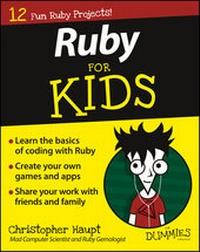
Ruby For Kids For Dummies
Description

More details
Other editions
Additional editions
Person
Content
Project 1
Getting Started with Ruby
Computers are almost everywhere today - from laptops, tablets, or phones, to TVs, watches, medical devices, kitchen appliances, cars, spaceships, big factories, little robots, and millions of other places large and small.
How do computers know what to do inside all these things? Someone has to teach them! Behind every cool animated movie, website, game, vehicle, or device, someone has worked hard to instruct a computer on how to perform its task. That person was a programmer.
In this chapter, I give you a little background about programming and how programmers organize their thoughts when writing computer software or code. I share some background about Ruby, the programming language I cover throughout this book. Then I tell you how to install the tools you'll use for all the projects in the rest of the book.
What Is Programming?
Computers are kind of dumb by themselves. Without a person to tell it exactly what to do, a computer will just sit there. Everything a computer does - and I mean everything, from the display of pictures and text on a screen, to the understanding of what you type on a keyboard or touch and swipe on a tablet - requires some software to interpret signals coming through the various circuits in one part of the computer and modify and send them to the right place in another part to get something done. That's a lot of work!
Fortunately, over the years, many smart people have come up with different ways to communicate clearly with computers. Writing instructions for a computer is called programming or coding, and the end result is a program or software.
A computer programming language shares many similarities to a human language. It has symbols and words (like nouns and verbs) that you put together following a syntax (rules for spelling, order, and punctuation).
When you start learning to program, you open up a wide world in which you can apply this knowledge when working with any technology that uses computers. You'll be able to read other people's programs to learn more about computers or to use code you write to solve homework problems, create puzzles, build a new game, create a website, or even control machines like robots.
Programs needs to be very precise in order to instruct a computer to do something. Imagine that you want to tell your friend to do something. For instance, how would you tell someone to sit down in a desk chair? You might say:
- Pull the chair out.
- Sit down.
Your friend is smart enough that your instructions make perfect sense, and she'll sit on the chair safely without falling over or anything crazy like that. People have a lot of knowledge they can use to interpret instructions like this.
Now, if you have to tell a computer to sit down, what would that be like? You have to be a lot more exact. For example, you would have to say:
- Pull the chair away from the desk.
- Walk around so your body is in front of the chair.
- Turn around so your backside is facing the chair.
- Make sure your body is exactly next to the chair.
- Start bending your knees and lowering your body.
- Keep bending your knees until your bottom makes contact with the seat of the chair.
- Stop bending your knees when your weight is held by the chair.
Even these instructions might not be enough for a computer because they make some assumptions (like what your body parts are called).
Try it yourself: How would you tell a computer exactly how to do something like filling a glass with water?
Programmers need to think in this very detail-oriented way. As you learn to write computer programs, you'll get good at breaking a problem down into smaller and smaller parts. Each of those parts will eventually be a line of code that you create. Over time, you'll learn other techniques that help you identify the different objects you'll need to describe to the computer and the actions those objects will take. This will help you organize your code in ways that make it possible to create very sophisticated software. Pretty cool, huh?
Why Ruby?
There are many different computer programming languages out there. Each language has strengths and weaknesses. Some languages are easier if you're trying to control large machines. Some languages are specialized for mobile apps - the kind on an iPhone, for example. Some languages make it easy to create websites. And some languages are for doing science and engineering.
A general-purpose programming language is good for many different kinds of projects. There are many general-purpose programming languages to choose from. The important thing when you're wanting to learn programming is to pick something and dive into training yourself to think like a programmer. When you learn one programming language, learning another one is much, much easier.
In this book, I use the language Ruby. Ruby is a flexible, general-purpose language that is useful for many kinds of projects. It was created in the mid-1990s in Japan by Yukihiro Matsumoto (best known by his nickname, "Matz"). Don't worry - you don't have to learn Japanese to program with Ruby! Today Ruby is used around the world for all kinds of projects, by beginners and professionals alike.
Matz had a wonderful philosophy in mind when creating Ruby: He wanted programmers to be productive, enjoy programming, and be happy. This is one of my favorite things about Ruby: As you learn it and write programs, you'll have fun!
What Tools Do You Need?
Most obviously, you need a computer that's running a current version of a consumer desktop operating system (Mac OS X or Windows).
If you're using a computer with Linux on it, you can still follow along with the projects in this book. I won't be going through the instructions here. Instead, check out the official Ruby documentation: www.ruby-lang.org/en/documentation/installation. As long as your selected approach installs at least version 1.9.3 of Ruby, you should be okay.
For the projects in this book, you need only a few basic tools, and they're all free.
First, you need Ruby installed, as well as some other software that helps Ruby use the capabilities of your computer. I walk you through how to install Ruby in this section.
Second, you need a text editor that is specifically for coding. Word processors don't work well when coding, so you'll use a tool that is built for programmers. There are a number of good, free code editors out there, and I help you install one of them in this section. (You may use any other editing program you like as long as it's a code editor of some kind.)
If you're on Windows
To run Ruby on Windows, you have to install Ruby and several developer tools. The following instructions have been tested with Windows 8 and 8.1.
- Go to
http://rubyinstaller.orgin your web browser. -
Click the big red Download button.
A list of RubyInstallers appears.
-
Click Ruby 2.2.2 near the top of the RubyInstallers list (see Figure 1-1).
Do not click Ruby 2.2.2 (x64).
An installer program downloads to your computer.
-
Run the installer program by choosing Run Program (if Windows presents this option) or double-clicking the file when it's done downloading.
The installer will ask you to select a language to use during installation. Accept the license, and then the installer will have you set some configuration options. Leave the default folder choice alone, but uncheck the Install Tcl/Tk Support check box (you won't be using it for this book), and make sure that the other two check boxes - Add Ruby Executables to Your PATH and Associate .rb and .rbw Files with This Ruby Installation - are selected (see Figure 1-2).
When the installer is done, it will have created a topmost folder with all the Ruby software on your C: drive called C:\Ruby22. You can use Windows 8 Desktop and the File Explorer to confirm that it's there (as shown in Figure 1-3).
Figure 1-1: Click Ruby 2.2.2 to download installer.
Figure 1-2: Setup Ruby installation settings.
Figure 1-3: Confirm that the Ruby22 folder is created.
You must also download the Development Kit from http://rubyinstaller.org to get some of the cool tools used by the projects in this book. Follow these steps:
- Go to the
http://rubyinstaller.orgin your web browser. -
Scroll down to the Development Kit section and click the file under "For use with Ruby 2.0 and above (32bits version only)" (see Figure 1-4).
An installer program downloads to your computer.
-
Run the Development Kit installer by choosing Run Program (if Windows presents this option) or double-clicking the file when it finishes downloading.
The installer will ask you where to put the kit. You want to put the kit in its own folder, not in the Ruby folder you selected in Step 1. To make things easy for the...
