

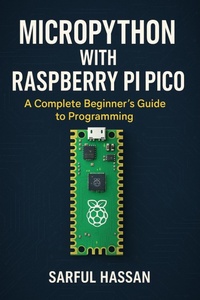
MicroPython with Raspberry Pi Pico A Complete Beginner's Guide to Programming (Microcontroller Programming Series)
Published on 30. September 2025
979-8-232-23856-8 (ISBN)
Description

Are you ready to unlock the full potential of the Raspberry Pi Pico and start your journey into MicroPython programming? This step-by-step beginner-friendly guide takes you from the basics of hardware setup to advanced projects involving connectivity, sensors, and communication protocols.
Whether you're a student, hobbyist, or an absolute beginner to programming and electronics, this book is designed to make learning MicroPython with Raspberry Pi Pico simple, practical, and fun.
What You'll Learn Inside
Part I: Getting Started
- Introduction to the Raspberry Pi Pico and its hardware pinout
- Installing MicroPython and setting up the Thonny IDE
Part II: Core Programming Foundations
- Variables, data types, operators, and expressions
- Type conversion, random number generation, and math functions
- Control flow, functions, variable scope, and error handling
- Modules and imports for modular programming
Part III: Interfacing with Hardware
- Digital and analog I/O
- Timers and interrupts for precision control
- Connecting and interacting with external hardware components
Part IV: Communication & Connectivity
- UART, I²C, SPI, and One-Wire protocols
- Wireless connectivity with Wi-Fi on Pico W
Why This Book?
- Beginner-friendly: no prior coding or electronics experience required
- Hands-on projects: learn by doing with step-by-step examples
- Comprehensive: covers both programming fundamentals and hardware interfacing
- Future-proof skills: explore protocols and techniques used in IoT and embedded systems development
Who Is This Book For?
- Absolute beginners who want to learn coding with MicroPython
- Makers and hobbyists exploring Raspberry Pi Pico for DIY electronics projects
- Students in electronics, computer science, and robotics
- Anyone interested in IoT, embedded systems, and microcontroller programming
