

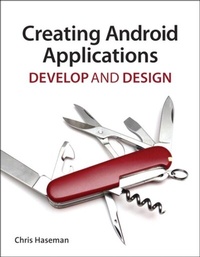
Creating Android Applications
Develop and Design
1st Edition
Published on 22. December 2011
271 pages
978-0-13-277622-6 (ISBN)
Description

Capturing more than half of the global smartphone market, Google's Android mobile platform offers a vibrant and growing marketplace for developers. In this book, Android programming expert Chris Haseman shows you how to use the powerful set of Android tools to begin writing the next generation of Android applications. Chris provides a complete introduction to developing for Google's mobile OS, offering tons of insights and hard-earned advice. After a tour of how to install and configure the Android SDK and Eclipse IDE, you jump right in, building your first Android project. Chris starts off with how to use the major building blocks to create an intuitive and good-looking interface. Next, he shows you how to retrieve data and how to use lists to display data. Chris then explores how to use services-important, and often under-utilized, components of the Android platform. Chris examines how to handle media and location services before showing you how to write applications for the Android ecosystem.
More details
Language
English
Place of publication
Berkeley
United States
Publishing group
Pearson Education (US)
Target group
College/higher education
ISBN-13
978-0-13-277622-6 (9780132776226)
Copyright in bibliographic data and cover images is held by Nielsen Book Services Limited or by the publishers or by their respective licensors: all rights reserved.
Schweitzer Classification
Other editions
Additional editions
Book
12/2011
Peachpit Press Publications
€30.99
Article exhausted; check different version
Person
Chris Haseman has been writing mobile software in various forms since 2003. He was involved in several large-scale BREW projects, from MMS messaging to Major League Baseball. More recently, he was an early Android engineer behind the doubleTwist media player, and is now the lead Android developer for Tumblr. He's a faculty member of General Assembly in New York City, teaching Android development. He lives in Brooklyn, where he constantly debates shaving his beard.
Content
Introduction
Welcome to Android
CHAPTER 1 GETTING STARTED WITH ANDROID
CHAPTER 2 EXPLORING THE APPLICATION BASICS
CHAPTER 3 CREATING USER INTERFACES
CHAPTER 4 ACQUIRING DATA
CHAPTER 5 ADAPTERS, LISTVIEWS, AND LISTS
CHAPTER 6 THE WAY OF THE SERVICE
CHAPTER 7 MANY DEVICES, ONE APPLICATION
CHAPTER 8 MOVIES AND MUSIC
CHAPTER 9 DETERMINING LOCATIONS AND USING MAPS
CHAPTER 10 TABLETS, FRAGMENTS, AND ACTION BARS, OH MY
CHAPTER 11 PUBLISHING YOUR APPLICATION
Index
Welcome to Android
CHAPTER 1 GETTING STARTED WITH ANDROID
CHAPTER 2 EXPLORING THE APPLICATION BASICS
CHAPTER 3 CREATING USER INTERFACES
CHAPTER 4 ACQUIRING DATA
CHAPTER 5 ADAPTERS, LISTVIEWS, AND LISTS
CHAPTER 6 THE WAY OF THE SERVICE
CHAPTER 7 MANY DEVICES, ONE APPLICATION
CHAPTER 8 MOVIES AND MUSIC
CHAPTER 9 DETERMINING LOCATIONS AND USING MAPS
CHAPTER 10 TABLETS, FRAGMENTS, AND ACTION BARS, OH MY
CHAPTER 11 PUBLISHING YOUR APPLICATION
Index
