

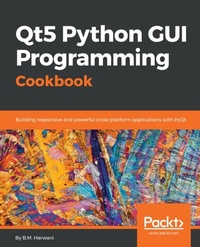
Qt5 Python GUI Programming Cookbook
Building responsive and powerful cross-platform applications with PyQt
1st Edition
Published on 3. June 2024
462 pages
978-1-78883-046-1 (ISBN)
Description

Over 60 recipes to help you design interactive, smart, and cross-platform GUI applicationsKey Features - [*] Get succinct QT solutions to pressing GUI programming problems in Python
- [*] Learn how to effectively implement reactive programming
- [*] Build customized applications that are robust and reliable
Book DescriptionPyQt is one of the best cross-platform interface toolkits currently available; it's stable, mature, and completely native. If you want control over all aspects of UI elements, PyQt is what you need. This book will guide you through every concept necessary to create fully functional GUI applications using PyQt, with only a few lines of code. As you expand your GUI using more widgets, you will cover networks, databases, and graphical libraries that greatly enhance its functionality. Next, the book guides you in using Qt Designer to design user interfaces and implementing and testing dialogs, events, the clipboard, and drag and drop functionality to customize your GUI. You will learn a variety of topics, such as look and feel customization, GUI animation, graphics rendering, implementing Google Maps, and more. Lastly, the book takes you through how Qt5 can help you to create cross-platform apps that are compatible with Android and iOS. You will be able to develop functional and appealing software using PyQt through interesting and fun recipes that will expand your knowledge of GUIs What you will learn - [*] Use basic Qt components, such as a radio button, combo box, and sliders
- [*] Use QSpinBox and sliders to handle different signals generated on mouse clicks
- [*] Work with different Qt layouts to meet user interface requirements
- [*] Create custom widgets and set up customizations in your GUI
- [*] Perform asynchronous I/O operations and thread handling in the Python GUI
- [*] Employ network concepts, internet browsing, and Google Maps in UI
- [*] Use graphics rendering and implement animation in your GUI
- [*] Make your GUI application compatible with Android and iOS devices
Who this book is forIf you're an intermediate Python programmer wishing to enhance your coding skills by writing powerful GUIs in Python using PyQT, this is the book for you.
- [*] Learn how to effectively implement reactive programming
- [*] Build customized applications that are robust and reliable
Book DescriptionPyQt is one of the best cross-platform interface toolkits currently available; it's stable, mature, and completely native. If you want control over all aspects of UI elements, PyQt is what you need. This book will guide you through every concept necessary to create fully functional GUI applications using PyQt, with only a few lines of code. As you expand your GUI using more widgets, you will cover networks, databases, and graphical libraries that greatly enhance its functionality. Next, the book guides you in using Qt Designer to design user interfaces and implementing and testing dialogs, events, the clipboard, and drag and drop functionality to customize your GUI. You will learn a variety of topics, such as look and feel customization, GUI animation, graphics rendering, implementing Google Maps, and more. Lastly, the book takes you through how Qt5 can help you to create cross-platform apps that are compatible with Android and iOS. You will be able to develop functional and appealing software using PyQt through interesting and fun recipes that will expand your knowledge of GUIs What you will learn - [*] Use basic Qt components, such as a radio button, combo box, and sliders
- [*] Use QSpinBox and sliders to handle different signals generated on mouse clicks
- [*] Work with different Qt layouts to meet user interface requirements
- [*] Create custom widgets and set up customizations in your GUI
- [*] Perform asynchronous I/O operations and thread handling in the Python GUI
- [*] Employ network concepts, internet browsing, and Google Maps in UI
- [*] Use graphics rendering and implement animation in your GUI
- [*] Make your GUI application compatible with Android and iOS devices
Who this book is forIf you're an intermediate Python programmer wishing to enhance your coding skills by writing powerful GUIs in Python using PyQT, this is the book for you.
More details
Other editions
Additional editions
B.M. Harwani
Qt5 Python GUI Programming Cookbook
Building responsive and powerful cross-platform applications with PyQt
Book
07/2018
Packt Publishing
€64.20
Shipment within 3-4 weeks
Person
Harwani B. M. :
B. M. Harwani is the founder of Microchip Computer Education, based in Ajmer, India, which provides computer literacy in programming and web development to learners of all ages. He further helps the community by sharing the knowledge and expertise he's gained over 20 years of teaching by writing books. His recent publications include jQuery Recipes, published by Apress, Introduction to Python Programming and Developing GUI Applications with PyQT, published by Cengage Learning, The Android Tablet Developer's Cookbook, published by Addison-Wesley Professional, UNIX and Shell Programming, published by Oxford University Press, and Qt5 Python GUI Programming Cookbook, published by Packt.
B. M. Harwani is the founder of Microchip Computer Education, based in Ajmer, India, which provides computer literacy in programming and web development to learners of all ages. He further helps the community by sharing the knowledge and expertise he's gained over 20 years of teaching by writing books. His recent publications include jQuery Recipes, published by Apress, Introduction to Python Programming and Developing GUI Applications with PyQT, published by Cengage Learning, The Android Tablet Developer's Cookbook, published by Addison-Wesley Professional, UNIX and Shell Programming, published by Oxford University Press, and Qt5 Python GUI Programming Cookbook, published by Packt.
Content
Table of Contents - Creating User Interface using QT components
- Event Handling - Signals and Slots
- Working with Date and Time
- Understanding OOPs concept
- Understanding Dialogs
- Understanding Layouts
- Using Network and Managing Large Documents
- Doing Asynchronous Programming in Python
- Database Handling
- Using Graphics
- Implementing Animation
- Using Google Maps
- Running Python Scripts on Android and iOS
- Event Handling - Signals and Slots
- Working with Date and Time
- Understanding OOPs concept
- Understanding Dialogs
- Understanding Layouts
- Using Network and Managing Large Documents
- Doing Asynchronous Programming in Python
- Database Handling
- Using Graphics
- Implementing Animation
- Using Google Maps
- Running Python Scripts on Android and iOS
