

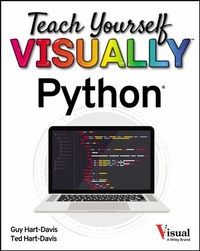
Teach Yourself VISUALLY Python
1st Edition
Published on 21. July 2022
304 pages
978-1-119-86026-6 (ISBN)
Description

A simple, straightforward, and hands-on roadmap to the world of computer programming with Python
Teach Yourself VISUALLY: Python is your personal guide to getting you started in programming. As one of the world's most popular--and most accessible--coding languages, Python is your gateway into the wide and wonderful world of computer science. This hands-on guide walks you through Python step by clearly illustrated step, from writing your very first Python code in a terminal window or the VS Code app through to creating your own lists, dictionaries, and custom classes.
In the book, you'll learn to:
* Install Python and the tools you need to work with it on Windows, macOS, and Linux
* Work with files and folders, manipulate text, and create powerful functions that do exactly what you want
* Write clean code that makes decisions effectively, repeats actions as needed, and handles any errors that occur
A must-have resource for aspiring programmers starting from the very beginning, Teach Yourself VISUALLY: Python is also an indispensable handbook for programmers making a transition from another language.
Teach Yourself VISUALLY: Python is your personal guide to getting you started in programming. As one of the world's most popular--and most accessible--coding languages, Python is your gateway into the wide and wonderful world of computer science. This hands-on guide walks you through Python step by clearly illustrated step, from writing your very first Python code in a terminal window or the VS Code app through to creating your own lists, dictionaries, and custom classes.
In the book, you'll learn to:
* Install Python and the tools you need to work with it on Windows, macOS, and Linux
* Work with files and folders, manipulate text, and create powerful functions that do exactly what you want
* Write clean code that makes decisions effectively, repeats actions as needed, and handles any errors that occur
A must-have resource for aspiring programmers starting from the very beginning, Teach Yourself VISUALLY: Python is also an indispensable handbook for programmers making a transition from another language.
More details
Other editions
Additional editions
G Hart-Davis
Teach Yourself VISUALLY Python
Book
11/2022
1st Edition
Wiley
€29.00
Shipment within 15-20 days
