

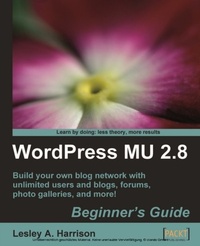
WordPress MU 2.8: Beginner's Guide
Build your own blog network with unlimited users and blogs, forums, photo galleries, and more!
1st Edition
Published on 13. January 2025
268 pages
978-1-84719-655-2 (ISBN)
Description

Build your own blog network with unlimited users and blogs, forums, photo galleries, and more!Key Features - Design, develop, secure, and optimize a blog network with a single installation of WordPress
- Add unlimited users and blogs, and give different permissions on different blogs
- Add social networking features to your blogs using BuddyPress
- Create a bbPress forum for your users to communicate with each other
- Part of Packt's Beginner's Guide Series, with step-by-step, detailed instructions for building a blog network from scratch
Book DescriptionWordPress MU enables you to build a complete, professional blog network. Each user gets their own blog, and can choose their favorite templates and plug-ins, and develop their own content. WordPress MU powers some of the largest blog networks in the world, including the mighty WordPress.com ñ home to thousands of bloggers. This book will take you through the setup of a WordPress MU-powered blogging network, using a real, working blog network as an example, so that you can follow the creation process step-by-step. Your blogging network will be complete with professional features such as friends lists, status feeds, groups, forums, photo galleries, and more, to build your own WordPress.com ñ a place where users can quickly come and create a blog for themselves. The book starts with a clean install of WordPress MU, and as you work through the book, you will build the blog network, and add on more and more features, all seamlessly integrated to achieve a professional, custom-built look.You will find new themes and plug-ins added to the site, as well as customization of the WordPress multi-user code. The book will also look at ways you can manage your community, and keep your site safe and secure, ensuring that it is a spam-free, enjoyable community for your users. In the later chapters, you will add a forum using the bbPress script, and add BuddyPress social networking components to your site. Imagine how good you'll feel when your first WordPress multi-user blog network launches.What you will learn - Set up and run your own blog network using the multi-user version of the most popular open source blogging platform
- Monetize your blog network and earn revenue from using simple banner advertisements to paid upgrades and revenue sharing models
- Give users a chance to interact with each other and build community spirit by integrating a forum with your site
- Hook your blog network up to other social networking sites such as Twitter
- Increase traffic to your site with tagging, trackbacks, pings, and RSS
- Add popular features such as gravatars, polls, photo galleries, friends lists, and more
- Secure your blog network, and protect it from spam with reCAPTCHA and Bad Behaviour
- Implement backup and performance optimization techniques that will ensure that your blog network will be capable of handling large numbers of visitors
Who this book is forIf you wish to manage multiple blogs and build a blog network, then this book is for you. You are not expected to be experienced with PHP coding. Some knowledge of HTML, and some experience with the blogging and social networking world will be helpful, but not essential.
- Add unlimited users and blogs, and give different permissions on different blogs
- Add social networking features to your blogs using BuddyPress
- Create a bbPress forum for your users to communicate with each other
- Part of Packt's Beginner's Guide Series, with step-by-step, detailed instructions for building a blog network from scratch
Book DescriptionWordPress MU enables you to build a complete, professional blog network. Each user gets their own blog, and can choose their favorite templates and plug-ins, and develop their own content. WordPress MU powers some of the largest blog networks in the world, including the mighty WordPress.com ñ home to thousands of bloggers. This book will take you through the setup of a WordPress MU-powered blogging network, using a real, working blog network as an example, so that you can follow the creation process step-by-step. Your blogging network will be complete with professional features such as friends lists, status feeds, groups, forums, photo galleries, and more, to build your own WordPress.com ñ a place where users can quickly come and create a blog for themselves. The book starts with a clean install of WordPress MU, and as you work through the book, you will build the blog network, and add on more and more features, all seamlessly integrated to achieve a professional, custom-built look.You will find new themes and plug-ins added to the site, as well as customization of the WordPress multi-user code. The book will also look at ways you can manage your community, and keep your site safe and secure, ensuring that it is a spam-free, enjoyable community for your users. In the later chapters, you will add a forum using the bbPress script, and add BuddyPress social networking components to your site. Imagine how good you'll feel when your first WordPress multi-user blog network launches.What you will learn - Set up and run your own blog network using the multi-user version of the most popular open source blogging platform
- Monetize your blog network and earn revenue from using simple banner advertisements to paid upgrades and revenue sharing models
- Give users a chance to interact with each other and build community spirit by integrating a forum with your site
- Hook your blog network up to other social networking sites such as Twitter
- Increase traffic to your site with tagging, trackbacks, pings, and RSS
- Add popular features such as gravatars, polls, photo galleries, friends lists, and more
- Secure your blog network, and protect it from spam with reCAPTCHA and Bad Behaviour
- Implement backup and performance optimization techniques that will ensure that your blog network will be capable of handling large numbers of visitors
Who this book is forIf you wish to manage multiple blogs and build a blog network, then this book is for you. You are not expected to be experienced with PHP coding. Some knowledge of HTML, and some experience with the blogging and social networking world will be helpful, but not essential.
All prices
More details
Other editions
Additional editions
Book
10/2009
Packt Publishing
€55.80
Shipment within 3-4 weeks
Content
- Intro
- WordPress MU 2.8 Beginner's Guide
- Table of Contents
- WordPress MU 2.8 Beginner's Guide
- Credits
- About the Author
- About the Reviewers
- Preface
- What this book covers
- Who this book is for
- Conventions
- Reader feedback
- Customer support
- Downloading the example code for the book
- Errata
- Piracy
- Questions
- 1. Introducing WordPress MU
- What is WordPress MU
- Making your own social blog network
- What is BuddyPress
- What is bbPress
- Making and hosting my site
- Choosing between VPS, dedicated, and grid hosting
- VPS
- Dedicated servers
- Grid hosting
- Server requirements for WordPress MU
- Recommended WordPress MU hosts
- Building our example site: The SlayerCafe
- Planning your site
- Summary
- 2. Installing WordPress MU
- Tools you will need
- Text editors
- FTP clients and other tools
- Setting up a local web server
- Time for action - getting your server set up
- What just happened?
- Databases with MySQL
- Preparing for WordPress MU-creating a database
- Time for action - creating a database for WordPress MU
- What just happened?
- Time for action - subdomains for WordPress MU
- What just happened?
- Pop quiz - your local server
- Have a go hero - getting more from Apache
- Preparing your live server
- Time for action - working with cPanel
- What just happened?
- User blogs with subdomains
- Time for action - subdomains under WHM
- What just happened?
- One last thing-wildcards and Apache
- What just happened?
- Pop quiz - subdomains
- Installing WordPress MU
- Time for action - getting WordPress MU up and running
- What just happened?
- Changing the admin password
- Time for action - changing the admin password
- Letting people register
- Time for action - enabling registrations
- What just happened?
- Testing your site
- Time for action - creating a new user
- Have a go hero - doing more with the thing
- Summary
- 3. Customizing the Appearance of Your Site
- Picking out a theme
- Installing your new theme
- Time for action - installing a new theme
- What just happened?
- Styling the sign-up page
- Time for action - editing your theme
- What just happened?
- Have a go hero - it's time to style
- Setting the theme for your users' blogs
- Time for action - changing the default blog theme
- What just happened?
- Customizing your home page
- Time for action - making a sign-up button
- What just happened?
- Featured posts
- Time for action - featured posts
- What just happened?
- Have a go hero - styling the featured post
- Showing off your statistics
- Time for action - simple stats
- What just happened?
- Have a go hero - adding extra stats
- Pop quiz - doing the thing
- Displaying recent posts and comments
- Time for action - displaying the most active blogs
- What just happened?
- Customizing AHP Sitewide Recent Posts plugin
- Time for action - tweaking the recent post display options
- What just happened?
- Pop quiz - doing the thing
- Displaying Sitewide recent comments plugin
- Time for action - Sitewide recent comments
- What just happened?
- The plugin display code
- Pop quiz - multiuser plugins
- Time for action - our improved home page
- Other important points
- Summary
- 4. Letting Users Manage Their Blogs
- User management basics
- Preparing the site for our users
- Banned Names
- Limited Email Registrations and Banned Email Domains
- Media restrictions and upload space
- Plugins
- Have a go hero - embedded videos
- Customization options for your users
- Time for action - offering a selection of themes
- What just happened?
- User editable themes
- Time for action - userthemes revisited
- What just happened?
- User roles and admin panels
- Time for action - setting user levels and changing the user's admin panel
- What just happened?
- Have a go hero - creating new roles
- Hiding the dashboard
- Time for action - hiding the dashboard
- What just happened?
- More user options - privacy and using their own domain
- Time for action - domain mapping
- What just happened?
- Have a go hero - server setup for domains
- Pop quiz - doing the thing
- A few things to consider
- Summary
- 5. Protecting Your Site
- Signing up for reCAPTCHA
- Stopping spam with reCAPTCHA and Bad Behavior
- Time for action - setting up reCAPTCHA
- What just happened?
- Bad Behavior
- Time for action - setting up Bad Behavior
- What just happened?
- Have a go hero - taking spam prevention to the next level
- Making sure the plugins run for your users
- Time for action - managing your users' plugins
- What just happened?
- Blocking bad guys with .htaccess
- Time for action - .htaccess settings to stop bad guys
- What just happened?
- Have a go hero - build your own list
- Pop quiz - spam blocking
- Other useful plugins
- Moderating registrations
- Taming your default categories
- Regular backups without lifting a finger
- Time for action - automatic backups
- What just happened?
- Have a go hero - other ways to do backups
- Summary
- 6. Increasing Traffic to Your Blog
- Improved tagging
- Time for action - tagging blog posts
- What just happened?
- Sitewide tags
- Time for action - sitewide tag clouds
- What just happened?
- Have a go hero - styling the tags page
- Using pings
- Time for action - pings
- What just happened?
- Have a go hero - more sites to ping
- Trackbacks
- Offering RSS feeds
- Time for action - offering RSS subscription options
- FeedBurner
- Time for action - let's burn some feeds
- What just happened?
- Have a go hero - offering more RSS options
- Twitter and social bookmarking
- Getting your readers to share posts
- Time for action - social bookmarking links
- What just happened?
- Have a go hero - Digg this
- Pop quiz - traffic building
- More about traffic building
- Summary
- 7. Sticky Features for your Blog Network
- What do people mean by "sticky"?
- Letting readers and authors communicate
- Contact forms
- Time for action - setting up contact forms
- What just happened?
- Improved comments
- Time for action - IntenseDebate Comments
- What just happened?
- Activating IntenseDebate on your users' blogs
- Have a go hero - tweaking IntenseDebate
- Community features-gravatars
- Time for action - gravatars in WordPress MU
- What just happened?
- Have a go hero - gravatars and themes
- Encouraging sign-ups with downloads for members only
- Welcoming new visitors
- Time for action - creating a welcome message
- What just happened?
- Related posts for visitors from search engines
- Other ways to engage the community
- Polls
- Sitewide searching
- Pop quiz - doing the thing
- Summary
- 8. Adding Forums with bbPress
- Installing bbPress
- Time for action - installing bbPress
- What just happened?
- One login for both the forum and the blog
- Time for action - user DB integration with WordPress MU
- What just happened?
- Handling new users
- Time for action - blog and forum registrations
- What just happened?
- Seamless theme integration
- Time for action - styling your forum
- What just happened?
- Have a go hero - more advanced styling and integration
- Managing your forum
- Time for action - managing your forum
- What just happened?
- Managing your users
- Time for action - setting user permissions
- What just happened?
- Useful plugins for bbPress
- Time for action - installing plugins
- What just happened?
- Have a go hero - sharing information between forum and blog
- Displaying recent posts in your blog
- Creating forum topics using blog posts
- Pop quiz - doing the thing
- Summary
- 9. Social Networking with BuddyPress
- BuddyPress
- Setting up BuddyPress
- Time for action - installing the BuddyPress suite
- What just happened?
- BuddyPress plugins explained
- Working with Extended Profiles
- Private Messaging
- Friends list
- Groups
- The Wire
- Activity streams
- Blog tracking
- Forums
- Themes for your BuddyPress network
- Time for action - installing new themes
- What just happened?
- Have a go hero - designing your own theme
- Putting BuddyPress content on your front page
- Hooking up BuddyPress to other social networks
- Time for action - Facebook Connect
- What just happened?
- Integrating with Twitter
- Improving your site's performance
- Time for action - speeding up BuddyPress
- What just happened?
- Pop quiz - so many things BuddyPress can do
- The future of BuddyPress
- Summary
- 10. Monetizing Your Site
- Ways to monetize your site
- Advertising networks as a revenue source
- Selling ads directly
- Ads in RSS feeds
- Donate links
- Revenue sharing
- Premium memberships
- Selling products via your site
- Managing ads on WordPress MU
- Time for action - ad management with Advertising Manager
- What just happened?
- Have a go hero - advertising
- Revenue sharing
- Time for action - revenue sharing
- What just happened?
- Premium memberships
- MemberWing
- EasyPaypal
- Time for action - premium memberships
- What just happened?
- Have a go hero - hiding ads from paid members
- Other ways to monetize your site-stores
- Things to remember when monetizing your site
- Summary
- 11. Site Optimization
- Choosing to optimize your site
- Speed up your site with caching
- Time for action - setting up object cache
- What just happened?
- The downsides of caching and how to avoid them
- More ways to speed up your site-optimizing themes
- Spreading the load
- Time for action - spreading the load
- What just happened?
- More theme optimization
- Optimizing your database
- Time for action - optimizing your site through phpMyAdmin
- What just happened?
- Have a go hero - automate that optimization!
- Troubleshooting slow loading sites
- Server side optimizations
- Pop quiz - speed up your site
- Summary
- 12. Troubleshooting and Maintaining your Site
- Why worry about upgrades
- Performing a safe upgrade
- Performing a database backup via the command line
- Performing a database backup via phpMyAdmin
- Time for action - performing the upgrade
- What just happened?
- Troubleshooting-when upgrades go wrong
- Solving database connection issues
- Diagnosing unusual error messages
- Error Message: Headers already sent...
- Troubleshooting-common problems
- Time for action - restoring a backup
- What just happened?
- Protecting your site from hackers
- Patch regularly and use good passwords
- Limit what your users can do
- Avoiding social engineering
- Pop quiz
- Getting help online
- Have a go hero - posting to request support
- Summary
- Index

