

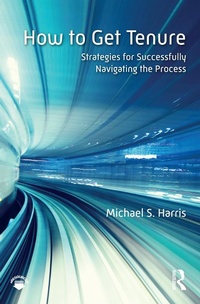
How to Get Tenure
Strategies for Successfully Navigating the Process
1st Edition
Published on 22. June 2018
200 pages
978-1-351-21157-4 (ISBN)
Description

Helping assistant professors and pre-tenure faculty balance competing obligations in teaching, research, and service, this comprehensive book explores the challenging path toward tenure. Drawing from research literature on faculty development, pedagogy, and psychology, How to Get Tenure covers topics such as productivity, research agendas, publication, service, and preparing a dossier. Whether read from beginning to end or used as a reference, this book provides clear, concrete, and accessible advice on the most effective and efficient strategies for navigating the inherent ambiguity of the tenure process, tackling the challenges and complexity of the tenure track, and building a strong case for tenure.
Reviews / Votes
"How to Get Tenure is a wise, generous, and informed book that will benefit not only pre-tenure faculty, but also all of those who support and evaluate them. I wish I had this book when I was undergoing the tenure process; I would have benefited enormously from both its practical recommendations and its clear presentation of what can seem like a byzantine, mysterious process to tenure candidates."-James M. Lang, Professor of English and Director of the D'Amour Center for Teaching Excellence, Assumption College, USA
More details
Edition
1. Auflage
Language
English
Place of publication
London
United Kingdom
Publishing group
Taylor & Francis Ltd
Target group
Professional and scholarly
Illustrations
6 Tables, black and white; 4 Illustrations, black and white
ISBN-13
978-1-351-21157-4 (9781351211574)
Copyright in bibliographic data and cover images is held by Nielsen Book Services Limited or by the publishers or by their respective licensors: all rights reserved.
Schweitzer Classification
Other editions
Additional editions
Book
06/2018
1st Edition
Routledge
€56.90
Shipment within 15-20 days
Book
06/2018
1st Edition
Routledge
€197.20
Shipment within 15-20 days
Person
Michael S. Harris is an Associate Professor of Higher Education, and Director of the Center for Teaching Excellence (CTE) at Southern Methodist University, USA.
Content
Preface
Acknowledgments
eResources
Part I: Learning the Rules of the Road
Chapter 1: What Is Tenure?
Chapter 2: The Basics of Productivity
Part II: Planning Your Route
Chapter 3: Scholarship and Academic Publishing
Chapter 4: Teaching
Chapter 5: Service
Part III: Arriving at the Destination
Chapter 6: Going Up for Tenure
Chapter 7: What's Next
Acknowledgments
eResources
Part I: Learning the Rules of the Road
Chapter 1: What Is Tenure?
Chapter 2: The Basics of Productivity
Part II: Planning Your Route
Chapter 3: Scholarship and Academic Publishing
Chapter 4: Teaching
Chapter 5: Service
Part III: Arriving at the Destination
Chapter 6: Going Up for Tenure
Chapter 7: What's Next
