

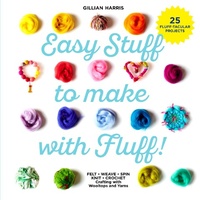
Easy Stuff to Make with Fluff
Published on 13. April 2017
80 pages
978-1-911595-30-4 (ISBN)
Description

Ever wondered what can be made with fluffy wooltops, wools and yarns? This new book from Gillian Harris, owner of the Fluffatorium, has all the answers!
Wooltops are essentially 'unspun' wool that have been processed into long fluffy lengths. It's the stuff you use when you spin yarn, and it's also the stuff that is used for felting, plus you can use it to weave with, or for extreme knitting and giant crochet too. It is light and woolly and very very fluffy!
A selection of other fibres and yarns are used in some of the projects. These start life as fluffy wooltops, but have been processed a little bit more and may have been spun and plied into different sorts of yarns.
Choose favourite colours of 'fluff' and learn how to make pompoms, brooches, pictures, lampshades, cushions and more. Use the fluff as it is or learn how to transform it by wetfelting, needlefelting, weaving, knitting or crocheting. Spin your own art yarn too, using a simple drop spindle.
Readers will get hooked into Gillian's vibrant fluffy world and begin crafting lots of lovely, simple, easy-to-make projects.
Word count: 15,000
Wooltops are essentially 'unspun' wool that have been processed into long fluffy lengths. It's the stuff you use when you spin yarn, and it's also the stuff that is used for felting, plus you can use it to weave with, or for extreme knitting and giant crochet too. It is light and woolly and very very fluffy!
A selection of other fibres and yarns are used in some of the projects. These start life as fluffy wooltops, but have been processed a little bit more and may have been spun and plied into different sorts of yarns.
Choose favourite colours of 'fluff' and learn how to make pompoms, brooches, pictures, lampshades, cushions and more. Use the fluff as it is or learn how to transform it by wetfelting, needlefelting, weaving, knitting or crocheting. Spin your own art yarn too, using a simple drop spindle.
Readers will get hooked into Gillian's vibrant fluffy world and begin crafting lots of lovely, simple, easy-to-make projects.
Word count: 15,000
More details
Language
English
Place of publication
United Kingdom
Publishing group
HarperCollins Publishers
Product notice
Reflowable
File size
15,81 MB
ISBN-13
978-1-911595-30-4 (9781911595304)
Copyright in bibliographic data and cover images is held by Nielsen Book Services Limited or by the publishers or by their respective licensors: all rights reserved.
Schweitzer Classification
Person
Gillian Harris
