

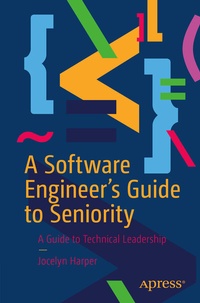
A Software Engineer's Guide to Seniority
A Guide to Technical Leadership
Published on 2. December 2022
IX, 63 pages
978-1-4842-8783-5 (ISBN)
Description

There are few books in the market that talk about the effort within and outside of the job that helps software engineers advance in their careers. This book is a truthful and introspective look at technical careers and a consolidation of that information and advice for engineers that are looking to elevate their career to the senior level.
While charting a path to becoming a senior software engineer you'll study how to handle the obligations and complexities involved in that role. While most of the software engineer job is exploratory and involves learning new things nearly every day, this book will show you how to be a manager, a leader, and to achieve seniority in your tech role.
From learning how to optimize your resume to knowing how to interview for positions on your team to helping your team grow and develop their own skills and career, this is a book that all software engineers need.
What You'll Learn
Entry to mid-level software engineers working in a corporate environment
While charting a path to becoming a senior software engineer you'll study how to handle the obligations and complexities involved in that role. While most of the software engineer job is exploratory and involves learning new things nearly every day, this book will show you how to be a manager, a leader, and to achieve seniority in your tech role.
From learning how to optimize your resume to knowing how to interview for positions on your team to helping your team grow and develop their own skills and career, this is a book that all software engineers need.
What You'll Learn
- Optimize your resume for applications
- Standard tips for interviewing in software engineer positions
- Become a mentor and leader at your job
Entry to mid-level software engineers working in a corporate environment
More details
Series
Edition
First Edition
Language
English
Place of publication
Berkeley
United States
Publishing group
APRESS
Target group
Professional and scholarly
Product notice
Reflowable
Illustrations
IX, 63 p. 4 illus.
File size
1,12 MB
ISBN-13
978-1-4842-8783-5 (9781484287835)
DOI
10.1007/978-1-4842-8783-5
Schweitzer Classification
Other editions
Additional editions
Book
12/2022
APress
€64.19
Shipment within 15-20 days
Person
Jocelyn has had a large passion for technology since the age of 9 where she taught herself HTML and CSS to build websites and design layouts in Paint Shop Pro. Many years and Java coding boot camp later, now a senior software engineer looking for next role and is also the host of Git Cute Podcast, a technology podcast that is aimed at providing technology and career advice without the humdrum and heaviness of technical jargon. Outside of work, Jocelyn devotes a portion of her time to traveling around the country giving technical presentations and talks about diversity and inclusion within the tech sector.
Content
Chapter 1: The Why.- Chapter 2: Content Creation: Tips, Tricks, & Info.- Chapter 3: Resume Review.- Chapter 4: Interview Insight: How to Get the Job.- Chapter 5: Salary Information: Get Your Biggest Bag.- Chapter 6: Senior Responsibilities: Obligations You Now Have as a Senior Engineer.- Chapter 7: Best Code Practices: How to Organize Code.- Chapter 8: Reliability and Resiliency: Software Efficiency and Tips.- Chapter 9: Productivity: Amp It Up.
