

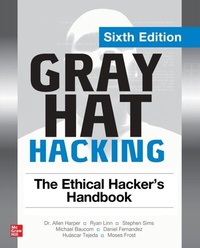
Gray Hat Hacking: The Ethical Hacker's Handbook, Sixth Edition
1st Edition
Published on 11. March 2022
752 pages
978-1-264-26895-5 (ISBN)
Available for download
Description

Up-to-date strategies for thwarting the latest, most insidious network attacksThis fully updated, industry-standard security resource shows, step by step, how to fortify computer networks by learning and applying effective ethical hacking techniques. Based on curricula developed by the authors at major security conferences and colleges, the book features actionable planning and analysis methods as well as practical steps for identifying and combating both targeted and opportunistic attacks.Gray Hat Hacking: The Ethical Hacker's Handbook, Sixth Edition clearly explains the enemy s devious weapons, skills, and tactics and offers field-tested remedies, case studies, and testing labs. You will get complete coverage of Internet of Things, mobile, and Cloud security along with penetration testing, malware analysis, and reverse engineering techniques. State-of-the-art malware, ransomware, and system exploits are thoroughly explained.Fully revised content includes 7 new chapters covering the latest threatsIncludes proof-of-concept code stored on the GitHub repositoryAuthors train attendees at major security conferences, including RSA, Black Hat, Defcon, and Besides
More details
Other editions
Additional editions
Allen Harper | Ryan Linn | Stephen Sims
Gray Hat Hacking: The Ethical Hacker's Handbook, Sixth Edition
Book
03/2022
6th Edition
McGraw-Hill Education
€61.00
Shipment within 15-20 days
Content
- Cover
- Title Page
- Copyright Page
- Contents
- Preface
- Acknowledgments
- Introduction
- Part I Preparation
- Chapter 1 Gray Hat Hacking
- Gray Hat Hacking Overview
- History of Hacking
- Ethics and Hacking
- Definition of Gray Hat Hacking
- History of Ethical Hacking
- History of Vulnerability Disclosure
- Bug Bounty Programs
- Know the Enemy: Black Hat Hacking
- Advanced Persistent Threats
- Lockheed Martin Cyber Kill Chain
- Courses of Action for the Cyber Kill Chain
- MITRE ATT&CK Framework
- Summary
- For Further Reading
- References
- Chapter 2 Programming Survival Skills
- C Programming Language
- Basic C Language Constructs
- Lab 2-1: Format Strings
- Lab 2-2: Loops
- Lab 2-3: if/else
- Sample Programs
- Lab 2-4: hello.c
- Lab 2-5: meet.c
- Compiling with gcc
- Lab 2-6: Compiling meet.c
- Computer Memory
- Random Access Memory
- Endian
- Segmentation of Memory
- Programs in Memory
- Buffers
- Strings in Memory
- Pointers
- Putting the Pieces of Memory Together
- Lab 2-7: memory.c
- Intel Processors
- Registers
- Assembly Language Basics
- Machine vs. Assembly vs. C
- AT&T vs. NASM
- Addressing Modes
- Assembly File Structure
- Lab 2-8: Simple Assembly Program
- Debugging with gdb
- gdb Basics
- Lab 2-9: Debugging
- Lab 2-10: Disassembly with gdb
- Python Survival Skills
- Getting Python
- Lab 2-11: Launching Python
- Lab 2-12: "Hello, World!" in Python
- Python Objects
- Lab 2-13: Strings
- Lab 2-14: Numbers
- Lab 2-15: Lists
- Lab 2-16: Dictionaries
- Lab 2-17: Files with Python
- Lab 2-18: Sockets with Python
- Summary
- For Further Reading
- References
- Chapter 3 Linux Exploit Development Tools
- Binary, Dynamic Information-Gathering Tools
- Lab 3-1: Hello.c
- Lab 3-2: ldd
- Lab 3-3: objdump
- Lab 3-4: strace
- Lab 3-5: ltrace
- Lab 3-6: checksec
- Lab 3-7: libc-database
- Lab 3-8: patchelf
- Lab 3-9: one_gadget
- Lab 3-10: Ropper
- Extending gdb with Python
- Pwntools CTF Framework and Exploit Development Library
- Summary of Features
- Lab 3-11: leak-bof.c
- HeapME (Heap Made Easy) Heap Analysis and Collaboration Tool
- Installing HeapME
- Lab 3-12: heapme_demo.c
- Summary
- For Further Reading
- References
- Chapter 4 Introduction to Ghidra
- Creating Our First Project
- Installation and QuickStart
- Setting the Project Workspace
- Functionality Overview
- Lab 4-1: Improving Readability with Annotations
- Lab 4-2: Binary Diffing and Patch Analysis
- Summary
- For Further Reading
- References
- Chapter 5 IDA Pro
- Introduction to IDA Pro for Reverse Engineering
- What Is Disassembly?
- Navigating IDA Pro
- IDA Pro Features and Functionality
- Cross-References (Xrefs)
- Function Calls
- Proximity Browser
- Opcodes and Addressing
- Shortcuts
- Comments
- Debugging with IDA Pro
- Summary
- For Further Reading
- References
- Part II Ethical Hacking
- Chapter 6 Red and Purple Teams
- Introduction to Red Teams
- Vulnerability Scanning
- Validated Vulnerability Scanning
- Penetration Testing
- Threat Simulation and Emulation
- Purple Team
- Making Money with Red Teaming
- Corporate Red Teaming
- Consultant Red Teaming
- Purple Team Basics
- Purple Team Skills
- Purple Team Activities
- Summary
- For Further Reading
- References
- Chapter 7 Command and Control (C2)
- Command and Control Systems
- Metasploit
- Lab 7-1: Creating a Shell with Metasploit
- PowerShell Empire
- Covenant
- Lab 7-2: Using Covenant C2
- Payload Obfuscation
- msfvenom and Obfuscation
- Lab 7-3: Obfuscating Payloads with msfvenom
- Creating C# Launchers
- Lab 7-4: Compiling and Testing C# Launchers
- Creating Go Launchers
- Lab 7-5: Compiling and Testing Go Launchers
- Creating Nim Launchers
- Lab 7-6: Compiling and Testing Nim Launchers
- Network Evasion
- Encryption
- Alternate Protocols
- C2 Templates
- EDR Evasion
- Killing EDR Products
- Bypassing Hooks
- Summary
- For Further Reading
- Chapter 8 Building a Threat Hunting Lab
- Threat Hunting and Labs
- Options of Threat Hunting Labs
- Method for the Rest of this Chapter
- Basic Threat Hunting Lab: DetectionLab
- Prerequisites
- Lab 8-1: Install the Lab on Your Host
- Lab 8-2: Install the Lab in the Cloud
- Lab 8-3: Looking Around the Lab
- Extending Your Lab
- HELK
- Lab 8-4: Install HELK
- Lab 8-5: Install Winlogbeat
- Lab 8-6: Kibana Basics
- Lab 8-7: Mordor
- Summary
- For Further Reading
- References
- Chapter 9 Introduction to Threat Hunting
- Threat Hunting Basics
- Types of Threat Hunting
- Workflow of a Threat Hunt
- Normalizing Data Sources with OSSEM
- Data Sources
- OSSEM to the Rescue
- Data-Driven Hunts Using OSSEM
- MITRE ATT&CK Framework Refresher: T1003.002
- Lab 9-1: Visualizing Data Sources with OSSEM
- Lab 9-2: AtomicRedTeam Attacker Emulation
- Exploring Hypothesis-Driven Hunts
- Lab 9-3: Hypothesis that Someone Copied a SAM File
- Crawl, Walk, Run
- Enter Mordor
- Lab 9-4: Hypothesis that Someone Other than an Admin Launched PowerShell
- Threat Hunter Playbook
- Departure from HELK for Now
- Spark and Jupyter
- Lab 9-5: Automated Playbooks and Sharing of Analytics
- Summary
- For Further Reading
- References
- Part III Hacking Systems
- Chapter 10 Basic Linux Exploits
- Stack Operations and Function-Calling Procedures
- Buffer Overflows
- Lab 10-1: Overflowing meet.c
- Ramifications of Buffer Overflows
- Local Buffer Overflow Exploits
- Lab 10-2: Components of the Exploit
- Lab 10-3: Exploiting Stack Overflows from the Command Line
- Lab 10-4: Writing the Exploit with Pwntools
- Lab 10-5: Exploiting Small Buffers
- Exploit Development Process
- Lab 10-6: Building Custom Exploits
- Summary
- For Further Reading
- Chapter 11 Advanced Linux Exploits
- Lab 11-1: Vulnerable Program and Environment Setup
- Lab 11-2: Bypassing Non-Executable Stack (NX) with Return-Oriented Programming (ROP)
- Lab 11-3: Defeating Stack Canaries
- Lab 11-4: ASLR Bypass with an Information Leak
- Lab 11-5: PIE Bypass with an Information Leak
- Summary
- For Further Reading
- References
- Chapter 12 Linux Kernel Exploits
- Lab 12-1: Environment Setup and Vulnerable procfs Module
- Lab 12-2: ret2usr
- Lab 12-3: Defeating Stack Canaries
- Lab 12-4: Bypassing Supervisor Mode Execution Protection (SMEP) and Kernel Page-Table Isolation (KPTI)
- Lab 12-5: Bypassing Supervisor Mode Access Prevention (SMAP)
- Lab 12-6: Defeating Kernel Address Space Layout Randomization (KASLR)
- Summary
- For Further Reading
- References
- Chapter 13 Basic Windows Exploitation
- Compiling and Debugging Windows Programs
- Lab 13-1: Compiling on Windows
- Debugging on Windows with Immunity Debugger
- Lab 13-2: Crashing the Program
- Writing Windows Exploits
- Exploit Development Process Review
- Lab 13-3: Exploiting ProSSHD Server
- Understanding Structured Exception Handling
- Understanding and Bypassing Common Windows Memory Protections
- Safe Structured Exception Handling
- Bypassing SafeSEH
- Data Execution Prevention
- Return-Oriented Programming
- Gadgets
- Building the ROP Chain
- Summary
- For Further Reading
- References
- Chapter 14 Windows Kernel Exploitation
- The Windows Kernel
- Kernel Drivers
- Kernel Debugging
- Lab 14-1: Setting Up Kernel Debugging
- Picking a Target
- Lab 14-2: Obtaining the Target Driver
- Lab 14-3: Reverse Engineering the Driver
- Lab 14-4: Interacting with the Driver
- Token Stealing
- Lab 14-5: Arbitrary Pointer Read/Write
- Lab 14-6: Writing a Kernel Exploit
- Summary
- For Further Reading
- References
- Chapter 15 PowerShell Exploitation
- Why PowerShell
- Living off the Land
- PowerShell Logging
- PowerShell Portability
- Loading PowerShell Scripts
- Lab 15-1: The Failure Condition
- Lab 15-2: Passing Commands on the Command Line
- Lab 15-3: Encoded Commands
- Lab 15-4: Bootstrapping via the Web
- Exploitation and Post-Exploitation with PowerSploit
- Lab 15-5: Setting Up PowerSploit
- Lab 15-6: Running Mimikatz Through PowerShell
- Using PowerShell Empire for C2
- Lab 15-7: Setting Up Empire
- Lab 15-8: Staging an Empire C2
- Lab 15-9: Using Empire to Own the System
- Lab 15-10: Using WinRM to Launch Empire
- Summary
- For Further Reading
- Reference
- Chapter 16 Getting Shells Without Exploits
- Capturing Password Hashes
- Understanding LLMNR and NBNS
- Understanding Windows NTLMv1 and NTLMv2 Authentication
- Using Responder
- Lab 16-1: Getting Passwords with Responder
- Using Winexe
- Lab 16-2: Using Winexe to Access Remote Systems
- Lab 16-3: Using Winexe to Gain Elevated Privileges
- Using WMI
- Lab 16-4: Querying System Information with WMI
- Lab 16-5: Executing Commands with WMI
- Taking Advantage of WinRM
- Lab 16-6: Executing Commands with WinRM
- Lab 16-7: Using Evil-WinRM to Execute Code
- Summary
- For Further Reading
- Reference
- Chapter 17 Post-Exploitation in Modern Windows Environments
- Post-Exploitation
- Host Recon
- Lab 17-1: Using whoami to Identify Privileges
- Lab 17-2: Using Seatbelt to Find User Information
- Lab 17-3: System Recon with PowerShell
- Lab 17-4: System Recon with Seatbelt
- Lab 17-5: Getting Domain Information with PowerShell
- Lab 17-6: Using PowerView for AD Recon
- Lab 17-7: Gathering AD Data with SharpHound
- Escalation
- Lab 17-8: Profiling Systems with winPEAS
- Lab 17-9: Using SharpUp to Escalate Privileges
- Lab 17-10: Searching for Passwords in User Objects
- Lab 17-11: Abusing Kerberos to Gather Credentials
- Lab 17-12: Abusing Kerberos to Escalate Privileges
- Active Directory Persistence
- Lab 17-13: Abusing AdminSDHolder
- Lab 17-14: Abusing SIDHistory
- Summary
- For Further Reading
- Chapter 18 Next-Generation Patch Exploitation
- Introduction to Binary Diffing
- Application Diffing
- Patch Diffing
- Binary Diffing Tools
- BinDiff
- turbodiff
- Lab 18-1: Our First Diff
- Patch Management Process
- Microsoft Patch Tuesday
- Obtaining and Extracting Microsoft Patches
- Summary
- For Further Reading
- References
- Part IV Hacking IoT
- Chapter 19 Internet of Things to Be Hacked
- Internet of Things (IoT)
- Types of Connected Things
- Wireless Protocols
- Communication Protocols
- Security Concerns
- Shodan IoT Search Engine
- Web Interface
- Shodan Command-Line Interface
- Lab 19-1: Using the Shodan Command Line
- Shodan API
- Lab 19-2: Testing the Shodan API
- Lab 19-3: Playing with MQTT
- Implications of this Unauthenticated Access to MQTT
- IoT Worms: It Was a Matter of Time
- Prevention
- Summary
- For Further Reading
- References
- Chapter 20 Dissecting Embedded Devices
- CPU
- Microprocessor
- Microcontrollers
- System on Chip
- Common Processor Architectures
- Serial Interfaces
- UART
- SPI
- I2C
- Debug Interfaces
- JTAG
- SWD
- Software
- Bootloader
- No Operating System
- Real-Time Operating System
- General Operating System
- Summary
- For Further Reading
- References
- Chapter 21 Exploiting Embedded Devices
- Static Analysis of Vulnerabilities in Embedded Devices
- Lab 21-1: Analyzing the Update Package
- Lab 21-2: Performing Vulnerability Analysis
- Dynamic Analysis with Hardware
- The Test Environment Setup
- Ettercap
- Dynamic Analysis with Emulation
- FirmAE
- Lab 21-3: Setting Up FirmAE
- Lab 21-4: Emulating Firmware
- Lab 21-5: Exploiting Firmware
- Summary
- For Further Reading
- References
- Chapter 22 Software-Defined Radio
- Getting Started with SDR
- What to Buy
- Not So Quick: Know the Rules
- Learn by Example
- Search
- Capture
- Replay
- Analyze
- Preview
- Execute
- Summary
- For Further Reading
- Part V Hacking Hypervisors
- Chapter 23 Hypervisors
- What Is a Hypervisor?
- Popek and Goldberg Virtualization Theorems
- Goldberg's Hardware Virtualizer
- Type-1 and Type-2 VMMs
- x86 Virtualization
- Dynamic Binary Translation
- Ring Compression
- Shadow Paging
- Paravirtualization
- Hardware Assisted Virtualization
- VMX
- EPT
- Summary
- References
- Chapter 24 Creating a Research Framework
- Hypervisor Attack Surface
- The Unikernel
- Lab 24-1: Booting and Communication
- Lab 24-2: Communication Protocol
- Boot Message Implementation
- Handling Requests
- The Client (Python)
- Communication Protocol (Python)
- Lab 24-3: Running the Guest (Python)
- Lab 24-4: Code Injection (Python)
- Fuzzing
- The Fuzzer Base Class
- Lab 24-5: IO-Ports Fuzzer
- Lab 24-6: MSR Fuzzer
- Lab 24-7: Exception Handling
- Fuzzing Tips and Improvements
- Summary
- References
- Chapter 25 Inside Hyper-V
- Environment Setup
- Hyper-V Architecture
- Hyper-V Components
- Virtual Trust Levels
- Generation-1 VMs
- Lab 25-1: Scanning PCI Devices in a Generation-1 VM
- Generation 2 VMs
- Lab 25-2: Scanning PCI Devices in a Generation-2 VM
- Hyper-V Synthetic Interface
- Synthetic MSRs
- Lab 25-3: Setting Up the Hypercall Page and Dumping Its Contents
- Hypercalls
- VMBus
- Lab 25-4: Listing VMBus Devices
- Summary
- For Further Reading
- References
- Chapter 26 Hacking Hypervisors Case Study
- Bug Analysis
- USB Basics
- Lab 26-1: Patch Analysis Using GitHub API
- Developing a Trigger
- Setting Up the Target
- Lab 26-2: Scanning the PCI Bus
- The EHCI Controller
- Triggering the Bug
- Lab 26-3: Running the Trigger
- Exploitation
- Relative Write Primitive
- Relative Read Primitive
- Lab 26-4: Debugging the Relative Read Primitive
- Arbitrary Read
- Full Address-Space Leak Primitive
- Module Base Leak
- RET2LIB
- Lab 26-5: Finding Function Pointers with GDB
- Lab 26-6: Displaying IRQState with GDB
- Lab 26-7: Launching the Exploit
- Summary
- For Further Reading
- References
- Part VI Hacking the Cloud
- Chapter 27 Hacking in Amazon Web Services
- Amazon Web Services
- Services, Locations, and Infrastructure
- How Authorization Works in AWS
- Abusing AWS Best Practices
- Lab 27-1: Environment Setup
- Abusing Authentication Controls
- Types of Keys and Key Material
- Lab 27-2: Finding AWS Keys
- Attacker Tools
- Lab 27-3: Enumerating Permissions
- Lab 27-4: Leveraging Access to Perform Unauthorized Actions
- Lab 27-5: Persistence Through System Internals
- Summary
- For Further Reading
- References
- Chapter 28 Hacking in Azure
- Microsoft Azure
- Differences Between Azure and AWS
- Lab 28-1: Setup of Our Labs
- Lab 28-2: Additional User Steps
- Lab 28-3: Validating Access
- Microsoft Azure AD Overview
- Azure Permissions
- Constructing an Attack on Azure-Hosted Systems
- Lab 28-4: Azure AD User Lookups
- Lab 28-5: Azure AD Password Spraying
- Lab 28-6: Getting onto Azure
- Control Plane and Managed Identities
- Lab 28-7: System Assigned Identities
- Lab 28-8: Getting a Backdoor on a Node
- Summary
- For Further Reading
- References
- Chapter 29 Hacking Containers
- Linux Containers
- Container Internals
- Cgroups
- Lab 29-1: Setup of our Environment
- Lab 29-2: Looking at Cgroups
- Namespaces
- Storage
- Lab 29-3: Container Storage
- Applications
- What Is Docker?
- Lab 29-4: Looking for Docker Daemons
- Container Security
- Lab 29-5: Interacting with the Docker API
- Lab 29-6: Executing Commands Remotely
- Lab 29-7: Pivots
- Breaking Out of Containers
- Capabilities
- Lab 29-8: Privileged Pods
- Lab 29-9: Abusing Cgroups
- Summary
- For Further Reading
- References
- Chapter 30 Hacking on Kubernetes
- Kubernetes Architecture
- Fingerprinting Kubernetes API Servers
- Lab 30-1: Cluster Setup
- Finding Kubernetes API Servers
- Lab 30-2: Fingerprinting Kubernetes Servers
- Hacking Kubernetes from Within
- Lab 30-3: Kubestriker
- Lab 30-4: Attacking from Within
- Lab 30-5: Attacking the API Server
- Summary
- For Further Reading
- References
- Index

