

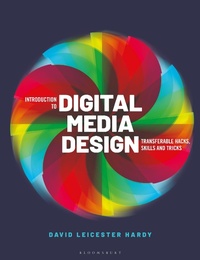
Introduction to Digital Media Design
Transferable Hacks, Skills and Tricks
1st Edition
Published on 6. October 2022
224 pages
978-1-350-10495-2 (ISBN)
Description

Contemporary digital designers work across programmes, platforms and disciplines, but there's not always enough time to become an expert in everything before having to get stuck in to your next project. This is a hands-on approach to take you through the building blocks, common skills and hacks across all forms of digital design so you understand the fundamentals and can start creating straight away.
Assistant Professor David Leicester Hardy uses his years as a teacher and professional designer to provide exercises, activities and instruction so you can make connections and become familiar with topics from:
- User Experience (UX), User Interface (UI) and Interaction Design (IxD)
- Animation and motion graphics
- Virtual (VR), augmented (AR) and mixed reality
Mirroring the real multidisciplinary approaches of digital designers, this book will help you work fluidly and efficiently, whatever the project.
Assistant Professor David Leicester Hardy uses his years as a teacher and professional designer to provide exercises, activities and instruction so you can make connections and become familiar with topics from:
- User Experience (UX), User Interface (UI) and Interaction Design (IxD)
- Animation and motion graphics
- Virtual (VR), augmented (AR) and mixed reality
Mirroring the real multidisciplinary approaches of digital designers, this book will help you work fluidly and efficiently, whatever the project.
More details
Edition
1. Auflage
Language
English
Place of publication
London
United Kingdom
Publishing group
Bloomsbury Publishing PLC
Target group
College/higher education
Illustrations
150 colour illus
ISBN-13
978-1-350-10495-2 (9781350104952)
Copyright in bibliographic data and cover images is held by Nielsen Book Services Limited or by the publishers or by their respective licensors: all rights reserved.
Schweitzer Classification
Other editions
Additional editions
Book
10/2022
Bloomsbury Visual Arts
€38.50
Shipment within 15-20 days
Person
David Leicester Hardy is an assistant professor at James Madison University in Virginia and is a multidisciplinary graphic designer working in web, interactive, print-based, and motion graphics design. With over fifteen years of professional experience, he has worked for advertising agencies, educational institutions, private firms, non-profit institutions, and artists and musicians.
Content
Introduction: Convergence with Tech, Divergence of Media
- Progress of graphic design
- Rationale and objectives of the book
1. User Interface and Digital Design
- Familiar controls, their uses and variations
- Text and object size for screen and target size for touch controls
- Hierarchy and visual flow in digital design
- Strategic use of color and texture
- Signal-to-noise ratio in headings, descriptors, commands, etc.
- Methods of overlaying text on images
- How to reduce visual clutter using modularity and affordance
- Interface design process from sketch to high-fidelity product
2. User Experience and Strategy
- Rapid prototyping processes and workflow
- User research and creation of personas
- Data-driven design and experiential praxis
- User-centered design that considers empathy and psychology
- Screen sizes and performance / task hierarchy
- Gestalt theory for functional elements
3. Animation and Motion Graphics
- Motion design principles
- 2D animation in 3D space
- Five basic transformations
- Pacing, audio integration, and transitions
- Digital storytelling as an emotionally compelling and engaging format
- Uses and final output for animation and motion graphics
4. Interaction Design
- IxD's relationship to UI
- Extending animation for user-interfaces
- Microinteraction description and process
- Delighting users through perceived tactile experiences
- Intuitive systems and patterns
- Various methods for prototyping interactions
5. Design for the Web
- Layout strategy for various viewport widths
- Important takeaways in quickly learning HTML (structure) and CSS (styling)
- The concept of semantic mark-up, and how it bolsters visual design
- Creative coding and how to quickly iterate "in the browser"
- How to design in chunks using the sandwich technique
- Tips for designing something that's actually possible to build with code
6. Virtual, Augmented, and Mixed Reality
- Conceptualizing virtual experiences for brand / business objectives
- Calculating field of motion and periphery
- Designing UI with proximity in mind
- Workflow beginning from a popular design software
- Overview of 3D development platform
- Outline of ARkit and Swift technologies
Epilogue: Standing on the precipice
- Recap the tenets of working in a multidisciplinary way
- Predictions for the next 10-15 years
- Wrap-up
- Progress of graphic design
- Rationale and objectives of the book
1. User Interface and Digital Design
- Familiar controls, their uses and variations
- Text and object size for screen and target size for touch controls
- Hierarchy and visual flow in digital design
- Strategic use of color and texture
- Signal-to-noise ratio in headings, descriptors, commands, etc.
- Methods of overlaying text on images
- How to reduce visual clutter using modularity and affordance
- Interface design process from sketch to high-fidelity product
2. User Experience and Strategy
- Rapid prototyping processes and workflow
- User research and creation of personas
- Data-driven design and experiential praxis
- User-centered design that considers empathy and psychology
- Screen sizes and performance / task hierarchy
- Gestalt theory for functional elements
3. Animation and Motion Graphics
- Motion design principles
- 2D animation in 3D space
- Five basic transformations
- Pacing, audio integration, and transitions
- Digital storytelling as an emotionally compelling and engaging format
- Uses and final output for animation and motion graphics
4. Interaction Design
- IxD's relationship to UI
- Extending animation for user-interfaces
- Microinteraction description and process
- Delighting users through perceived tactile experiences
- Intuitive systems and patterns
- Various methods for prototyping interactions
5. Design for the Web
- Layout strategy for various viewport widths
- Important takeaways in quickly learning HTML (structure) and CSS (styling)
- The concept of semantic mark-up, and how it bolsters visual design
- Creative coding and how to quickly iterate "in the browser"
- How to design in chunks using the sandwich technique
- Tips for designing something that's actually possible to build with code
6. Virtual, Augmented, and Mixed Reality
- Conceptualizing virtual experiences for brand / business objectives
- Calculating field of motion and periphery
- Designing UI with proximity in mind
- Workflow beginning from a popular design software
- Overview of 3D development platform
- Outline of ARkit and Swift technologies
Epilogue: Standing on the precipice
- Recap the tenets of working in a multidisciplinary way
- Predictions for the next 10-15 years
- Wrap-up
