

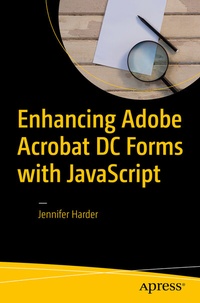
Enhancing Adobe Acrobat DC Forms with JavaScript
Published on 18. September 2017
XXIV, 363 pages
978-1-4842-2893-7 (ISBN)
Description

Take your PDF forms to the next level. In this book, you'll learn various ways to further improve your PDF Forms using simple JavaScript coding. You'll also discover how a few lines of code can speed up your workflow when working with multiple PDFs in Action Wizard.
Enhancing Adobe Acrobat DC Forms with JavaScript covers up-to-date, real working examples that you can easily download, practice with, and edit to suit your own projects. Using screenshots from Adobe Acrobat DC, users or previous versions will also be able to utilize these techniques. This book also shows workarounds and solutions to various form issues you might encounter. Feel empowered by it and improve your PDF documents!
JavaScript has been a part of Adobe Acrobat for many versions. However, few people use its features and focus mainly on using the basic form properties, never delving deeper into Acrobat's full capabilities. While information on the web can be helpful, if you don't know enough about how to use JavaScript in Acrobat you will be left with poor results. JavaScript can be difficult to learn, but it does not need to be scary. This book explains it in simple steps at a beginner to intermediate level so you can take full advantage of Acrobat's capabilities in your own projects.
What You'll Learn
Anyone who needs to create forms for clients or websites: students, lawyers, accountants, and human resource personnel.
Enhancing Adobe Acrobat DC Forms with JavaScript covers up-to-date, real working examples that you can easily download, practice with, and edit to suit your own projects. Using screenshots from Adobe Acrobat DC, users or previous versions will also be able to utilize these techniques. This book also shows workarounds and solutions to various form issues you might encounter. Feel empowered by it and improve your PDF documents!
JavaScript has been a part of Adobe Acrobat for many versions. However, few people use its features and focus mainly on using the basic form properties, never delving deeper into Acrobat's full capabilities. While information on the web can be helpful, if you don't know enough about how to use JavaScript in Acrobat you will be left with poor results. JavaScript can be difficult to learn, but it does not need to be scary. This book explains it in simple steps at a beginner to intermediate level so you can take full advantage of Acrobat's capabilities in your own projects.
What You'll Learn
- Create calculations, rating forms, and QR code stamps using the form elements
- Explore simplified field notation and basic JavaScript for Acrobat
- Work with buttons that can be used for navigation
- Utilize complex forms that include drop down and list boxes in combination with other form fields
- Work with Action Wizard and JavaScript
- Improve form navigation and printing of forms
- Add various types of alerts and custom validations to improve client-entered-data
Anyone who needs to create forms for clients or websites: students, lawyers, accountants, and human resource personnel.
More details
Series
Edition
1st ed.
Language
English
Place of publication
Berkeley
United States
Publishing group
APRESS
Target group
Professional and scholarly
Product notice
Reflowable
Illustrations
XXIV, 363 p. 375 illus., 350 illus. in color.
File size
17,11 MB
ISBN-13
978-1-4842-2893-7 (9781484228937)
DOI
10.1007/978-1-4842-2893-7
Schweitzer Classification
Other editions
Additional editions
Jennifer Harder
Enhancing Adobe Acrobat DC Forms with JavaScript
Book
09/2017
1st Edition
Apress
€69.54
Article exhausted; check for reprint
Person
Jennifer Harder
has worked in the graphic design industry for over 10 years. She has a degree in Graphic Communications and is currently teaching Acrobat, InDesign, and Dreamweaver courses at Langara College. As a freelancer, Jennifer frequently works with Adobe PDFs and checks them before they go to print or are uploaded to the web. She enjoys talking about Adobe Software and her interests include: writing, illustration, and working on her websites.
Content
Part 1: Basic Form Improvements.- Chapter 1: Review of Form Properties.- Chapter 2: Introduction to Actions.- Chapter 3: QR Codes.- Chapter 4: Buttons, Navigation, Form an Non-Form Actions.- Part 2: Simplified Field Notation and Basic JavaScript.- Chapter 5: Introduction to Simplified Field Notation and JavaScript.- Chapter 6: Basic and Complex Calculations.- Chapter 7: Format Calculations.- Chapter 8: Various JavaScript Alerts, Notes and Time Stamps.- Chapter 9: Create Helps for Clients with Roll-Over Text and Alerts.- Chapter 10: Various Types of Formatting with JavaScript.- Part 3: Working with More Complex Forms.- Chapter 11: Validation with Text Boxes, Alerts and Radio Buttons.- Chapter 12: Working with Drop-Down Menus.- Chapter 13: Working with List Boxes.- Chapter 14: Advanced Navigation - the Popup Menu.- Part 4: Beyond the Basics.- Chapter 15: Action Wizard and JavaScript.- Chapter 16: Multi-State Check Boxes.- Chapter 17: Importing an Image into a Button.- Chapter 18: Multiple Formatting.- Chapter 19: Digital Signatures and Barcodes. - Part 5: Putting It into Practice - Chapter 20: Homework Assignments.
