

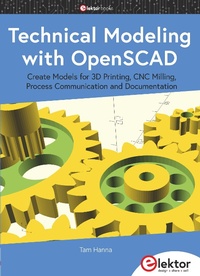
Technical Modeling with OpenSCAD
Create Models for 3D Printing, CNC Milling, Process Communication and Documentation
1st Edition
Published on 22. September 2020
186 pages
978-3-89576-394-6 (ISBN)
Description

Engineers dread designing 3D models using traditional modeling software. OpenSCAD takes a refreshing and completely different approach. Create your models by arranging geometric solids in a JavaScript-like language, and use them with your 3D printer, CNC mill, or process communication. OpenSCAD differs from other design systems in that it uses programmatical modeling. Your model is made up of primitives that are invoked using a C-, Java- or Python-like language. This approach to model design is close to the "e,mechanical work"e, done in the real world and appeals to engineers and others who are not a member of the traditional creative class. OpenSCAD also provides a wide variety of comfort functions that break the 1:1 relationship between code and geometry. This book demonstrates the various features of the programming language using practical examples such as a replacement knob for a LeCroy oscilloscope, a wardrobe hanger, a container for soap dispensers, and various other real-life examples. Written by an engineer with over 15 years of experience, this book is intended for Linux and Windows users alike. If you have programming experience in any language, this book will have you producing practical three-dimensional objects in short order!
All prices
More details
Other editions
Additional editions
Tam Hanna
Technical Modeling with OpenSCAD
Create Models for 3D Printing, CNC Milling, Process Communication and Documentation
Book
09/2020
1st Edition
Elektor International Media
€34.95
Article exhausted; check different version
Person
Tam Hanna has been programming microcontrollers and microprocessors systems for over 15 years aimed at different areas. Besides his consulting activities he gives lectures congresses, writes specialist articles for various magazines and tutors. His popular Instagram channel supplies background information on measurement technology and electronics.
Content
- Intro
- Chapter 1 Why OpenSCAD?
- 1.1 What do we need?
- 1.2 Who am I?
- Chapter 2 Installing OpenSCAD
- 2.1 Installing OpenSCAD: Linux, compiled package
- 2.2 Installing OpenSCAD: Linux, compilation.
- 2.3 Installing OpenSCAD: Windows, finished binary
- 2.4 Excursus: Nightlies
- 2.5 Conclusion
- Chapter 3 User interface and first experiments.
- 3.1 OpenSCAD start screen
- 3.2 Manipulating the Viewport
- 3.3 More Settings
- 3.4 Conclusion
- Chapter 4 Create, combine and move 3D objects
- 4.1 Hands hovering over the building surface
- 4.2 Create cuboids: data types and more.
- 4.3 Sphere and cylinder
- 4.4 Translation operators move objects
- 4.5 Rotation operators rotate objects
- 4.6 Color parts of objects
- 4.7 Linking translation and rotation
- 4.8 Combine 3D objects smartly
- 4.9 Outlook: Realisations, polyhedra, and projections
- Chapter 5 Realize and understand (round) objects
- 5.1 Edges and corners
- 5.2 Antipattern: Construct with $fn
- 5.3 Excursus: 3D print pipeline
- 5.4 3D printing models
- 5.5 Holes, for the first
- 5.6 Conclusion
- Chapter 6 OpenSCAD as 2D modelling tool.
- 6.1 Theory of construction in the two-dimensional domain
- 6.2 Creating Ellipses
- 6.3 Linear extrusion
- 6.4 Worked Example: Coat rack a la Tam
- 6.5 linear_extrude with advanced parameterization
- 6.6 Create rotationally symmetrical objects
- 6.7 Fully parametric construction from point clouds
- 6.7 Holes in polygons
- 6.8 Worked Example: Board holder
- 6.9 What next?
- Chapter 7 OpenSCAD as a dynamically reconfigurable modeling system
- 7.1 Variable in OpenSCAD
- 7.2 Modules create geometry
- 7.3 Selections react to parameter states
- 7.4 Selections, modules, children
- 7.5 Reject parameters with Assert
- 7.6 Duplicate geometry with "for
- 7.7 Functions and calculations
- 7.8 Processing lists
- 7.9 Tools for troubleshooting
- 7.10 Conclusion
- Chapter 8 Texts, projections and bump mapping
- 8.1 Render texts
- 8.2 A question of alignment
- 8.3 Add and manage fonts
- 8.4 Exporting 2D Snapshots
- 8.5 Import geometry item maps
- 8.6 Conclusion
- Chapter 9 Advanced 3D objects
- 9.1 Create three-dimensional polygons
- 9.2 Excursus: Soap Dispenser, Part 1
- 9.3 Polygon alignment in three-dimensional space
- 9.4 Combination with Minkowski
- 9.5 Effect of the Minkowski operator on boreholes
- 9.6 Excursus: Soap dispenser, part 2
- 9.7 The Hull operator
- 9.8 Conclusion
- Chapter 10 MCAD - technical primitives for OpenSCAD
- 10.1 Providing the library
- 10.2 Generation of gears, analysis of the library structure.
- 10.3 Conjuring screws and nuts
- 10.4 Lego emulation
- 10.5 Generate outlines of stepper motors
- 10.6 Conclusion
- Chapter 11 Value-added OpenSCAD
- 11.1 Model to measure
- 11.2 Controls of the Customizer
- 11.3 Custom model, second
- 11.4 OpenSCAD without App
- 11.5 OpenSCAD meets Python
- 11.6 Conclusion
- Appendix A Quo vadis?
- Contact the development team
- Contact the author
- Read more
- Index
