

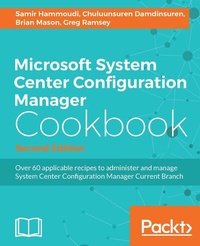
Microsoft System Center Configuration Manager Cookbook
Over 60 applicable recipes to administer and manage System Center Configuration Manager Current Branch
2nd Edition
Published on 8. July 2025
354 pages
978-1-78588-037-7 (ISBN)
Description

Over 60 applicable recipes to administer and manage System Center Configuration Manager Current Branch
Key Features
[*]Overcome the challenges of administering System Center Configuration Manager when deploying single and multiple-hierarchy sites
[*]Help your organization to build a custom-line of business apps and also protect the server against malware threats with Endpoint protection
[*]Get easy guidance and best practices to help you work with SCCM
Book DescriptionThis practical cookbook is based on the 1602 current branch of System Center Configuration Manager (SCCM). It shows you how to administer SCCM, giving you an essential toolbox of techniques to solve real-world scenarios. Packed with over 60 task-based and instantly usable recipes, you'll discover how design a SCCM Infrastructure, and dive into topics such as the recommended SQL configuration for SCCM and how to deploy Windows 10 with Operating System Deployment (OSD). You will learn to easily manage Windows 10 devices by deploying applications, software updates, and feature upgrades, andl be able to leverage Mobile Device Management (MDM) using SCCM and Microsoft Intune. Finally, you see how to gather the inventory of all your PC park and create reports based on it. By the end of the book, you will have learned the best practices when working with SCCM and have a handy reference guide for troubleshooting. What you will learn
* Administer System Center Configuration Manager
* Upgrade computers from Windows 7/ 8.x to Windows 10, using Serivce Plans to keep Windows 10 machines up to date
* Manage Compliance Settings effectively and monitor it with SSRS
* Manage Sites in System Center Configuration Manager and also learn to create collections, leverage role-based administration (RBA), and support clients over the internet without a VPN connection
* Implement multiple methods to deploy the client, as well as how to be proactive in monitoring client agent health
* Achieve Mobile device management with Microsoft Intune
Who this book is forIf you are an intermediate to advanced administrator who wants to administer SCCM and understand how to solve particular problems/scenarios, then this book is for you. You should have a working knowledge of SCCM, however, knowledge of the latest version is not required.
Key Features
[*]Overcome the challenges of administering System Center Configuration Manager when deploying single and multiple-hierarchy sites
[*]Help your organization to build a custom-line of business apps and also protect the server against malware threats with Endpoint protection
[*]Get easy guidance and best practices to help you work with SCCM
Book DescriptionThis practical cookbook is based on the 1602 current branch of System Center Configuration Manager (SCCM). It shows you how to administer SCCM, giving you an essential toolbox of techniques to solve real-world scenarios. Packed with over 60 task-based and instantly usable recipes, you'll discover how design a SCCM Infrastructure, and dive into topics such as the recommended SQL configuration for SCCM and how to deploy Windows 10 with Operating System Deployment (OSD). You will learn to easily manage Windows 10 devices by deploying applications, software updates, and feature upgrades, andl be able to leverage Mobile Device Management (MDM) using SCCM and Microsoft Intune. Finally, you see how to gather the inventory of all your PC park and create reports based on it. By the end of the book, you will have learned the best practices when working with SCCM and have a handy reference guide for troubleshooting. What you will learn
* Administer System Center Configuration Manager
* Upgrade computers from Windows 7/ 8.x to Windows 10, using Serivce Plans to keep Windows 10 machines up to date
* Manage Compliance Settings effectively and monitor it with SSRS
* Manage Sites in System Center Configuration Manager and also learn to create collections, leverage role-based administration (RBA), and support clients over the internet without a VPN connection
* Implement multiple methods to deploy the client, as well as how to be proactive in monitoring client agent health
* Achieve Mobile device management with Microsoft Intune
Who this book is forIf you are an intermediate to advanced administrator who wants to administer SCCM and understand how to solve particular problems/scenarios, then this book is for you. You should have a working knowledge of SCCM, however, knowledge of the latest version is not required.
More details
Edition
2nd Revised edition
Language
English
Place of publication
Birmingham
United Kingdom
Target group
Professional and scholarly
US School Grade: College Graduate Student
Edition type
Revised edition
Product notice
Reflowable
File size
15,13 MB
ISBN-13
978-1-78588-037-7 (9781785880377)
Copyright in bibliographic data and cover images is held by Nielsen Book Services Limited or by the publishers or by their respective licensors: all rights reserved.
Schweitzer Classification
Other editions
Additional editions
Samir Hammoudi | Chuluunsuren Damdinsuren | Brian Mason
Microsoft System Center Configuration Manager Cookbook - Second Edition
Book
11/2016
Packt Publishing
€74.50
Shipment within 3-4 weeks
Persons
Hammoudi Samir :
SCCMMason Brian :
Brian Mason is a Systems Engineer at Wells Fargo where he manages over 350,000 resources with CM (note that any views expressed in this book are Brian's and not necessarily those of Wells Fargo). Brian is a 6-time Microsoft MVP for Configuration Manager (CM). He currently runs the Minnesota System Center User Group and its website where he blogs. He can be found answering forum questions on TechNet and myITforum.Ramsey Greg :
Greg Ramsey is a Systems Engineer specializing in global systems management for Dell Services. He has a B.S. in Computer Sciences and Engineering from the Ohio State University and is a Microsoft Most Valuable Professional (MVP) for Microsoft System Center Configuration Manager. Greg co-authored SMS 2003 Recipes: A Problem Solution Approach (Apress, 2006) and Microsoft System Center Configuration Manager Unleashed (Sams, 2009). Greg is the co-founder of the Ohio SMS Users Group and the Central Texas Systems Management User Group.Damdinsuren Chuluunsuren :
Chuluunsuren Damdinsuren is a Microsoft Full Time Employee (MSFT) working as a Premier Field Engineer (PFE) in client management area such as Active Directory, System Center Configuration Manager, and Remote Desktop Services for Microsoft Japan. He has an Engineering degree from Osaka University and an MS degree in Computer Science. His primary focus is to design, migrate, deploy, train, and troubleshoot System Center Configuration Manager and Active Directory. He has a couple of technical blogs, and various MSCA and MCSE certificates. He is a passionate fan of football and topcoder.
SCCMMason Brian :
Brian Mason is a Systems Engineer at Wells Fargo where he manages over 350,000 resources with CM (note that any views expressed in this book are Brian's and not necessarily those of Wells Fargo). Brian is a 6-time Microsoft MVP for Configuration Manager (CM). He currently runs the Minnesota System Center User Group and its website where he blogs. He can be found answering forum questions on TechNet and myITforum.Ramsey Greg :
Greg Ramsey is a Systems Engineer specializing in global systems management for Dell Services. He has a B.S. in Computer Sciences and Engineering from the Ohio State University and is a Microsoft Most Valuable Professional (MVP) for Microsoft System Center Configuration Manager. Greg co-authored SMS 2003 Recipes: A Problem Solution Approach (Apress, 2006) and Microsoft System Center Configuration Manager Unleashed (Sams, 2009). Greg is the co-founder of the Ohio SMS Users Group and the Central Texas Systems Management User Group.Damdinsuren Chuluunsuren :
Chuluunsuren Damdinsuren is a Microsoft Full Time Employee (MSFT) working as a Premier Field Engineer (PFE) in client management area such as Active Directory, System Center Configuration Manager, and Remote Desktop Services for Microsoft Japan. He has an Engineering degree from Osaka University and an MS degree in Computer Science. His primary focus is to design, migrate, deploy, train, and troubleshoot System Center Configuration Manager and Active Directory. He has a couple of technical blogs, and various MSCA and MCSE certificates. He is a passionate fan of football and topcoder.
Content
Table of Contents
Designing a System Center Configuration Manager
Deploying Windows 10 with Operating System Deployment
Deploying Applications, Software Updates and Feature Upgrades
Managing Compliance Settings
Managing Mobile Devices using Configuration Manager combined with Microsoft Intune
Managing Sites
Managing Clients
Managing Inventory
Managing Reports and Queries
Designing a System Center Configuration Manager
Deploying Windows 10 with Operating System Deployment
Deploying Applications, Software Updates and Feature Upgrades
Managing Compliance Settings
Managing Mobile Devices using Configuration Manager combined with Microsoft Intune
Managing Sites
Managing Clients
Managing Inventory
Managing Reports and Queries
