

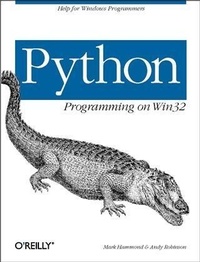
Python Programming On Win32
Help for Windows Programmers
Published on 24. January 2000
672 pages
978-0-596-15663-3 (ISBN)
Description

Python is growing in popularity; based on download statistics, there are now over 450,000 people using Python, and more than 150,000 people using Python on Windows. Use of the language has been growing at about 40% per year since 1995, and there is every reason to believe that growth will continue.Despite Python's increasing popularity on Windows, Python Programming on Win32 is the first book to demonstrate how to use it as a serious Windows development and administration tool. Unlike scripting on Unix, Windows scripting involves integrating a number of components, such as COM or the various mail and database APIs, with the Win32 programming interface. While experienced Windows C++ programmers can find their way through the various objects, most people need some guidance, and this book is it. It addresses all the basic technologies for common integration tasks on Windows, explaining both the Windows issues and the Python code you need to glue things together.Topics include:The Python language and the PythonWin extensionsBuilding a GUI with COMAdding a Macro languageDistributing the applicationClient-side COM for output and data accessIntegration with mail and other internet protocolsManaging users and drivesThis is a vital and unique book. Python Programming on Win32 is an excellent presentation of Windows application development and a solid illustration of how to use Python in the Windows environment.
More details
Other editions
Additional editions
Book
02/2000
O'Reilly
€56.00
Article not available at the moment
Content
- Intro
- Table of Contents
- Preface
- About This Book
- Who Is This Book for?
- How the Book Is Organized
- Part I, Introduction to Python
- Part II, Building an Advanced Python Application
- Part III, Python on Windows Cookbook
- Part IV, Appendixes
- About the Examples
- Font Conventions Used in This Book
- How to Contact Us
- Acknowledgments
- I
- What Is Python?
- Language Features
- Python as an Integration Tool
- Working with Files
- Working with DLLs and C Programs
- COM
- Networking
- Distributed Objects
- Where Python Fits in the Development Picture
- Case Studies of Python Deployment
- A Japanese Python?
- There's a Python on the Scoreboard!
- Other Python Sightings in the Wild
- The Python Community
- Installation and Setup
- Conclusion
- Python Language Review
- A Crash Course
- Numbers, Strings, and Variables
- Lists and Tuples
- Control Structures
- Functions
- Dictionaries
- Modules
- Classes
- Exception Handling
- Conclusion
- References
- Python on Windows
- The Python Core on Windows
- The Windows Registry
- Windows Explorer Integration
- Using the Windows Command Prompt
- Running Python programs
- Command-line editing
- Copy and Paste from the command prompt
- Windows Gotchas
- Text-mode versus binary-mode files
- Fork
- Select
- Pipes
- The Python for Windows Extensions
- Win32 Extensions
- PythonWin
- PythonCOM
- The Python Imaging Library (PIL)
- PyOpenGL
- Web Publishing Tools
- Medusa
- Zope
- The mx Extensions
- mxDateTime
- mxTextTools
- mxODBC
- mxStack
- mxTools
- mxCrypto
- mxProxy
- Scientific Tools
- XML
- Conclusion
- Integrated Development Environments for Python
- The PythonWin IDE
- The PythonWin Environment
- Running scripts
- Import modules
- Checking modules
- Locating source files
- Command-Line Parameters
- The Interactive Window
- The Python Editor
- Python Path Browser
- Object Browser
- Windows Explorer Integration
- The Debugger
- Hard breakpoints
- IDLE
- Platforms and Versions
- Shell Window
- The Python Editor
- Path and Class Browsers
- Running and Importing Scripts
- The Debugger
- Postmortem debugging
- Conclusion
- Introduction to COM
- What It Is
- Using COM Objects from Python
- Implementing COM Objects with Python
- Globally Unique Identifiers
- Conclusion
- II
- A Financial Modeling Toolkit in Python
- Doubletalk
- A Crash Course in Accounting
- Transactions
- The Chart of Accounts
- Timing considerations
- Back to Python
- Dates and times
- Coding Transactions
- BookSets
- Adding persistence: Pickles last forever
- Summary of the BookSet API
- Storing Extra Information in Transactions
- The Doubletalk Toolkit at Work
- Comparing, Combining, and Contrasting Accounts
- Building Business Models
- Multidimensional Analysis of Financial Data
- Cash-Flow Analysis
- Putting It Together
- Conclusion
- Building a GUI with COM
- Designing COM Servers
- A VB Client
- Building the First View
- More About Transactions
- Adding and Editing Transactions
- Building Views with Arrays
- Graphics and Callbacks
- Exposing a graphics API to Python, a more complex example
- Debugging COM Servers
- Writing a Delphi User Interface
- Instantiating the Server
- Calling simple methods
- Unpacking Variant Arrays
- Callbacks, or the lack thereof
- Conclusion
- Adding a Macro Language
- Dynamic Code Evaluation
- Executing Commands and Evaluating Expressions
- Grabbing Python's Output
- Building an Interactive Console
- Industrial-Strength Consoles
- Executing Scripts
- Importing a Module
- Providing a Startup Script
- Defining User and System-Code Directories
- Making an Application Extensible
- Changing the Delegate Class
- A Delegation Framework for Responding to Events
- Views and Validators
- A User-Defined View: The Backend
- A User-Defined View: The Front End
- User-Defined Validations
- More Ways to Extend the Application
- A Note on Performance
- Conclusion
- Integration with Excel
- Client-Side COM and the Excel Object Model
- Starting Excel
- Navigating Through Collections
- Keyword Arguments
- Passing Data In and Out
- Accessing Ranges
- Arrays
- Excel Concluded
- Putting It All Together: Importing Financial Data
- Server-Side COM Again: Excel as a GUI
- Conclusion
- References
- Printed Output
- Business Requirements
- Different Document Models
- Methodologies and Lessons from Experience
- Output Formats
- Automating Word
- A Simple Example
- Using a Template
- A Document Wrapper
- Adding Paragraphs and Styles
- Tables
- Adding a Chart
- Putting It Together
- Inserting HTML and Other Formats
- Using Python COM Objects From Word
- The Last Word
- Direct Output to the Printer with Windows
- Choosing a Coordinate System
- PIDDLE: A Python Graphics API
- Available Backends
- Fonts
- Colors
- Coordinate System
- Canvas Graphics Methods
- Canvas Attributes
- Text Output
- Image Support
- Test Framework
- Video Recorder
- PostScript
- Portable Document Format
- The Structure of PDF
- Implementing the Frontend
- Putting It Together: A High-Volume Invoicing System
- Advanced Techniques and Possibilities with PDF and PIDDLE
- Conclusion
- References
- Distributing Our Application
- DCOM
- Conclusion
- III
- Advanced Python and COM
- Advanced COM
- Interfaces and Objects
- The IDispatch Interface
- Late- Versus Early-Bound IDispatch
- Using or Implementing Objects
- InProc Versus LocalServer Versus RemoteServer
- Python and COM
- Using Automation Objects from Python
- Late-Bound Automation
- Early-Bound Automation
- Running MakePy
- How MakePy works
- Forcing Early or Late Binding
- Differences Between Early and Late Binding
- Using COM Constants
- Passing and Obtaining Python Objects from COM
- Using Other COM Interfaces
- Error Handling
- Implementing COM Objects in Python
- Implementing a COM Server
- Registering Your COM Server
- Error Handling for COM Servers
- Policies
- Wrapping and Unwrapping
- Debugging Python COM Objects
- The Final Sample
- Python and DCOM
- Configure DCOM on the Remote Machine
- Configure DCOM and the Object on the Local Machine
- Testing the object using normal COM
- Testing a Remote Object Using DCOM-Specific Calls
- Conclusion
- Databases
- DAO, ADO, ODBC, OLEDB, and Other GBFLAs
- Proprietary APIs
- Open Database Connectivity
- Data Access Objects, JET, and Access
- Remote Data Objects
- OLEDB
- ActiveX Data Objects
- So What's Worth Using?
- Python's Database API
- Getting at Your Data
- Fetching Data with the PythonWin ODBC Module
- Update queries
- Working with dates
- The mxODBC and mxDateTime Extensions
- Enhanced connection control
- The mxDateTime package
- Support for prepared statements
- Calling stored procedures
- Sam Rushing's ODBC Module
- Connecting with Data Access Objects
- Connecting with ADO
- A Note on Speed
- Gadfly, the Pure Python Relational Database
- Interactive Use
- Introspection
- Network Use
- What's It Good for?
- Data Laundering with Python
- Data as Rows
- Geometric Operations
- Data as Dictionaries
- Inserting Data into the Destination Database
- A Three-Tier Architecture with Business Objects
- Dynamic Attributes
- Lazy Fetches
- Conclusion
- References
- Working with Email
- SMTP and POP3
- Sending an SMTP Message
- Receiving via POP3
- Microsoft Exchange/Outlook
- Collaboration Data Objects
- Sending a message with CDO
- Retrieving a message with CDO
- Conclusion
- Using the Basic Internet Protocols
- HTTP and HTML
- Fetching Data via HTTP
- Serving Data via HTTP
- SimpleHTTPServer.py
- Implementing an HTTP redirector
- FTP
- Fetching Data via FTP
- NNTP
- Fetching News Articles via NNTP
- Conclusion
- Windows NT Administration
- Working with Users and Groups
- Obtaining Information About a User or Group
- Creating, Changing, and Deleting Users and Groups
- Working with groups
- Deleting users
- Server and Share Information
- Querying Information About Servers
- Working with Share Information
- User and Share Sample
- Rebooting a Machine
- Obtaining the Necessary Privileges
- Sample Code to Reboot the Current Machine
- Conclusion
- References
- Processes and Files
- Portable File Manipulation
- Working with Files on Disk
- Working with paths and filenames
- Names for temporary files
- Getting information about files
- Walking through a directory tree
- Working with Python File Objects
- Opening a file
- Reading a text file into a list
- Reading a line at a time
- The fileinput module
- Reading binary data
- Native File Manipulation: The win32file Module
- Opening and Creating Files
- Reading and Writing Files
- Overlapped I/O
- Pipes
- Anonymous Pipes
- Named Pipes
- Processes
- Portable Process Control: The os Module
- os.system
- os.execv
- os.popen
- Better Process Control: The win32api Module
- win32api.WinExec
- win32api.ShellExecute
- Ultimate Process Control: The win32process Module
- Handles and IDs
- Creating processes
- Terminating processes
- Controlling processes
- Putting it all together
- Conclusion
- Windows NT Services
- Services in Brief
- Service Control Manager
- Starting and Stopping
- User Interface
- Error Reporting and Handling
- Performance Monitor
- Controlling Services with Python
- Connecting to the SCM
- Connecting to a Service
- Querying the Status of a Service
- Controlling a Service
- Closing Service Handles
- Utility Functions to Simplify Working with Services
- Reading the Event Log
- Python EventLogRecord Object
- How to Read the Event Log
- A Simpler Way to Read Event Log Records
- Obtaining the Message for an Event Log Record
- Windows NT Performance Monitor Data
- Anatomy of the Performance Monitor
- Reading the Performance Monitor from Python
- Browsing for counters
- Writing Services in Python
- The Anatomy of a Service
- The Anatomy of a Python Service
- The win32serviceutil.ServiceFramework Class
- The Smallest Possible Python Service
- Installing, Debugging, and Running a Python Service
- Installing the service
- Starting and stopping the service
- Sample Service Written in Python
- Writing to the Event Log
- The servicemanager Module
- Modifying the Service to Add Messages
- Custom Event Log Writing
- Registering with the Event Log
- Writing to the Log
- Providing Performance Monitor Information
- Performance Monitor Data from Python
- Installing Performance Monitor information
- Defining the counters
- Updating the counters
- Viewing Performance Monitor data
- A Final Service
- Conclusion
- Communications
- Serial Communications
- How COM Ports Are Accessed
- Timing issues
- The Serial Module
- The art of telephone conversation
- The Mark III: Reading large amounts of data
- The Mark IV and dialogs
- Of mice and modems
- The Microsoft Communications Control (MSComm)
- Remote Access Services
- Sockets
- A Simple Socket Server
- Communication Between Sockets
- Where to Go from Here
- Other Communications Tools
- Named Pipes
- Remote Procedure Call (RPC)
- Conclusion
- References
- GUI Development
- Tkinter
- Terminology
- Pros and Cons of Tkinter
- Running GUI Applications
- "Hello World"
- The other end of the World
- Widgets
- Core widgets
- Dialog and other noncore widgets
- Widget properties and methods
- Geometry Management
- Tkinter Sample Code
- Tkinter Conclusion
- PythonWin
- Introduction to MFC
- The PythonWin Object Model
- Developing a PythonWin Sample Application
- Defining a Simple Framework
- Enhancing the DocumentTemplate
- Enhancing the Document
- Defining the View
- Creating the Application Object
- PythonWin and Resources
- PythonWin Conclusion
- wxPython
- wxWindows
- wxWindows + Python = wxPython
- Where to get wxPython
- Where to go from here
- Using wxPython
- A simple example
- Events in wxPython
- Building a Doubletalk Browser with wxPython
- MDI Frame
- Icons
- Timers
- Main menu
- wxFileDialog
- wxListCtrl
- wxDialog and friends
- wxPython Conclusion
- Active Scripting
- Registering the Python Active Script Support
- Python and Popular Microsoft Applications
- Internet Explorer
- Internet Information Server
- Configuring IIS
- Windows Scripting Host
- Blurring the edges: WSH or straight Python
- Active Debugging
- How Active Scripting Works
- Active Script Hosting in Python
- Conclusion
- Extending and Embedding with Visual C++ and Delphi
- Python and Visual C++
- One Size Doesn't Fit All
- Configuring Visual C++ to build Python or extensions
- Building an Extension Using Visual C++
- You take the high road.
- .and I'll take the low road
- Debug Versus Release Builds
- Building Python Itself
- Embedding a Python Interpreter in a C++ Application
- Simplified Wrapper and Interface Generator
- Python and Delphi
- Embedding Python in a Delphi Application
- Extending Python with a Delphi DLL
- Accessing Delphi's Visual Component Library
- Dynamic DLL Access
- Installation and Setup
- Using WinDll
- C Strings and Passing by Reference
- References
- Conclusion
- IV
- Key Python Modules and Functions
- Built-in Types
- Truth Value Testing
- Boolean Operations
- Notes
- Comparisons
- Notes
- Numeric Types
- Notes
- Bit-String Operations on Integer Types
- Notes
- Sequence Types
- Notes
- More String Operations
- Mutable Sequence Types
- Notes
- Mapping Types
- Notes
- Other Built-in Types
- Modules
- Classes and class instances
- Functions
- Methods
- Code objects
- Type objects
- The null object
- The ellipsis object
- File objects
- Internal objects
- Special attributes
- Built-in Exceptions
- Built-in Functions
- module sys: System-Specific Parameters and Functions
- module string: Common String Operations
- module os: Miscellaneous OS Interfaces
- Process Parameters
- File Object Creation
- File Descriptor Operations
- Files and Directories
- Process Management
- Miscellaneous System Data
- module os.path: Common Pathname Manipulations
- Win32 Extensions Reference
- Common Win32 Python Objects
- PyHANDLE
- PyIID
- PySTARTUPINFO
- pythoncom Module
- CoCreateInstance( )
- CoInitialize( )
- CoInitializeEx( )
- CoUninitialize( )
- CoMarshalInterThreadInterfaceInStream( )
- CoGetInterfaceAndReleaseStream( )
- win32api Module
- ShellExecute( )
- WinExec( )
- OpenProcess( )
- GetSystemMetrics( )
- GetDomainName( )
- GetUserName( )
- GetComputerName( )
- InitiateSystemShutdown( )
- AbortSystemShutdown( )
- GetCurrentThreadId( )
- GetCurrentProcessId( )
- win32event Module
- WaitForSingleObject( )
- WaitForMultipleObjects( )
- MsgWaitForMultipleObjects( )
- CreateEvent( )
- SetEvent( )
- ResetEvent( )
- win32evtlog Module
- CloseEventLog( )
- OpenEventLog( )
- ReadEventLog( )
- PyEVENTLOGRECORD object
- Messages
- win32file Module
- CreateFile( )
- ReadFile( )
- WriteFile( )
- win32pipe Module
- CallNamedPipe( )
- CreatePipe( )
- win32process Module
- CreateProcess( )
- TerminateProcess( )
- GetProcessAffinityMask( )
- SetProcessAffinityMask( )
- SetThreadAffinityMask( )
- SetPriorityClass( )
- Service-Related Modules
- win32serviceutil Module
- ControlService( )
- QueryServiceStatus( )
- StartService( )
- StopService( )
- win32service Module
- OpenSCManager( )
- OpenService( )
- CloseServiceHandle( )
- ControlService( )
- QueryServiceStatus( )
- StartService( )
- servicemanager Module
- LogMsg( )
- LogInfoMsg( ) LogWarningMsg( ) LogErrorMsg( )
- Messages
- win32net Module
- NetGroupGetInfo
- NetGroupGetUsers
- NetGroupSetUsers( )
- NetGroupSetInfo( )
- NetGroupAdd( )
- NetGroupAddUser( )
- NetGroupDel( )
- NetGroupDelUser( )
- NetGroupEnum
- NetLocalGroupAddMembers( )
- NetLocalGroupDelMembers( )
- NetLocalGroupGetMembers
- NetLocalGroupSetMembers( )
- NetMessageBufferSend( )
- NetServerEnum
- NetServerGetInfo
- NetServerSetInfo( )
- NetShareAdd( )
- NetShareDel( )
- NetShareCheck
- NetShareEnum
- NetShareGetInfo
- NetShareSetInfo( )
- NetUserAdd( )
- NetUserChangePassword( )
- NetUserEnum
- NetUserGetInfo
- NetUserSetInfo( )
- NetUserDel( )
- USER_INFO Structures
- SERVER_INFO Structures
- GROUP_INFO Structures
- GROUP_USERS_INFO Structures
- LOCALGROUP_USERS_INFO Structures
- LOCALGROUP_INFO Structures
- LOCALGROUP_MEMBERS_INFO Structures
- The Python Database API Version 2.0
- Python Database API Specification 2.0
- Module Interface
- Connection Objects
- Cursor Objects
- Type Objects and Constructors
- Implementation Hints
- Major Changes from Version 1.0 to Version 2.0
- Open Issues
- Endnotes
- Threads
- Python Thread Support
- Win32 Thread Support
- Native Win32 Threads
- win32event Module
- COM Threading Models
- Apartment Living
- What Apartment Do I Live in?
- What Are the Apartment Rules?
- Apartments Open for Inspection
- More Information on COM Threading
- Threads and the User Interface
- Conclusion
- Index
