

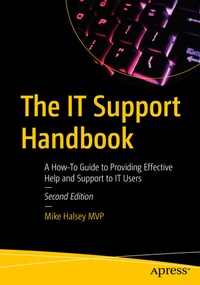
The IT Support Handbook
Description

Become a more effective tech professional by learning how to provide the most useful IT support for your users. You'll learn how to efficiently and effectively deal with any type of problem, including operating systems, software, and hardware. IT support is often complex, time-consuming, and expensive, but it doesn't have to be with the right processes in place.
Whether you're an individual, part of an IT support team, or managing staff supporting PC users in their homes, this book will help you understand the right way to approach, troubleshoot, and isolate problems so they can be handled efficiently, with the least disruption and cost to your business. Expanded and revised for this second edition, you'll make yourself popular with your colleagues, and keep your clients and users happy and productive.
New To This Edition
The world of work has changed, with remote and hybrid working now the new normal and with IT Support departments worldwide having to adapt to this new paradigm. This expanded edition highlights the skills, tools, and structures needed to support businesses of any size in the new normal.
What You'll Learn
- Manage reporting, and keep a record of issues that occur
- Provide effective remote support for users working from home or elsewhere in the world
- Use error and system reporting in Windows to obtain high-quality, relevant information
- Spot patterns in user behavior that may be causing difficult-to-diagnose problems
- Be familiar with best practices to make you a better support professional
Who This Book Is For
IT professionals, IT support (on-site and remote), and system administrators who manage support teams. No prior knowledge is required.
More details
Other editions
Additional editions
Previous edition
Person
Mike Halsey is a Microsoft MVP (Most Valuable Professional) awardee, since 2011, and technical expert. As the author of Windows troubleshooting books and training videos since Windows 7 he is well versed in the problems and issues faced by PC users, IT pros, and system administrators when administering and maintaining all aspects of a PC ecosystem. Mike spent many years as a teacher and used this experience to help explain complex subjects in simple and straightforward ways. Originally from the UK, Mike now lives a simpler and less complicated life in the South of France with his three border collies, Evan, Robbie and Téo.
Content
Part I: IT Support Fundamentals.- 1. An Introduction to IT Support.- 2. Understanding Your IT System Better.- 3. Understanding Your Users: How Much Do They Know?.- Part II: IT Support Methodology.- 4. Flow Logic and Troubleshooting.- 5. Querying Users Effectively.- 6. Supporting Remote and Hybrid Workers. - 7. Joining The Dots: Finding the Root Cause of an IT Issue.- Part III: Understanding IT System Problems.- 8. How IT Systems are Structured.- 9. The Human Factor.- 10. The Peripheral Problem.- 11. Building and Environmental Factors.- 12. How Climate Change Affects IT Support. - Part IV: Documentation and Reporting.- 13. Why Good Documentation Matters.- 14. Creating Troubleshooting Guides.- 15. Creating and Managing Reporting.- 14. Harnessing System and Error Reporting in Windows.- 17. Obtaining Advanced Error and Status Information on PCs.- Part V: Providing Remote Support.- 18. Remote Support Tools.- 19. Gathering Information Remotely.- 20. Helping Your Users to Help You. - 21. Taking IT Support to the Next Level.
