

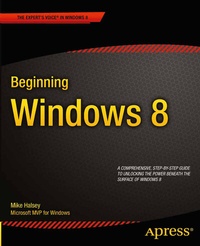
Beginning Windows 8
Published on 1. February 2013
XXVIII, 496 pages
978-1-4302-4432-5 (ISBN)
Description

Windows 8 has been described by Microsoft as its 'boldest' Windows release ever. Beginning Windows 8 takes you through the new features and helps you get more out of the familiar to reveal the possibilities for this amazing new operating system.
You will learn, with non-technical language used throughout, how to get up and running in the new Windows interface, minimize downtime, maximize productivity, and harness the features you never knew existed to take control of your computer and enjoy the peace of mind and excitement that comes with it.
From tips and tweaks to easy-to-follow guides and detailed descriptions, this book takes you inside Windows 8 to discover the true power and flexibility that lies within, and guides you at your own pace through getting the very best from it.
More details
Other editions
Additional editions
Person
Mike Halsey is an established Windows author and prolific tech blogger. His articles regularly feature in Microsoft s IT Pro newsletters and his tutorial and how-to videos feature on the official Microsoft support website. An expert with many years experience in helping home, small business and enterprise users get the very best out of their computers, Mike Halsey is also a teacher of adult literacy and numeracy basic skills. He uses this experience to make the language in his books and videos accessible to everybody. Mike lives in an eco-home Yorkshire (UK) with his rescue border collie Jed.
Content
- Introducing Windows 8
- Finding Your Way Around Windows 8
- Getting Online and Connecting to Networks
- Sharing with Family and Friends
- Organizing and Searching Your Computer
- Printing and Managing Printers
- Having Fun with Games, Photos, Music, and Video
- Maximizing Your Productivity
- Personalizing Your Windows Experience
- Making Windows 8 More Accessible and Easier to Use
- Keeping Yourself, Your Files, and Your Computer Safe
- Maintaining and Backing Up Your Computer and Files
- Advanced Configuration and Customization
- Getting Started with Virtualization
- Installing Windows 8 on Your Computer
- Appendix A. Windows 8 Touch Gestures
- Appendix B. Windows 8 Shortcut Keys
- Appendix C. Advanced Query Syntax for Search
- Appendix D. Upgrading Your Computer
