

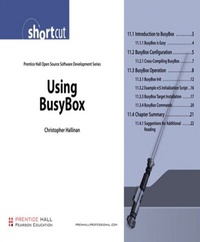
Using BusyBox (Digital Short Cut)
1st Edition
Published on 21. July 2006
22 pages
978-0-13-271587-4 (ISBN)
Description

This is the eBook version of the printed book.
This digital Short Cut delivered in Adobe PDF format for quick and easy access, is an introduction to BusyBox, widely regarded as "The Swiss Army Knife of Embedded Linux." After a brief introduction, we walk you through the BusyBox configuration utility. This is used to tailor BusyBox to your particular requirements. You will next learn about the requirements for cross-compiling the BusyBox package. Then we look at BusyBox operational issues, including how it is used in an embedded system. Next you will examine the BusyBox initialization sequence, and how this departs from more traditional Linux systems. You will also study a sample initialization script.
After reading the steps for installing BusyBox on a target system, you will learn about some of the BusyBox commands and their limitations.
This Short Cut is Chapter 11 from the book Embedded Linux Primer by Christopher Hallinan (0-13-167984-8) available September 2007. As such, it contains references to earlier and later chapters that are not included in this Short Cut. Apart from these references, the Short Cut is fully self-contained and is an excellent choice for embedded Linux developers interested in understanding how to use the BusyBox utility.
Table of Contents
11.1 Introduction to BusyBox
11.1.1 BusyBox is Easy
11.2 BusyBox Configuration
11.2.1 Cross-Compiling BusyBox
11.3 BusyBox Operation
11.3.1 BusyBox Init
11.3.2 Example rcS Initialization Script
11.3.3 BusyBox Target Installation
11.3.4 BusyBox Commands
11.4 Chapter Summary
11.4.1 Suggestions for Additional Reading
This digital Short Cut delivered in Adobe PDF format for quick and easy access, is an introduction to BusyBox, widely regarded as "The Swiss Army Knife of Embedded Linux." After a brief introduction, we walk you through the BusyBox configuration utility. This is used to tailor BusyBox to your particular requirements. You will next learn about the requirements for cross-compiling the BusyBox package. Then we look at BusyBox operational issues, including how it is used in an embedded system. Next you will examine the BusyBox initialization sequence, and how this departs from more traditional Linux systems. You will also study a sample initialization script.
After reading the steps for installing BusyBox on a target system, you will learn about some of the BusyBox commands and their limitations.
This Short Cut is Chapter 11 from the book Embedded Linux Primer by Christopher Hallinan (0-13-167984-8) available September 2007. As such, it contains references to earlier and later chapters that are not included in this Short Cut. Apart from these references, the Short Cut is fully self-contained and is an excellent choice for embedded Linux developers interested in understanding how to use the BusyBox utility.
Table of Contents
11.1 Introduction to BusyBox
11.1.1 BusyBox is Easy
11.2 BusyBox Configuration
11.2.1 Cross-Compiling BusyBox
11.3 BusyBox Operation
11.3.1 BusyBox Init
11.3.2 Example rcS Initialization Script
11.3.3 BusyBox Target Installation
11.3.4 BusyBox Commands
11.4 Chapter Summary
11.4.1 Suggestions for Additional Reading
More details
Language
English
Place of publication
Hoboken
United States
Publishing group
Pearson Education (US)
Target group
College/higher education
ISBN-13
978-0-13-271587-4 (9780132715874)
Copyright in bibliographic data and cover images is held by Nielsen Book Services Limited or by the publishers or by their respective licensors: all rights reserved.
Schweitzer Classification
Person
Chris Hallinan, Field Applications Engineer at MontaVista Software, has had over a 20+ year career varying assignments in engineering and engineering management as well as marketing and business development. Chris spent four years as an independent development consultant in the embedded Linux market. He is the author of articles that have appeared in numerous magazines, including Telecommunications Magazine, Fiber Optics Magazine, and Aviation Digest.
Content
11.1 Introduction to BusyBox 3
11.1.1 BusyBox is Easy 4
11.2 BusyBox Configuration 5
11.2.1 Cross-Compiling BusyBox 7
11.3 BusyBox Operation 8
11.3.1 BusyBox Init 12
11.3.2 Example rcS Initialization Script 16
11.3.3 BusyBox Target Installation 17
11.3.4 BusyBox Commands 20
11.4 Chapter Summary 21
11.4.1 Suggestions for Additional Reading 22
11.1.1 BusyBox is Easy 4
11.2 BusyBox Configuration 5
11.2.1 Cross-Compiling BusyBox 7
11.3 BusyBox Operation 8
11.3.1 BusyBox Init 12
11.3.2 Example rcS Initialization Script 16
11.3.3 BusyBox Target Installation 17
11.3.4 BusyBox Commands 20
11.4 Chapter Summary 21
11.4.1 Suggestions for Additional Reading 22
