

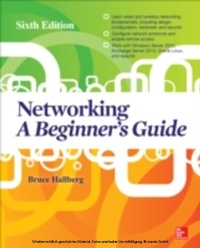
Networking A Beginner's Guide Sixth Edition
1st Edition
Published on 13. September 2013
424 pages
978-0-07-181225-2 (ISBN)
Description

Current, essential IT networking skills--made easy!Thoroughly revised to cover the latest technologies, this practical resource provides you with a solid foundation in networking fundamentals. Networking: A Beginner's Guide, Sixth Edition discusses wired and wireless network design, configuration, hardware, protocols, security, backup, recovery, and virtualization. You'll also get step-by-step instructions for installing, configuring, and managing Windows Server 2012, ExchangeServer 2013, Oracle Linux, and Apache. This is the perfect book for anyone starting a networking career or in need of an easy-to-follow refresher.Understand network cabling, topologies, hardware, and the OSI seven-layer modelConnect LANs and WANsConfigure network protocols, such as TCP/IP, IPX/SPX, SMTP, DHCP, HTTP, WINS, and moreExplore directory services, such as Microsoft's Active Directory, X.400, and LDAPEnable and support remote network accessSecure your network and handle backup and disaster recoverySelect, install, and manage reliable network servers, including Windows Server 2012, Exchange Server 2013, OracleLinux, and ApacheManage network workstation computersDesign a robust network from the ground upWork with virtualization technologies, such as Hyper-V, VMWare, and Oracle VM VirtualBox
More details
Other editions
Additional editions
Book
11/2013
6th Edition
Osborne/McGraw-Hill
€50.20
Shipment within 15-20 days
Content
- Cover
- About the Author
- About the Technical Editor
- Title Page
- Copyright Page
- At a Glance
- Contents
- Acknowledgments
- Introduction
- Part I: Networking Ins and Outs
- Chapter 1: The Business of Networking
- Understanding Networking: The Corporate Perspective
- What Does the Company Need?
- How Will the Network Benefit the Company?
- Understanding Networking Jobs
- Network Administrator
- Network Engineer
- Network Architect/Designer
- Other Network-Related Jobs
- Sarbanes-Oxley Act of 2002
- Chapter Summary
- Chapter 2: Understanding Networking
- Laying the Foundation
- Bits, Nibbles, and Bytes
- Basic Terminology to Describe Networking Speeds
- Knowing Network Relationship Types
- Peer-to-Peer Network Relationships
- Client/Server Network Relationships
- Comparing Peer-to-Peer and Client/Server Networks
- Learning Network Features
- File Sharing
- Printer Sharing
- Application Services
- Remote Access
- Wide Area Networks
- Internet and Intranet
- Network Security
- Understanding the OSI Networking Model
- Physical Layer
- Data-Link Layer
- Network Layer
- Transport Layer
- Session Layer
- Presentation Layer
- Application Layer
- Understanding How Data Travels Through the OSI Layers
- Learning About Network Hardware Components
- Servers
- Hubs, Routers, and Switches
- Cabling and Cable Plants
- Workstation Hardware
- Chapter Summary
- Chapter 3: Understanding Network Cabling
- Understanding Cable Topologies
- Bus Topology
- Star Topology
- Ring Topology
- Comparing Rings to Stars and Buses
- Demystifying Network Cabling
- Overview of Basic Cable Types
- Twisted-Pair Cabling: The King of Network Cables
- Coaxial Cable
- Installing and Maintaining Network Cabling
- Choosing a Cabling Contractor
- Solving Cable Problems
- Chapter Summary
- Chapter 4: Understanding Network Hardware
- Directing Network Traffic
- Repeaters
- Hubs and Concentrators
- Switches
- Bridges
- Routers
- Gateways
- Protecting a Network with Firewalls
- Connecting RS-232 Devices with Short-Haul Modems
- Chapter Summary
- Chapter 5: Making WAN Connections
- Determining WAN Needs
- Analyzing Requirements
- Switched or Dedicated?
- Private or Public?
- Comparing WAN Connection Types
- Plain Old Telephone Service (POTS)
- Integrated Services Digital Network
- Digital Subscriber Line
- T-1/T-3 (DS1/DS3) Connections
- Asynchronous Transfer Mode (ATM)
- Corporate WAN Networking
- WAN Components
- Quality of Service and Class of Service
- WAN Redundancy
- Chapter Summary
- Chapter 6: Understanding Networking Protocols
- Understanding TCP/IP and UDP
- TCP and UDP Ports
- IP Packets and IP Addressing
- IP Subnetting
- IP Addresses: Public or Private?
- Subnet Masks
- Understanding Other Internet Protocols
- Domain Name System (DNS)
- Dynamic Host Configuration Protocol
- Hypertext Transfer Protocol
- File Transfer Protocol
- Network News Transfer Protocol
- Telnet
- Simple Mail Transfer Protocol
- Voice over IP
- Comparing Important Proprietary Protocols
- Novell's IPX/SPX
- NetBIOS and NetBEUI
- AppleTalk
- Chapter Summary
- Chapter 7: Exploring Directory Services
- What Is a Directory Service?
- Forests, Roots, Trees, and Leaves
- Department of Redundancy Department
- Learning About Specific Directory Services
- eDirectory
- Windows NT Domains
- Active Directory
- X.500
- LDAP
- Chapter Summary
- Chapter 8: Connections from Afar: Remote Network Access
- Determining Remote Access Needs
- What Types of Remote Users Do You Need to Support?
- What Types of Remote Access Are Required?
- How Much Bandwidth Do You Need?
- Learning Remote Access Technologies
- Remote Node vs. Remote Control
- Virtual Private Networks
- Chapter Summary
- Chapter 9: Securing Your Network
- Understanding Internal Security
- Account Security
- Password Security
- File and Directory Permissions
- Practices and User Education
- Understanding External Threats
- Front-Door Threats
- Back-Door Threats
- DoS Threats
- Viruses and Other Malicious Software
- Chapter Summary
- Chapter 10: Network Disaster Recovery
- Notes from the Field: The City of Seattle
- Disaster Recovery Plans
- Assessing Disaster Recovery Needs
- Considering Disaster Scenarios
- Handling Communications
- Planning Offsite Storage
- Describing Critical Components
- Network Backup and Restore Procedures
- Assessing Backup Needs
- Acquiring Backup Media and Technologies
- Choosing Backup Strategies
- Chapter Summary
- Chapter 11: Network Servers: Everything You Wanted to Know But Were Afraid to Ask
- What Distinguishes a Server from a Workstation?
- Server Processors
- Bus Capabilities
- RAM
- Disk Subsystems
- Server-State Monitoring
- Hot-Swap Components
- Choosing Servers for Windows
- Defining Server Needs
- Selecting the Server
- Purchasing the System
- Installing Servers
- Maintaining and Troubleshooting Servers
- Chapter Summary
- Chapter 12: Purchasing and Managing Client Computers
- Choosing Desktop Computers
- Desktop Platforms
- Reliability and Serviceability
- Price and Performance
- Chapter Summary
- Chapter 13: Designing a Network
- The Network Design Process
- Assessing Network Needs
- Applications
- Users
- Network Services
- Security and Safety
- Growth and Capacity Planning
- Meeting Network Needs
- Choosing a Network Type
- Structuring the Network
- Selecting Servers
- Chapter Summary
- Part II: Hands-On Knowledge
- Chapter 14: Installing and Setting Up Windows Server 2012
- Understanding Windows Server 2012 Editions
- Preparing for Installation
- Checking Hardware Compatibility
- Checking the Hardware Configuration
- Testing the Server Hardware
- Making Pre-installation Decisions
- Wait! Back Up Before Upgrading!
- Installing Windows Server 2012
- Running the Windows Server 2012 Setup Program
- Performing the Initial Configuration
- Chapter Summary
- Chapter 15: Administering Windows Server 2012: The Basics
- Thinking About Network Security
- Working with User Accounts
- Adding a User
- Modifying a User Account
- Deleting or Disabling a User Account
- Working with Active Directory Security Groups
- Creating Groups
- Maintaining Group Membership
- Working with Shares
- Understanding Share Security
- Creating Shares
- Mapping Drives
- Working with Printers
- Understanding Network Printing
- Setting Up a Network Printer
- Chapter Summary
- Chapter 16: Introducing Exchange Server 2013
- Exchange Server 2013 Features
- Installing Exchange Server 2013
- Setting Up Mailboxes
- Creating a Mailbox
- Testing Your Mailbox
- Chapter Summary
- Chapter 17: Understanding Other Windows Server 2012 Services
- Exploring DHCP
- Investigating DNS
- Understanding Remote Access
- Exploring IIS
- Understanding Remote Desktop Services
- Chapter Summary
- Chapter 18: Installing Linux
- Configuring Computer Hardware for Linux
- Hardware Compatibility
- Server Design
- Server Uptime
- Dual-Booting Issues
- Installing Oracle Linux
- Choosing an Installation Method
- Starting the Installation
- Initially Configuring Oracle Linux
- Logging In to Oracle Linux
- And You're Finished!
- If It Just Won't Work Right
- Chapter Summary
- Chapter 19: Introduction to Linux Systems Administration
- Managing Oracle Linux with Graphical Tools
- Managing Users
- Changing Root's Password
- Configuring Common Network Settings
- Mastering Linux Command-Line Basics
- Working from the Command Line
- Environment Variables
- Documentation Tools
- File Listings, Ownerships, and Permissions
- File Management and Manipulation
- Process Manipulation
- Miscellaneous Tools
- Chapter Summary
- Chapter 20: Setting Up a Linux Web Server with Apache
- Overview of Apache Web Server
- Activating Apache Web Server Under Oracle Linux
- Administering Apache Web Server
- Stopping and Starting Apache
- Changing the Apache Configuration
- Publishing Web Pages
- Chapter Summary
- Chapter 21: Introduction to Virtualization
- Benefits of Virtualization
- Introducing Windows Server 2012 Hyper-V
- Introducing VMware Virtualization Products
- Introducing Oracle VM VirtualBox
- Creating a Virtual Machine for Oracle Linux
- Running Oracle Linux in the Virtual Machine
- Backing Up Virtual Machine Data
- Chapter Summary
- Glossary
- Index
