

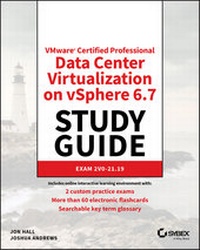
VMware Certified Professional Data Center Virtualization on vSphere 6.7 Study Guide
Exam 2V0-21.19
1st Edition
Published on 14. August 2020
640 pages
978-1-119-21471-7 (ISBN)
Description

Master vSphere 6 virtualization with hands-on practice and bonus preview exams
VCP6-DCV: VMware Certified Professional-Data Center Virtualization on vSphere 6 Study Guide is your ultimate guide to preparing for exam 2VO-621. This Study Guide provides 100% coverage of all exam objectives and offers a unique set of study tools including assessment tests, objective map, real-world scenarios, hands-on exercises, and much more so you can be confident come exam day. You will also receive access to the superior Sybex interactive online learning environment that provides additional study tools including electronic flashcards and bonus practice exams. More than just a study guide, this book bridges the gap between exam prep and real-world on the job skills by focusing on the key information VMware professionals need to do the job. You'll master the vCenter Server and ESXi from planning and installation through upgrade and security, and develop an in-depth understanding of vSphere networking and storage, vApp deployment, service level establishment, troubleshooting, monitoring implementation, and so much more.
* Study 100% of exam 2V0-621 objectives
* Practice your skills with hands-on exercises
* Gain professional insight from real-world scenarios
* Test your understanding with review questions, practice tests, and more
Virtualization is the number-one IT priority for organizations across public and private sectors, and VMware is the dominant force in the virtualization space. The VCP6-DCV certification gives you a highly marketable credential in terms of employment, but first you must pass this challenging exam. VCP6-DCV gives you the power of Sybex exam prep and the skills you need to excel at the job.
VCP6-DCV: VMware Certified Professional-Data Center Virtualization on vSphere 6 Study Guide is your ultimate guide to preparing for exam 2VO-621. This Study Guide provides 100% coverage of all exam objectives and offers a unique set of study tools including assessment tests, objective map, real-world scenarios, hands-on exercises, and much more so you can be confident come exam day. You will also receive access to the superior Sybex interactive online learning environment that provides additional study tools including electronic flashcards and bonus practice exams. More than just a study guide, this book bridges the gap between exam prep and real-world on the job skills by focusing on the key information VMware professionals need to do the job. You'll master the vCenter Server and ESXi from planning and installation through upgrade and security, and develop an in-depth understanding of vSphere networking and storage, vApp deployment, service level establishment, troubleshooting, monitoring implementation, and so much more.
* Study 100% of exam 2V0-621 objectives
* Practice your skills with hands-on exercises
* Gain professional insight from real-world scenarios
* Test your understanding with review questions, practice tests, and more
Virtualization is the number-one IT priority for organizations across public and private sectors, and VMware is the dominant force in the virtualization space. The VCP6-DCV certification gives you a highly marketable credential in terms of employment, but first you must pass this challenging exam. VCP6-DCV gives you the power of Sybex exam prep and the skills you need to excel at the job.
More details
Other editions
Additional editions
Jon Hall
VCP6-DCV VMware Certified Professional-Data Center Virtualization on vSphere 6 Study Guide
Exam 2V0 - 621
Book
10/2020
Sybex Inc.,U.S.
€56.00
Article not available at the moment
Persons
ABOUT THE AUTHORS
Jon Hall is a Certification Development, Technical Training, and Education Services Management Professional with over a decade of experience working for VMware Education Services. He assisted in the development of numerous VMware certifications, and currently holds 13 VMware certifications, along with certifications from HP, Cisco, and others.
Joshua Andrews is a VMware expert, blogger, and certification enthusiast. He currently holds numerous VMware certifications, including VCP6-DCV, VCAP6-DCV, VCIX-DCV, and VCIX-NV. He has also received the VMware vExpert designation every year since 2012.
Jon Hall is a Certification Development, Technical Training, and Education Services Management Professional with over a decade of experience working for VMware Education Services. He assisted in the development of numerous VMware certifications, and currently holds 13 VMware certifications, along with certifications from HP, Cisco, and others.
Joshua Andrews is a VMware expert, blogger, and certification enthusiast. He currently holds numerous VMware certifications, including VCP6-DCV, VCAP6-DCV, VCIX-DCV, and VCIX-NV. He has also received the VMware vExpert designation every year since 2012.
Content
- Cover
- Titlepage
- Copyright Page
- Acknowledgments
- About the Authors
- Contents at a Glance
- Contents
- Table of Exercises
- Introduction
- Assessment Test
- Chapter 1 What's New in vSphere 6.7
- Accessing vSphere
- VMware vSphere Client
- Application Programming Interface
- Topology and UI Updates for VCSA
- External Platform Services Controller
- Update Manager
- Storage Updates
- Persistent Memory
- Remote Direct Memory Access
- vSAN
- Security Updates
- Virtual Machines
- Content Library
- Per-VM EVC
- Summary
- Exam Essentials
- Review Questions
- Chapter 2 Configuring and Administering Security in a vSphere Datacenter
- Configuring and Administering Role-Based Access Controls
- What Is a Privilege?
- What Is a Task?
- What Is a Role?
- Assigning Permissions
- Viewing and Exporting Group and User Permissions
- Securing ESXi Hosts and the vCenter Server
- Hardening ESXi Hosts
- Hardening vCenter Server
- Configuring and Enabling SSO and Identity Sources
- vCenter Single Sign-On
- Platform Services Controller
- Configuring vCenter Single Sign-On
- Securing Virtual Machines
- Secure Boot
- Virtual Machine Encryption
- Virtual Machine Hardening
- vSphere Network Security
- Summary
- Exam Essentials
- Review Questions
- Chapter 3 Networking in vSphere
- Understanding vSphere Networking
- Standard Switches
- Virtual Distributed Switches
- Using dvPort Groups
- Working with Virtual Adapters
- Custom TCP/IP Stacks
- Long-Distance vMotion
- Migrating Virtual Machines to or from a vDS
- Performance and Reliability
- Link Aggregation
- Load Balancing and Failover Policies
- Traffic Shaping
- TCP Segmentation Offload
- Jumbo Frames
- Network Isolation
- Automatic Rollback
- Monitoring and Mirroring
- Using NetFlow
- Understanding Network I/O Control
- Configuring NIOC Reservations, Shares, and Limits
- Summary
- Exam Essentials
- Review Questions
- Chapter 4 Storage in vSphere
- Managing vSphere Integration with Physical Storage
- Adding an NFS Datastore
- Using Block Storage
- Configuring the Software iSCSI Initiator
- Binding VMkernels to the Software iSCSI Initiator
- Scanning for Changes
- Storage Filters
- Thin Provisioning
- Storage Multipathing and Failover
- Configuring and Upgrading VMFS and NFS
- Configuring VMFS Datastores
- Raw Device Mapping and Bus Sharing
- Configuring Software-Defined Storage
- Virtual Storage Area Network
- Virtual Volumes
- Storage Policy-Based Management
- Enabling and Configuring Storage I/O Control
- Summary
- Exam Essentials
- Review Questions
- Chapter 5 Upgrading a vSphere Deployment
- Upgrading from vSphere 5.5
- Upgrading a vCenter Server on Windows
- Verify Basic Compatibility and Download the Installer
- Prepare the Database for Upgrade
- Prepare for Upgrading the Content Library
- Verify Network Prerequisites, Load Balancer, and ESXI Hosts
- Starting the vCenter on Windows Upgrade
- Migrating to the vCenter Server Appliance
- Upgrading Using the Command Line
- Upgrading Using the Graphical Interface
- Upgrading ESXi Hosts and Virtual Machines
- Using the Update Manager Download Service
- Using vSphere Update Manager
- Summary
- Exam Essentials
- Review Questions
- Chapter 6 Allocating Resources in a vSphere Datacenter
- Administering and Managing vSphere 6.x Resources
- Configuring Multilevel Resource Pools
- Reservations, Limits, and Shares
- Resource Pool Administration Exercises
- Using Tags and Custom Attributes
- Configuring vSphere DRS and Storage DRS Clusters
- Distributed Resource Scheduler
- Predictive DRS
- Network-Aware DRS
- Storage DRS
- Establishing Affinity and Anti-Affinity
- DRS Cluster Administration Exercises
- Summary
- Exam Essentials
- Review Questions
- Chapter 7 Backing Up and Recovering a vSphere Deployment
- VCSA Backup and Restore
- Backing Up Virtual Machines by Using VDP
- Installing VDP
- Creating Backup Jobs
- Restoring from Backup
- Deploying Proxy Servers
- Replicating Virtual Machines
- Deploying a Replication Appliance
- Configuring Replication
- Recovering Replicated VMs
- Summary
- Exam Essentials
- Review Questions
- Chapter 8 Troubleshooting a vSphere Deployment
- Troubleshooting vCenter and ESXi
- vCenter Connectivity and Services
- vCenter Certificates
- vCenter Log Files
- ESXi Troubleshooting
- ESXi Monitoring
- Troubleshooting Storage and Networking
- Storage Issues
- Storage Performance
- Storage DRS and I/O Control
- Network Issues
- Troubleshooting Upgrades
- Troubleshooting Virtual Machines
- Troubleshooting HA and DRS
- Summary
- Exam Essentials
- Review Questions
- Chapter 9 Deploying and Customizing ESXi Hosts
- Configuring Auto Deploy
- Enabling PXE Boot
- Configuring DHCP
- Configuring TFTP
- Enabling Auto Deploy
- Adding Deploy Rules
- Adding a Custom Image and Profile
- Stateless Caching and Stateful Installs
- Employing Host Profiles
- Creating and Using Host Profiles
- Importing and Exporting Host Profiles
- Advanced Profile Modifications
- Using Answer Files
- Summary
- Exam Essentials
- Review Questions
- Chapter 10 Ensuring High Availability for vSphere Clusters and the VCSA
- Configuring vSphere Cluster High Availability
- HA Failures and Responses
- Host Isolation
- Heartbeat Datastores
- Advanced Options
- Configuring VMCP
- Monitoring Virtual Machines
- Admission Control
- vCenter Server Appliance High Availability
- Summary
- Exam Essentials
- Review Questions
- Chapter 11 Administering and Managing vSphere Virtual Machines
- Virtual Machine Advanced Settings
- Virtual Machine Configuration File
- Advanced Virtual Machine Options
- Content Library
- VMware Converter
- Summary
- Exam Essentials
- Review Questions
- Answers to Review Questions
- Chapter 1: What's New in vSphere 6.7
- Chapter 2: Configuring and Administering Security in a vSphere Datacenter
- Chapter 3: Networking in vSphere
- Chapter 4: Storage in vSphere
- Chapter 5: Upgrading a vSphere Deployment
- Chapter 6: Allocating Resources in a vSphere Datacenter
- Chapter 7: Backing Up and Recovering a vSphere Deployment
- Chapter 8: Troubleshooting a vSphere Deployment
- Chapter 9: Deploying and Customizing ESXi Hosts
- Chapter 10: Ensuring High Availability for vSphere Clusters and the VCSA
- Chapter 11: Administering and Managing vSphere Virtual Machines
- Index
- EULA
