

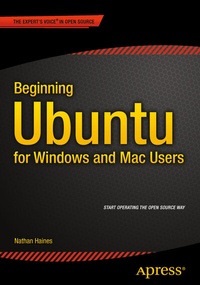
Beginning Ubuntu for Windows and Mac Users
Description

Beginning Ubuntu for Windows and Mac Users is your comprehensive guide to using Ubuntu. You already know how to use a computer running Windows or OS X, but learning a new operating system can feel daunting. If you've been afraid to try Ubuntu because you don't know where to start, this book will show you how to get the most out of Ubuntu for work, home, and play. You'll be introduced to a wide selection of software and settings that will make your computer ready to work for you.
Ubuntu makes your computing life easy. Ubuntu's Software Updater keeps all of your software secure and up-to-date. Browsing the Internet becomes faster and safer. Creating documents and sharing with others is built right in. Enjoying your music and movie libraries helps you unwind. In addition to a tour of Ubuntu's modern and easy-to-use interface, you'll also learn how to:
Understand the advantages of Ubuntu and its variants-Kubuntu, Xubuntu, and more
Install Ubuntu on its own or alongside your computer's existing operating system
Search Ubuntu's catalog of thousands of applications-all ready to install with a single click
Work with files and disks that were created with Windows and OS X
Run simple, interesting tasks and games using the command lineCustomize Ubuntu in powerful ways and get work done with virtual machines
Ubuntu is the world's third most popular operating system and powers desktop and laptop computers, servers, private and public clouds, phones and tablets, and embedded devices. There's never been a better time to install Ubuntu and move to an open source way of life. Get started with Beginning Ubuntu for Windows and Mac Users today!
More details
Other editions
New editions
Additional editions
Content
Chapter 1: Installing Ubuntu
Chapter 2: Getting Started with Ubuntu
Chapter 3: Productivity at Home and Work
Chapter 4: Enjoying Media and Other Entertainment
Chapter 5: Command-Line Tricks and Applications
Chapter 6: Power User Tools
Appendix A: Ubuntu ReleasesAppendix B: The Future of Ubuntu
