

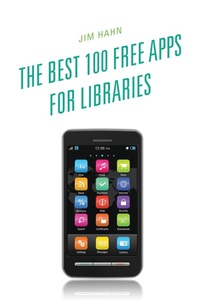
The Best 100 Free Apps for Libraries
1st Edition
Published on 13. May 2013
250 pages
979-8-216-33973-1 (ISBN)
Description

Librarian Jim Hahn has carefully culled the over 500,000 available apps down to the 100 that are the absolute best for day-in, day-out library services. The guide covers apps for Apple and Android devices, including tablets. Each entry in this long-needed guide contains:
. a basic summary of how each app operates,
. at least one example of how that app can be used by a librarian,
. one example of how it can help a library user access library services,
. a section highlighting critical limitations and apps that may better serve a librarian's needs, and
. the next possible iteration of the app.
Entries are accompanied by a photo of the app in action, so this current guide is both descriptive and visual. Introductory and final chapters cover using apps in library settings and library services as well as what the future should bring in this area. This guide is intended as an introduction for those with little or no app experience and for those wanting to know more about app uses for information access.
. a basic summary of how each app operates,
. at least one example of how that app can be used by a librarian,
. one example of how it can help a library user access library services,
. a section highlighting critical limitations and apps that may better serve a librarian's needs, and
. the next possible iteration of the app.
Entries are accompanied by a photo of the app in action, so this current guide is both descriptive and visual. Introductory and final chapters cover using apps in library settings and library services as well as what the future should bring in this area. This guide is intended as an introduction for those with little or no app experience and for those wanting to know more about app uses for information access.
More details
Edition
1. Auflage
Language
English
Place of publication
Lanham
United States
ISBN-13
979-8-216-33973-1 (9798216339731)
Copyright in bibliographic data and cover images is held by Nielsen Book Services Limited or by the publishers or by their respective licensors: all rights reserved.
Schweitzer Classification
Other editions
Additional editions
Jim Hahn
The Best 100 Free Apps for Libraries
Book
05/2013
Scarecrow Press
€87.50
Shipment within 10-20 days
Person
Jim Hahn is the Orientation Services and Environments Librarian at the University of Illinois Urbana-Champaign. He's written over 25 reviews and eight book chapters. His previous book is iPhone Application Development: Strategies for Efficient Mobile Design and Delivery.
