

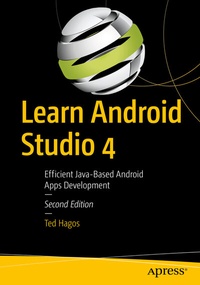
Learn Android Studio 4
Description

Build and deploy your Java-based Android apps using the popular and efficient Android Studio 4 suite of tools, an integrated development environment (IDE) for today's Android developers. With this book, you'll learn the latest and most productive tools in the Android tools ecosystem, ensuring quick Android app development and minimal effort on your part.
Among these tools, you'll use the new Android Studio 4 features, including an upgraded CPU profiler UI, a new build speed window, the multi-preview feature, and the live layout inspector.
After reading and using this book, you'll be able to efficiently build complete Java-based Android apps that run on any Android smartphone, tablet, smart watch and more. You'll also be able to publish those apps and sell them online and in the Google Play store.
What You Will Learn
- Use Android Studio 4 to quickly and confidently build your first Android apps
- Build an Android user interface using activities and layouts, event handling, images, menus, and the action bar
- Work with new tools in Android Studio 4: Jetpack compose support, a smart editor for ProGuard rules, a new motion layout editor, a new Android Gradle plugin, and a fragment wizard with new fragment templates
- Integrate data with data persistence
- Access the cloud
Who This Book Is For
Those who may be new to Android Studio 4 or Android Studio in general. You may or may not be new to Android development. Some prior experience with Java is recommended.
More details
Other editions
Additional editions
Person
Content
1. Android Overview.- 2. Android Studio.- 3. Project Basics.- 4. Android Studio IDE.- 5. Android Programming Basics.- 6. Activities and Layouts.- 7. Event Handling.- 8.Intents.- 9.Fragments.- 10. Navigation Components.- 11. Running in the background.- 12. Debugging.- 13. Testing.- 14. Working with Files.- 15. BroadcastReceivers.- 16.Jetpack LiveData, ViewModel, LiveData and Room.- 17. App Distribution.- 18. Appendix A: Java Refresher.
