

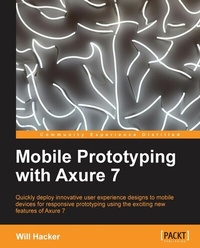
Mobile Prototyping with Axure 7
Quickly deploy innovative user experience designs to mobile devices for responsive prototyping using the exciting new features of Axure 7 with this book and ebook
1st Edition
Published on 13. January 2025
118 pages
978-1-84969-515-2 (ISBN)
Description

Quickly deploy innovative user experience designs to mobile devices for responsive prototyping using the exciting new features of Axure 7 with this book and ebookKey Features - Walk through the steps needed to build mobile interactions in Axure
- Deploy your prototypes on devices and in users' hands
- Download Axure RP 7 files and get started immediately
Book DescriptionMobile app and website design are two of of the most popular areas of user experience design. Axure RP 7 allows you to design and build mobile prototypes and deploy them to real devices for testing and stakeholder review. It also allows you to create an interactive HTML website wireframe or UI mockup without coding. Axure 7 has new features such as new widget events, page events, adaptive views, and so on, that give you more flexibility while building mobile prototypes.If you have experience with Axure but have never designed anything for mobile devices or responsive design, this book will get you started right away. This book contains working examples of how to complete some common mobile design tasks using Axure and focuses on creating rich, functional prototypes for mobiles, whether they are apps or websites. Using this practical, example-oriented guide, you will learn how Axure RP 7 can be used by user experience designers to create and deploy mobile prototypes on smartphones and tablets. You will also learn how Axure RP 7 can be used to create adaptive views for multi-device designs, sliding menus, mobile-friendly forms, drag and drop interactions, tool bars, and basic transitional animations common to mobile apps. You will get to know how to publish prototypes so that they can be tested or demonstrated on a real mobile device.What you will learn - Design adaptive views for responsive web designs
- Create mobile-friendly forms
- Develop navigation tab bars and menus
- Produce gesture-based interactions
- Work with drag-and-drop interactions in mobile design
- Devise home screen icons and splash screens for mobile apps
- Use Dynamic Panels to organize mobile app screens
- Publish prototypes for testing and viewing on mobile devices
Who this book is forIf you are a mobile-centric developer/designer, or someone who would like to take their Axure prototyping skills to the next level and start designing and testing mobile prototypes, this book is ideal for you. You should be familiar with prototyping and Axure specifically, before you read this book.
- Deploy your prototypes on devices and in users' hands
- Download Axure RP 7 files and get started immediately
Book DescriptionMobile app and website design are two of of the most popular areas of user experience design. Axure RP 7 allows you to design and build mobile prototypes and deploy them to real devices for testing and stakeholder review. It also allows you to create an interactive HTML website wireframe or UI mockup without coding. Axure 7 has new features such as new widget events, page events, adaptive views, and so on, that give you more flexibility while building mobile prototypes.If you have experience with Axure but have never designed anything for mobile devices or responsive design, this book will get you started right away. This book contains working examples of how to complete some common mobile design tasks using Axure and focuses on creating rich, functional prototypes for mobiles, whether they are apps or websites. Using this practical, example-oriented guide, you will learn how Axure RP 7 can be used by user experience designers to create and deploy mobile prototypes on smartphones and tablets. You will also learn how Axure RP 7 can be used to create adaptive views for multi-device designs, sliding menus, mobile-friendly forms, drag and drop interactions, tool bars, and basic transitional animations common to mobile apps. You will get to know how to publish prototypes so that they can be tested or demonstrated on a real mobile device.What you will learn - Design adaptive views for responsive web designs
- Create mobile-friendly forms
- Develop navigation tab bars and menus
- Produce gesture-based interactions
- Work with drag-and-drop interactions in mobile design
- Devise home screen icons and splash screens for mobile apps
- Use Dynamic Panels to organize mobile app screens
- Publish prototypes for testing and viewing on mobile devices
Who this book is forIf you are a mobile-centric developer/designer, or someone who would like to take their Axure prototyping skills to the next level and start designing and testing mobile prototypes, this book is ideal for you. You should be familiar with prototyping and Axure specifically, before you read this book.
All prices
More details
Other editions
Additional editions
Will Hacker
Mobile Prototyping with Axure 7
Book
11/2013
Packt Publishing
€38.70
Shipment within 3-4 weeks
Person
Hacker Will :
Will Hacker is a Lead Interaction Designer at GE Capital, where he works on multidevice designs for commercial lending software. He's used Axure for several years as part of his iterative design and prototyping process, and spent two and a half years working exclusively on mobile design, prototyping, and usability testing for Cars.com. He has also written about user experience and mobile design for Smashing Magazine and UX Booth, and is a frequent speaker at UX design events in Chicago. He holds a Master's degree in Human-computer Interaction from DePaul University. He tweets at @willhacker and blogs at willhacker.net.
Will Hacker is a Lead Interaction Designer at GE Capital, where he works on multidevice designs for commercial lending software. He's used Axure for several years as part of his iterative design and prototyping process, and spent two and a half years working exclusively on mobile design, prototyping, and usability testing for Cars.com. He has also written about user experience and mobile design for Smashing Magazine and UX Booth, and is a frequent speaker at UX design events in Chicago. He holds a Master's degree in Human-computer Interaction from DePaul University. He tweets at @willhacker and blogs at willhacker.net.
Content
- Intro
- Mobile Prototyping with Axure 7
- Table of Contents
- Mobile Prototyping with Axure 7
- Credits
- About the Author
- About the Reviewers
- www.PacktPub.com
- Support files, eBooks, discount offers and more
- Why Subscribe?
- Free Access for Packt account holders
- Preface
- What this book covers
- What you need for this book
- Who this book is for
- Conventions
- Reader feedback
- Customer support
- Errata
- Piracy
- Questions
- 1. Prototypes and Why We Use Them
- Reasons for prototyping
- The RITE way to prototype
- Working smarter with prototypes
- Axure RP for prototyping
- Fidelity decisions
- When not to prototype
- Axure Version 7
- Summary
- 2. Mobile Design Concepts
- The pencil is your first design tool
- Context is king
- Knowing our users
- Know the platform
- What platform to target
- Platform distribution
- The network is (mostly) always available
- Content is navigation
- Designing for touch
- Touch targets
- Screen real estate
- Working with gestures
- Alternative inputs
- Location
- Compass
- Accelerometer
- Camera
- Voice
- Barcodes and QR codes
- Mobile-friendly forms
- Serve up the right keyboard
- Making the field fit the finger
- Summary
- 3. Installing and Setting Up Axure
- Installing Axure
- Setting things up
- The workspace
- Sitemap
- Widgets
- Masters
- Widget Interactions and Notes
- Widget Properties and Style
- Widget Manager
- Page properties
- Widget libraries
- Grids
- Summary
- 4. Building Mobile Prototypes
- Mobile prototypes
- Adaptive Views
- Targeting your device
- Mobile screen setup
- Pages and panels
- Dynamic Panels
- Navigation bars
- Interactivity
- The Case Editor
- Summary
- 5. Adaptive Views
- Planning Adaptive Views
- Adaptive Views in Axure 7
- The Base View
- A different view
- Expanding (or contracting) our designs
- Summary
- 6. Mobile Interactions
- Gestures
- Swiping
- Using the OnLongClick event
- Building a menu system
- Using conditions and actions
- A loader
- The graphic
- The interaction
- Dialogs and Alerts
- Mobile forms
- Summary
- 7. Drag-and-drop
- Using OnDrag and OnDragDrop events
- Summary
- 8. Viewing on Mobile Devices
- Hosting prototypes
- AxShare
- Home screen icons and splash pages
- Dropbox and internal servers
- Loading the prototype to a real device
- Summary
- A. Axure and Mobile Design Resources
- Online resources
- Resources from Axure
- Widget libraries
- General Axure and mobile design resources
- Technical documentation
- Human interface guidelines for mobile operating systems
- Index

