

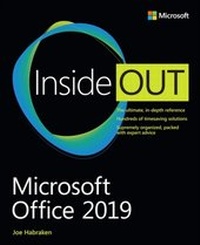
Microsoft Office 2019 Inside Out
1st Edition
Published on 19. November 2018
1024 pages
978-1-5093-0631-2 (ISBN)
Description

Conquer Microsoft Office 2019-from the inside out!
Dive into Microsoft Office 2019-and really put its productivity toolsand services to work! This supremely organized reference packs hundreds of timesaving solutions, tips, and workarounds-all you need to make the most of Office's most powerful tools for productivity and decision-making. Renowned Office expert Joe Habraken offers a complete tour of Office 2019 and Office 365, with cutting-edge techniques and shortcuts for Word, Excel, PowerPoint, Outlook, Publisher, online Office apps, and more. Discover how experts tackle today's key tasks-and challenge yourself to new levels of mastery.
Create amazing content faster with Office's new features, tools, and shortcuts
Share, collaborate with, and secure Office files in the cloud
Organize, edit, and format complex documents with Microsoft Word
Build tables of contents, captions, indexes, and footnotes that automatically update
Efficiently enter and manage data in Excel workbooks, and format it for easy understanding
Build flexible, reliable Excel workbooks with formulas and functions
Integrate data from external sources, including web tables, text files, and more
Transform data into insight with Excel charts, Sparklines, and PivotTables
Quickly create presentations with PowerPoint themes, Reuse Slides, and Libraries
Build more impactful slides with advanced formatting, SmartArt, animation, transitions, and multimedia
Use PowerPoint 2019 tools to present more effectively, both in person and online
Systematically improve email productivity and security with Outlook 2019
Manage appointments and tasks, and quickly plan meetings
Dive into Microsoft Office 2019-and really put its productivity toolsand services to work! This supremely organized reference packs hundreds of timesaving solutions, tips, and workarounds-all you need to make the most of Office's most powerful tools for productivity and decision-making. Renowned Office expert Joe Habraken offers a complete tour of Office 2019 and Office 365, with cutting-edge techniques and shortcuts for Word, Excel, PowerPoint, Outlook, Publisher, online Office apps, and more. Discover how experts tackle today's key tasks-and challenge yourself to new levels of mastery.
Create amazing content faster with Office's new features, tools, and shortcuts
Share, collaborate with, and secure Office files in the cloud
Organize, edit, and format complex documents with Microsoft Word
Build tables of contents, captions, indexes, and footnotes that automatically update
Efficiently enter and manage data in Excel workbooks, and format it for easy understanding
Build flexible, reliable Excel workbooks with formulas and functions
Integrate data from external sources, including web tables, text files, and more
Transform data into insight with Excel charts, Sparklines, and PivotTables
Quickly create presentations with PowerPoint themes, Reuse Slides, and Libraries
Build more impactful slides with advanced formatting, SmartArt, animation, transitions, and multimedia
Use PowerPoint 2019 tools to present more effectively, both in person and online
Systematically improve email productivity and security with Outlook 2019
Manage appointments and tasks, and quickly plan meetings
More details
Language
English
Place of publication
Boston
United States
Publishing group
Microsoft Press,U.S.
Target group
Professional and scholarly
ISBN-13
978-1-5093-0631-2 (9781509306312)
Copyright in bibliographic data and cover images is held by Nielsen Book Services Limited or by the publishers or by their respective licensors: all rights reserved.
Schweitzer Classification
Other editions
Additional editions
Joe Habraken
Microsoft Office 2019 Inside Out
Book
01/2019
Microsoft Press
€47.00
Shipment within 3-4 weeks
Person
Joe Habraken is an educator, digital media and computer technology professional, and best-selling author with more than 25 years of experience in the information technology and digital media production fields. He has written more than 35 books, which include numerous titles on the Microsoft Office application suite, computer networking, and Microsoft's Windows Server network platform. His titles have been translated into numerous languages and read around the world. Joe is currently an associate professor of Communication at the University of New England in Biddeford, Maine, where he teaches a variety of digital media, film, and hands-on software-related courses.
Content
Introduction
Part I Getting started with the Office applications
1 Getting oriented to the Office applications
2 Navigating and customizing the Office interface
3 Managing and sharing Office files
4 Using and creating graphics
5 Using the Office Online apps
Part II Word
6 Essential Word features
7 Enhancing Word documents
8 Working with tables, columns, and sections
9 Managing mailings and forms
10 Creating special documents
Part III Excel
11 Essential Excel features
12 Worksheet formatting and management
13 Getting the most from formulas and functions
14 Enhancing worksheets with charts
15 Using Excel tables and pivot tables
16 Validating and analyzing worksheet data
Part IV PowerPoint
17 Essential PowerPoint features
18 Advanced presentation formatting, themes, and masters
19 Better slides with clip art, pictures, and SmartArt
20 Enhancing slides with animation, transitions, and multimedia
21 Delivering a presentation and creating support materials
Part V Outlook
22 Outlook configuration and essential features
23 Managing email in Outlook
24 Using the calendar for appointments and tasks
25 Working with contacts and planning meetings
26 Using the journal and notes
27 Securing and maintaining Outlook
Part VI Publisher
28 Essential Publisher features
29 Advanced Publisher features
Part VI Appendixes
A Office application integration
B Office macros
Part I Getting started with the Office applications
1 Getting oriented to the Office applications
2 Navigating and customizing the Office interface
3 Managing and sharing Office files
4 Using and creating graphics
5 Using the Office Online apps
Part II Word
6 Essential Word features
7 Enhancing Word documents
8 Working with tables, columns, and sections
9 Managing mailings and forms
10 Creating special documents
Part III Excel
11 Essential Excel features
12 Worksheet formatting and management
13 Getting the most from formulas and functions
14 Enhancing worksheets with charts
15 Using Excel tables and pivot tables
16 Validating and analyzing worksheet data
Part IV PowerPoint
17 Essential PowerPoint features
18 Advanced presentation formatting, themes, and masters
19 Better slides with clip art, pictures, and SmartArt
20 Enhancing slides with animation, transitions, and multimedia
21 Delivering a presentation and creating support materials
Part V Outlook
22 Outlook configuration and essential features
23 Managing email in Outlook
24 Using the calendar for appointments and tasks
25 Working with contacts and planning meetings
26 Using the journal and notes
27 Securing and maintaining Outlook
Part VI Publisher
28 Essential Publisher features
29 Advanced Publisher features
Part VI Appendixes
A Office application integration
B Office macros
