

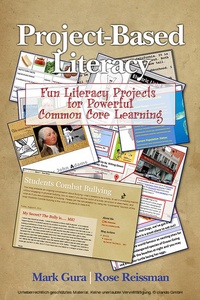
Project Based Literacy
Fun Literacy Projects for Powerful Common Core Learning
1st Edition
Published on 11. January 2015
215 pages
978-1-68123-294-2 (ISBN)
Description

Project?Based Learning; it's a term that most educators have heard and probably have heard good things about, Often, though, they aren't quite sure precisely what its defining characteristics are other than involving students in projects that are supposed to somehow result in their learning things of value.A great many teachers are reluctant to make it part of what they do with their students due to unfounded fears of unrealistic workloads and classroom management issues associated with it. This book should help change that, making the nature of PBL (Project?Based Learning) clear and illustrating how it can be a manageable, effective, and very enjoyable aspect of instruction.The book will present an exciting, alternative approach to literacy instruction that its authors call Project Based Literacy. This will principally be done through the presentation of 20 appealing projects, all of them carefully designed to engage and inspire students (grades 3 - 8) in literacy activities that are both core to the required curriculum and deeply in?synch with the Common Core Standards in English Language Arts. The book will also present support material for this, providing sufficient theory, instructional and classroom management tips, and technology and other 'How To' information to ensure that rank and file classroom teachers can adopt, adapt, and enjoyably and successfully implement the projects and maximize learning in relation to the Common Core Standards for ELA.
All prices
More details
Other editions
Additional editions
Mark Gura | Rose Reissman
Project Based Literacy
Fun Literacy Projects for Powerful Common Core Learning
Book
11/2015
Information Age Publishing
€61.20
Shipment within 3-4 weeks
Content
- Front Cover
- Project-Based Literacy
- Library of Congress Cataloging-in-Publication Data
- Dedication
- Contents
- Introduction
- PART I
- Chapter 1: What is Project-Based Literacy?
- Chapter 2: Core Elements of Literacy Projects
- Chapter 3: Project-Based Literacy and the Common Core
- Chapter 4: Authenticity in Literacy Projects
- Chapter 5: Project-Based Literacy and 21st Century Teaching and Learning
- Chapter 6: Classroom Management and Project-Based Literacy
- Chapter 7: Sharing the Work
- Chapter 8: Assessment and Feedback of Literacy Projects
- PART II: Literacy Learning Projects
- Chapter 9: Non Fiction Book Map
- Chapter 10: Student Created Anti Bullying Blog
- Chapter 11: Sandwich Science
- Chapter 12: Label Literacy
- Chapter 13: Curating a Museum Exhibit
- Chapter 14: Famous Scientists Trading Cards
- Chapter 15: Student Designed Author Fan Web Sites
- Chapter 16: Interactive Endangered Species Map
- Chapter 17: Where I'm From-Poetry Self Portraits
- Chapter 18: Game Changer Inventions
- Chapter 19: Print to Podcast
- Chapter 20: Public Service Announcements
- Chapter 21: Class Alphabet Book Publication
- Chapter 22: Rights Report
- Chapter 23: Good Thing or Bad?
- Chapter 24: Neighborhood Guide Brochure
- Chapter 25: School Network News
- Chapter 26: Illustrated Family Stories
- Chapter 27: Class Survey
- Chapter 28: Painted History
- PART III: Technology "How To"
- Chapter 29: Technology How To for Projects

