

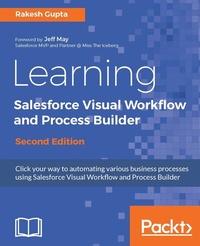
Learning Salesforce Visual Workflow and Process Builder
Flows and automation for enhanced business productivity
2nd Edition
Published on 8. July 2025
448 pages
978-1-78728-182-0 (ISBN)
Description

Click your way to automating various business processes using Salesforce Visual Workflow
Key Features
[*]Develop an application using Point and Click with the help of Flow
[*]Get to grips with various ways to launch a Flow [*]Capture data from an external user without using the Visualforce page
[*]Save user input into the database, and learn how to query and manipulate the data
[*]Discover various ways to debug and deploy Flow and Process Builder
[*]Understand the concepts of Subflow and Login Flow
[*]Handle complex business processes using Process builder and keep them clean
[*]Use existing or new Flows to work with Salesforce Lightning Experience.
Book DescriptionSalesforce Management System is an information system used in CRM to automate the business processes like sales and marketing. To implement this, Force.com developed a powerful tool called Visual Workflow to automate business processes by creating applications also called Flows. Learning Salesforce Visual Workflow, Second Edition is a practical guide on Flows that will enable you to develop custom applications in Salesforce with minimized code usage. The book starts with an introduction to Visual Workflows that teaches all the building blocks of creating Flows and use it efficiently. You will learn how to easily automate business processes and tackle complex business scenarios using Flows. The book explains the working of the Process Builder so you can create reusable processes. The book also covers how you can integrate existing or newly created Flows with the Salesforce Lightening Experience. By the end of the book, you will get a clear understanding on how to use Flows and Process Builder in your organization to optimize code usage. What you will learn
[*]Develop an application using point and click with the help of Flow
[*]Get to grips with various ways to launch a Flow [*]Capture data from an external user without using the Visualforce page
[*]Save user input into the database, and learn how to query and manipulate the data
[*]Discover various ways to debug and deploy Flow and Process Builder
[*]Understand the concepts of Subflow and Login Flow
[*]Handle complex business processes using Process builder and keep them clean
[*]Use existing or new Flows to work with Salesforce Lightning Experience.
Who this book is forThis book is intended for those who want to use Flows to automate their business requirements by clicking, not coding. No previous experience in computer coding or programming is required.
Key Features
[*]Develop an application using Point and Click with the help of Flow
[*]Get to grips with various ways to launch a Flow [*]Capture data from an external user without using the Visualforce page
[*]Save user input into the database, and learn how to query and manipulate the data
[*]Discover various ways to debug and deploy Flow and Process Builder
[*]Understand the concepts of Subflow and Login Flow
[*]Handle complex business processes using Process builder and keep them clean
[*]Use existing or new Flows to work with Salesforce Lightning Experience.
Book DescriptionSalesforce Management System is an information system used in CRM to automate the business processes like sales and marketing. To implement this, Force.com developed a powerful tool called Visual Workflow to automate business processes by creating applications also called Flows. Learning Salesforce Visual Workflow, Second Edition is a practical guide on Flows that will enable you to develop custom applications in Salesforce with minimized code usage. The book starts with an introduction to Visual Workflows that teaches all the building blocks of creating Flows and use it efficiently. You will learn how to easily automate business processes and tackle complex business scenarios using Flows. The book explains the working of the Process Builder so you can create reusable processes. The book also covers how you can integrate existing or newly created Flows with the Salesforce Lightening Experience. By the end of the book, you will get a clear understanding on how to use Flows and Process Builder in your organization to optimize code usage. What you will learn
[*]Develop an application using point and click with the help of Flow
[*]Get to grips with various ways to launch a Flow [*]Capture data from an external user without using the Visualforce page
[*]Save user input into the database, and learn how to query and manipulate the data
[*]Discover various ways to debug and deploy Flow and Process Builder
[*]Understand the concepts of Subflow and Login Flow
[*]Handle complex business processes using Process builder and keep them clean
[*]Use existing or new Flows to work with Salesforce Lightning Experience.
Who this book is forThis book is intended for those who want to use Flows to automate their business requirements by clicking, not coding. No previous experience in computer coding or programming is required.
More details
Edition
2nd Revised edition
Language
English
Place of publication
Birmingham
United Kingdom
Target group
US School Grade: College Graduate Student
Edition type
Revised edition
File size
37,83 MB
ISBN-13
978-1-78728-182-0 (9781787281820)
Copyright in bibliographic data and cover images is held by Nielsen Book Services Limited or by the publishers or by their respective licensors: all rights reserved.
Schweitzer Classification
Other editions
Additional editions
Book
05/2017
Packt Publishing
€64.10
Shipment within 3-4 weeks
Person
Gupta Rakesh :
Rakesh Gupta is best known as an automation champion in the Salesforce ecosystem. He has written over 150 articles on Visual Workflow and Process Builder to show how someone can use Visual Workflow and Process Builder to minimize code usage. He is one of the Visual Workflow and Process Builder experts in the industry. He has trained more than 700 individual professionals around the globe and conducted corporate training. Currently, Rakesh is working as a Salesforce solution architect consultant.
Rakesh Gupta is best known as an automation champion in the Salesforce ecosystem. He has written over 150 articles on Visual Workflow and Process Builder to show how someone can use Visual Workflow and Process Builder to minimize code usage. He is one of the Visual Workflow and Process Builder experts in the industry. He has trained more than 700 individual professionals around the globe and conducted corporate training. Currently, Rakesh is working as a Salesforce solution architect consultant.
Content
Table of Contents
GETTING STARTED WITH VISUAL WORKFLOW
CREATING FLOW THROUGH POINT AND CLICK
MANIPULATING RECORDS IN VISUAL WORKFLOW
AUTOMATING YOUR BUSINESS PROCESS
BUILDING APPLICATIONS WITHOUT CODE
DEVELOPING APPLICATIONS WITH PROCESS BUILDER
CREATING REUSABLE PROCESSES USING PROCESS BUILDER
ENABLING FLOWS TO WORK WITH LIGHTNING EXPERIENCE
GETTING STARTED WITH VISUAL WORKFLOW
CREATING FLOW THROUGH POINT AND CLICK
MANIPULATING RECORDS IN VISUAL WORKFLOW
AUTOMATING YOUR BUSINESS PROCESS
BUILDING APPLICATIONS WITHOUT CODE
DEVELOPING APPLICATIONS WITH PROCESS BUILDER
CREATING REUSABLE PROCESSES USING PROCESS BUILDER
ENABLING FLOWS TO WORK WITH LIGHTNING EXPERIENCE
