

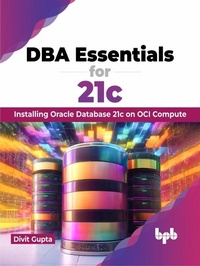
DBA Essentials for 21c
Installing Oracle Database 21c on OCI Compute (English Edition)
1st Edition
Published on 31. December 2023
288 pages
978-93-5551-957-3 (ISBN)
Description

No detailed description available for "DBA Essentials for 21c".
More details
Other editions
Additional editions
E-Book
12/2023
1st Edition
De Gruyter
€46.00
Available for download
Book
12/2023
BPB Publications
€40.30
Article not available for order
Content
- Intro
- Cover
- Title Page
- Copyright Page
- Dedication Page
- Foreword
- About the Author
- About the Reviewer
- Acknowledgement
- Preface
- Table of Contents
- 1. Introduction to Oracle Database 21c
- Introduction
- Structure
- Objectives
- Overview of Oracle Database 21c
- Oracle Database architecture
- Database server
- Database
- Multitenant architecture
- CDBs
- Pluggable databases
- Application containers
- Sharding architecture
- Database instance
- Database storage
- Physical storage
- Logical storage
- Data integrity
- Strategies for ensuring data integrity
- Benefits of integrity constraints
- Partitions
- New with Oracle Database 21c
- In-memory enhancements
- SQL macros
- JavaScript
- Native JSON datatype
- Blockchain tables
- Conclusion
- 2. Introduction to Oracle Cloud Infrastructure
- Introduction
- Structure
- Objectives
- Overview of Oracle Cloud Computing
- Infrastructure as a Service
- Platform as a Service
- Software as a Service
- What OCI supports
- OCI Architecture
- Region
- Availability domain
- Benefits of using OCI availability domains
- How to choose an OCI availability domain
- Fault domain
- Key aspects of OCI fault domains
- Choosing an OCI fault domain
- Compartment
- How to choose an OCI compartment
- Other key components
- Tenancy
- Virtual Cloud Network and subnets
- Route table
- Security list
- Internet gateway
- Service gateway
- Load balancer
- Compute
- Object storage
- Vault
- Monitoring
- Oracle Base Database service
- Key features
- Advantages and use cases
- Conclusion
- 3. OCI Essentials and Key Features
- Introduction
- Structure
- Objectives
- OCI essentials
- OCI identity and access management
- OCI security
- OCI identity and access management
- Compartment
- Dynamic groups
- Federation
- Group
- Home region
- Identity domain
- Identity provider
- MFA
- Network source
- Resource
- Role
- Security policy
- Sign-on policy
- Tags
- Tenancy
- User
- OCI Security
- Secure access
- Certificates management
- Security posture management
- Database security
- User access and entitlements
- Network firewalls
- Key management
- Secure cloud compartments
- Threat intelligence
- Vulnerability management
- Web application protection
- Oracle Cloud Compliance
- OCI key features
- Performance metrics
- Health checks
- Alarms
- Exceptional performance
- Cost-effective solutions
- Robust security architecture
- Wide-ranging regional presence and holistic hybrid cloud solutions
- Powerful APIs and developer tools
- Oracle OCI functions
- Key attributes of OCI functions
- Oracle Cloud Infrastructure services
- Conclusion
- 4. OCI Compute Basics
- Introduction
- Structure
- Understanding OCI compute services
- Instance types
- Instance features
- Shape types
- Adaptable configurations
- Capacity options
- Compute shapes
- Shape pricing
- Flexible shapes
- Extended memory VM instances
- Bare metal shapes
- Standard shapes
- Dense I/O shapes
- GPU shapes
- HPC and optimized shapes
- Virtual machine shapes
- Standard shapes
- Dense I/O Shapes
- GPU Shapes
- HPC and optimized shapes
- Best practices for your compute instances
- Networking best practices
- Firewall
- DHCP
- NTP
- Creating and configuring compute instances
- Prerequisites
- Overview of creating a compute instance in OCI
- About Oracle Cloud Shell
- Connect to the newly created instance
- Conclusion
- 5. Oracle Database Setup Wizard
- Introduction
- Structure
- Objectives
- Key concepts in Oracle Database installation
- Oracle Home
- Oracle Inventory
- Oracle Universal Installer
- Oracle Global Database name
- Oracle listener
- Tablespaces and datafiles
- Tablespaces
- Datafiles
- Initialization parameters
- Database control file
- Oracle Grid Infrastructure
- Users
- Roles
- Introduction to database installer
- Guided installation process
- Graphical user interface
- Customization options
- Component modularity
- Prerequisite checks and system validation
- Documentation and help resources
- Pre-installation considerations and system requirements
- Operating system checklist for Oracle Database installation on Linux
- Operating system general requirements
- Oracle Database preinstallation RPM for Oracle Linux
- Server configuration checklist for Oracle Database installation
- Storage Checklist for Oracle Database Installation
- Oracle Automatic Storage Management
- Conclusion
- 6. Oracle Database Configuration Assistant
- Introduction
- Structure
- Role and functionality of Oracle DBCA
- Purpose of Oracle DBCA
- Guided configuration and customization options
- Best practices for using Oracle DBCA
- Conclusion
- 7. Oracle Database 21c Installation: Part 1
- Introduction
- Structure
- 8 Preparing for installation: Prerequisites
- Oracle Database Setup Wizard
- Installation prerequisites
- Database 21c installation Desktop Class
- Conclusion
- 8. Oracle Database 21c Installation: Part 2
- Introduction
- Structure
- Objectives
- Installation prerequisites
- Database 21c installation server class
- Start database installer
- Options to install Oracle Database
- Conclusion
- 9. Create Container Database
- Introduction
- Structure
- Objectives
- Recap of DBCA and database creation modes
- Installation prerequisites
- Create a Container Database (typical mode)
- Executing DBCA
- Create and Configure a Container Database (advanced mode)
- Executing DBCA
- Conclusion
- Index
