

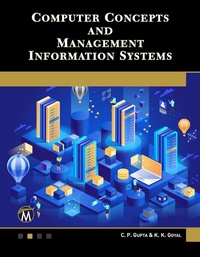
Computer Concepts and Management Information Systems
Gerätetechnik, Programmierung und Anwendung graphischer Systeme
1st Edition
Published on 1. June 2020
232 pages
978-1-68392-584-2 (ISBN)
Description

This book is designed to provide the reader with the fundamentals of computers and MIS in an easy to understand, "self-teaching" format. It introduces the major subjects such as hardware components, software applications, detailed information on Microsoft Office, information systems, ERP, CRM, security, business ethics, and cybercrime.
Features:
- Covers the major components of MS Office: Excel, Word, PowerPoint, and Access
- Provides an overview of theworkings of a computer, software applications, and MIS
- Includes discussion of information systems, ERP, security, business ethics, and cybercrime
More details
Language
English
Place of publication
Berlin
United States
Target group
Professional and scholarly
US School Grade: College Graduate Student
File size
15,57 MB
ISBN-13
978-1-68392-584-2 (9781683925842)
Copyright in bibliographic data and cover images is held by Nielsen Book Services Limited or by the publishers or by their respective licensors: all rights reserved.
Schweitzer Classification
Other editions
Additional editions
C. P. Gupta | K. K. Goyal
Computer Concepts and Management Information Systems
Book
06/2020
1st Edition
Mercury Learning & Information
€64.95
Article not available at the moment
C. P. Gupta | K. K. Goyal
Computer Concepts and Management Information Systems
E-Book
06/2020
1st Edition
Mercury Learning and Information
€51.49
Available for download
Content
- COVER
- LICENSE, DISCLAIMER OF LIABILITY, AND LIMITED WARRANTY
- TITLE PAGE
- COPYRIGHT ©
- CONTENTS
- PREFACE
- ACKNOWLEDGMENTS
- 1. CONCEPTS AND COMPUTER FUNDAMENTALS
- 1.1 Introduction
- 1.2 Data, Processing, and Information
- 1.3 Defining The Computer System
- 1.4 Computer Classification
- 1.5 Block Diagram
- 1.6 Hardware Versus Software
- 1.7 Input Devices
- 1.8 Output Devices
- 1.9 Computer Memory
- 1.10 Storage Devices: DASD/ SASD (Direct Access Storage Devices/Sequential Access Storage Devices)
- 1.10.1 Magnetic Tape
- 1.10.2 Floppy Disk
- 1.10.3 Hard Disk
- 1.10.4 Optical Disk
- 1.10.5 Pen Drive
- 1.11 Basic System Configuration
- 1.12 Processing Speed
- 1.13 Uses of a Computer System
- Test Your Knowledge
- 2. SOFTWARE: AN INTRODUCTION
- 2.1 Software: An Introduction
- 2.2 Types of Software
- 2.3 Assembler/Interpreter/Compiler
- 2.4 Generations of Computer Languages
- 2.5 Uses of Computer Languages
- 2.6 Operating Systems
- 2.6.1 Definition
- 2.6.2 Functions of an Operating System
- 2.6.3 Types and Classifications of Operating Systems
- 2.6.4 Components of an Operating System
- 2.7 What is Graphical User Interface (GUI)?
- Test Your Knowledge
- 3. MICROSOFT OFFICE
- 3.1 Microsoft Office
- 3.2 Working with MS Word
- 3.2.1 What is a Ribbon?
- 3.2.2 Office Button
- 3.2.3 HOME TAB
- 3.2.4 Insert Tab
- 3.2.5 The Page Layout Tab
- 3.2.6 Mail Merge
- 3.3 What is Microsoft Excel?
- 3.3.1 Cell Addressing
- 3.3.2 Range
- 3.3.3 Changing the Row Height or Column Width
- 3.3.4 Cell Alignment
- 3.3.5 Sheets
- 3.3.6 Creating and Inserting Charts in Excel
- 3.3.7 Sort and Filter
- 3.4 Working with Powerpoint
- 3.4.1 Home Tab
- 3.4.2 Insert Tab
- 3.4.3 Design Tab
- 3.4.4 Animation Tab
- 3.4.5 Slideshow Tab
- 3.4.6 View Tab
- 3.4.7 PowerPoint Show
- 3.5 Database Management System Using Microsoft Access
- 3.5.1 File Terminologies
- 3.5.2 Types of Data Files
- 3.5.3 Types of Records
- 3.5.4 Database Management System
- 3.5.5 Database
- 3.5.6 Properties of a Database
- 3.5.7 Advantages of Database Management System
- 3.5.8 Uses of a Database Management System
- 3.5.9 Applications of a Database Management System
- 3.5.10 Creating a Database Files or Tables in MS Access
- 3.5.11 Data Type
- 3.5.12 Elements of a Database
- 3.5.13 Primary Key/Record Key/Unique Key
- Test Your Knowledge
- 4. MANAGEMENT INFORMATION SYSTEMS
- 4.1 Need for Data and Information
- 4.2 Levels of Information
- 4.3 Characteristics and Presentation Qualities of Information
- 4.4 Value of Information
- 4.5 Information System
- 4.6 Components of an Information System
- 4.7 Types of Information Systems
- 4.7.1 Operation Support Systems
- 4.8 Management Support Systems
- 4.8.1 Management Information Systems
- 4.8.2 Decision Support System
- 4.8.3 Executive Support System
- 4.8.4 Expert Systems
- 4.9 Relationship of One Information System to Another
- 4.10 Decision Making and MIS
- 4.11 Level of Decision Making
- 4.12 MIS Support for Decision Making
- 4.13 Types of Decisions
- 4.14 Artificial Intelligence Technologies in Business
- 4.14.1 Neural Networks
- 4.14.2 Fuzzy Logic
- 4.14.3 Virtual Reality
- 4.15 Cross-Functional MIS
- Test Your Knowledge
- 5. APPLICATION OF CROSS-FUCNTIONAL MANAGEMENT INFORMATION SYSTEMS
- 5.1 Enterprise Resource Planning
- 5.2 Objectives of ERP
- 5.3 Benefits of The ERP System
- 5.4 ERP Solution Structure
- 5.5 Basic ERP Features
- 5.6 ERP Selection
- 5.6.1 Vendor Evaluation
- 5.6.2 Technology Evaluation
- 5.6.3 ERP Solution Evaluation
- 5.7 Customer Relationship Management
- 5.7.1 CRM and e-CRM
- 5.8 Security and Ethical Challenges of It
- 5.9 Business Ethics
- 5.10 Cybercrimes
- Test Your Knowledge
- INDEX
