

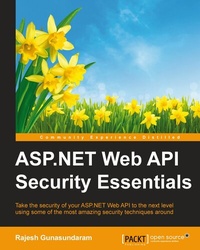
ASP.NET Web API Security Essentials
Take the security of your ASP.NET Web API to the next level using some of the most amazing security techniques around
Published on 13. January 2025
152 pages
978-1-78588-322-4 (ISBN)
Description

Take the security of your ASP.NET Web API to the next level using some of the most amazing security techniques around
Key Features
This book has been completely updated for ASP.NET Web API 2.0 including the new features of ASP.NET Web API such as Cross-Origin Resource Sharing (CORS) and OWIN self-hosting
Learn various techniques to secure ASP.NET Web API, including basic authentication using authentication filters, forms, Windows Authentication, external authentication services, and integrating ASP.NET's Identity system
An easy-to-follow guide to enable SSL, prevent Cross-Site Request Forgery (CSRF) attacks, and enable CORS in ASP.NET Web API
Book DescriptionThis book incorporates the new features of ASP.NET Web API 2 that will help you to secure an ASP.NET Web API and make a well-informed decision when choosing the right security mechanism for your security requirements. We start by showing you how to set up a browser client to utilize ASP.NET Web API services. We then cover ASP.NET Web API's security architecture, authentication, and authorization to help you secure a web API from unauthorized users. Next, you will learn how to use SSL with ASP.NET Web API, including using SSL client certificates, and integrate the ASP.NET Identity system with ASP.NET Web API. We'll show you how to secure a web API using OAuth2 to authenticate against a membership database using OWIN middleware. You will be able to use local logins to send authenticated requests using OAuth2. We also explain how to secure a web API using forms authentication and how users can log in with their Windows credentials using integrated Windows authentication. You will come to understand the need for external authentication services to enable OAuth/OpenID and social media authentication. We'll then help you implement anti-Cross-Site Request Forgery (CSRF) measures in ASP.NET Web API. Finally, you will discover how to enable Cross-Origin Resource Sharing (CORS) in your web API application.What you will learn
Secure your web API by enabling Secured Socket Layer (SSL)
Manage your application's user accounts by integrating ASP.NET's Identity system
Ensure the security of your web API by implementing basic authentication
Implement forms and Windows authentication to secure your web API
Use external authentication such as Facebook and Twitter to authenticate a request to a web API
Protect your web API from CSRF attacks
Enable CORS in your web API to explicitly allow some cross-origin requests while rejecting others
Fortify your web API using OAuth2
Who this book is forThis book is intended for anyone who has previous knowledge of developing ASP.NET Web API applications. Good working knowledge and experience with C# and.NET Framework are prerequisites for this book.
Key Features
This book has been completely updated for ASP.NET Web API 2.0 including the new features of ASP.NET Web API such as Cross-Origin Resource Sharing (CORS) and OWIN self-hosting
Learn various techniques to secure ASP.NET Web API, including basic authentication using authentication filters, forms, Windows Authentication, external authentication services, and integrating ASP.NET's Identity system
An easy-to-follow guide to enable SSL, prevent Cross-Site Request Forgery (CSRF) attacks, and enable CORS in ASP.NET Web API
Book DescriptionThis book incorporates the new features of ASP.NET Web API 2 that will help you to secure an ASP.NET Web API and make a well-informed decision when choosing the right security mechanism for your security requirements. We start by showing you how to set up a browser client to utilize ASP.NET Web API services. We then cover ASP.NET Web API's security architecture, authentication, and authorization to help you secure a web API from unauthorized users. Next, you will learn how to use SSL with ASP.NET Web API, including using SSL client certificates, and integrate the ASP.NET Identity system with ASP.NET Web API. We'll show you how to secure a web API using OAuth2 to authenticate against a membership database using OWIN middleware. You will be able to use local logins to send authenticated requests using OAuth2. We also explain how to secure a web API using forms authentication and how users can log in with their Windows credentials using integrated Windows authentication. You will come to understand the need for external authentication services to enable OAuth/OpenID and social media authentication. We'll then help you implement anti-Cross-Site Request Forgery (CSRF) measures in ASP.NET Web API. Finally, you will discover how to enable Cross-Origin Resource Sharing (CORS) in your web API application.What you will learn
Secure your web API by enabling Secured Socket Layer (SSL)
Manage your application's user accounts by integrating ASP.NET's Identity system
Ensure the security of your web API by implementing basic authentication
Implement forms and Windows authentication to secure your web API
Use external authentication such as Facebook and Twitter to authenticate a request to a web API
Protect your web API from CSRF attacks
Enable CORS in your web API to explicitly allow some cross-origin requests while rejecting others
Fortify your web API using OAuth2
Who this book is forThis book is intended for anyone who has previous knowledge of developing ASP.NET Web API applications. Good working knowledge and experience with C# and.NET Framework are prerequisites for this book.
All prices
More details
Edition
Digital original
Language
English
Place of publication
Birmingham
United Kingdom
Target group
Professional and scholarly
US School Grade: College Graduate Student
Edition type
Digital original
File size
3,13 MB
ISBN-13
978-1-78588-322-4 (9781785883224)
Copyright in bibliographic data and cover images is held by Nielsen Book Services Limited or by the publishers or by their respective licensors: all rights reserved.
Schweitzer Classification
Other editions
Additional editions
Rajesh Gunasundaram
ASP.NET Web API Security Essentials
Take the security of your ASP.NET Web API to the next level using some of the most amazing security techniques around
Book
11/2015
Packt Publishing
€50.90
Shipment within 3-4 weeks
Person
Gunasundaram Rajesh :
Rajesh Gunasundaram is a software architect, technical writer and blogger. He has over 15 years of experience in the IT industry, with more than 12 years using Microsoft .NET, 2 years of BizTalk Server and a year of iOS application development. Rajesh is a founder and editor of technical blogs programmerguide and ioscorner and you can find many of his technical writings on .Net and iOS. He is also the founder and developer of VideoLens, a platform that analyses videos uploaded in Facebook pages and YouTube channels. Rajesh has also written four other books for Packt publishing. Rajesh worked on client premises located at various countries such as UK, Belarus and Norway. He also has experience in developing mobile applications for iPhone and iPad. His technical strengths include Azure, Xamarin, ASP.NET MVC, Web API, WCF, .Net Framework / .Net Core, C#, Objective-C, Angular, Bot Framework, BizTalk, SQL Server, REST, SOA, Design Patterns and Software Architecture. Rajesh is an early adopter of Angular since AngularJS. He has developed Rich interfaces using Angular, Bootstrap, HTML5 and CSS3. He has good experience in translation of designer mock-ups and wireframes into an AngularJS front-end. Good at unit testing Angular applications with Karma. Expertise in handling RESTful services in Angular. Supporting various web products developed using AngularJS and Angular.
Rajesh Gunasundaram is a software architect, technical writer and blogger. He has over 15 years of experience in the IT industry, with more than 12 years using Microsoft .NET, 2 years of BizTalk Server and a year of iOS application development. Rajesh is a founder and editor of technical blogs programmerguide and ioscorner and you can find many of his technical writings on .Net and iOS. He is also the founder and developer of VideoLens, a platform that analyses videos uploaded in Facebook pages and YouTube channels. Rajesh has also written four other books for Packt publishing. Rajesh worked on client premises located at various countries such as UK, Belarus and Norway. He also has experience in developing mobile applications for iPhone and iPad. His technical strengths include Azure, Xamarin, ASP.NET MVC, Web API, WCF, .Net Framework / .Net Core, C#, Objective-C, Angular, Bot Framework, BizTalk, SQL Server, REST, SOA, Design Patterns and Software Architecture. Rajesh is an early adopter of Angular since AngularJS. He has developed Rich interfaces using Angular, Bootstrap, HTML5 and CSS3. He has good experience in translation of designer mock-ups and wireframes into an AngularJS front-end. Good at unit testing Angular applications with Karma. Expertise in handling RESTful services in Angular. Supporting various web products developed using AngularJS and Angular.
Content
Table of Contents
Setting up a Browser Client
Enabling SSL for ASP.NET Web API Enabling SSL for ASP.NET Web API
Integrating ASP.NET Identity System with Web API
Securing a Web API Using OAuth2
Enabling Basic Authentication using Authentication Filter in Web API
Securing a Web API using Forms and Windows Authentication
Using External Authentication Services with ASP.NET Web API
Avoiding Cross-Site Request Forgery or CSRF Attacks in Web API
Enabling Cross-Origin Resource Sharing (CORS) in ASP.NET Web API
Setting up a Browser Client
Enabling SSL for ASP.NET Web API Enabling SSL for ASP.NET Web API
Integrating ASP.NET Identity System with Web API
Securing a Web API Using OAuth2
Enabling Basic Authentication using Authentication Filter in Web API
Securing a Web API using Forms and Windows Authentication
Using External Authentication Services with ASP.NET Web API
Avoiding Cross-Site Request Forgery or CSRF Attacks in Web API
Enabling Cross-Origin Resource Sharing (CORS) in ASP.NET Web API

