
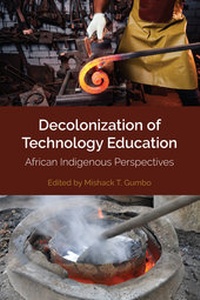
Decolonization of Technology Education
Description
Alles über E-Books | Antworten auf Fragen rund um E-Books, Kopierschutz und Dateiformate finden Sie in unserem Info- & Hilfebereich.
Scholars in this edited collection tackle the issue of teaching students Technology while Technology Education has not been decolonized or made relevant to indigenous technological worldviews. This book provides solutions that address the question: How to decolonize Technology Education? The solutions include the African Technology Education Decolonization Framework that should guide the design and development of the Technology Education curriculum and its methodologies in tune with the local realities and tailored towards the African agenda on sustainable development. This book offers fresh ideas to conceptualize Technology Education from an indigenous perspective.
More details
Other editions
Additional editions
Person
Mishack T. Gumbo is a Professor in the College of Education at the University of South Africa. He earned his PhD and BA from Vista University. He has a MEd in Technology Education, a Ort-International Certificate in Technology Education, a B TECH Professional Certificate in Project Management, and a Cert. in DE & E-Learning.

Content
System requirements
File format: ePUB
Copy protection: Adobe-DRM (Digital Rights Management)
System requirements:
- Computer (Windows; MacOS X; Linux): Install the free reader Adobe Digital Editions prior to download (see eBook Help).
- Tablet/smartphone (Android; iOS): Install the free app Adobe Digital Editions or the app PocketBook before downloading (see eBook Help).
- E-reader: Bookeen, Kobo, Pocketbook, Sony, Tolino and many more (not Kindle).
The file format ePub works well for novels and non-fiction books – i.e., „flowing” text without complex layout. On an e-reader or smartphone, line and page breaks automatically adjust to fit the small displays.
This eBook uses Adobe-DRM, a „hard” copy protection. If the necessary requirements are not met, unfortunately you will not be able to open the eBook. You will therefore need to prepare your reading hardware before downloading.
Please note: We strongly recommend that you authorise using your personal Adobe ID after installation of any reading software.
For more information, see our ebook Help page.