

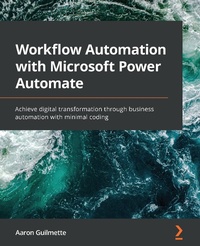
Workflow Automation with Microsoft Power Automate
Achieve digital transformation through business automation with minimal coding
Published on 23. September 2024
302 pages
978-1-83921-834-7 (ISBN)
Description

Find our new updated edition to get the latest industry knowledge at your disposal
Key Features
Learn the latest in Power Automate with updated user interface visuals and new technology included
Apply practical knowledge like managing user inputs, documents, approvals, and database storage
Create flows that integrate with services both inside and outside the Microsoft 365 ecosystem
Book DescriptionMicrosoft Power Automate is a workflow automation solution included in Microsoft 365. This book explores the core concepts of workflow automation, such as working with connectors, triggers, and actions, along with their practical implementation in automating business tasks and simplifying digital processes to boost enterprise productivity.What you will learn
Learn the basic building blocks of Power Automate capabilities
Explore connectors in Power Automate to automate email workflows
Discover how to make a flow for copying files between cloud services
Configure Power Automate Desktop flows for your business needs
Build on examples to create complex database and approval flows
Connect common business applications like Outlook, Forms, and Teams
Learn the introductory concepts for robotic process automation
Discover how to use AI sentiment analysis
Who this book is forThe book is for technologists, system administrators, and Power users with little or no Microsoft Power Automate experience. Familiarity with basic Microsoft 365 services is expected.
Key Features
Learn the latest in Power Automate with updated user interface visuals and new technology included
Apply practical knowledge like managing user inputs, documents, approvals, and database storage
Create flows that integrate with services both inside and outside the Microsoft 365 ecosystem
Book DescriptionMicrosoft Power Automate is a workflow automation solution included in Microsoft 365. This book explores the core concepts of workflow automation, such as working with connectors, triggers, and actions, along with their practical implementation in automating business tasks and simplifying digital processes to boost enterprise productivity.What you will learn
Learn the basic building blocks of Power Automate capabilities
Explore connectors in Power Automate to automate email workflows
Discover how to make a flow for copying files between cloud services
Configure Power Automate Desktop flows for your business needs
Build on examples to create complex database and approval flows
Connect common business applications like Outlook, Forms, and Teams
Learn the introductory concepts for robotic process automation
Discover how to use AI sentiment analysis
Who this book is forThe book is for technologists, system administrators, and Power users with little or no Microsoft Power Automate experience. Familiarity with basic Microsoft 365 services is expected.
More details
Edition
Digital original
Language
English
Place of publication
Birmingham
United Kingdom
Target group
Professional and scholarly
US School Grade: College Graduate Student
Edition type
Digital original
File size
13,74 MB
ISBN-13
978-1-83921-834-7 (9781839218347)
Copyright in bibliographic data and cover images is held by Nielsen Book Services Limited or by the publishers or by their respective licensors: all rights reserved.
Schweitzer Classification
Other editions
New editions
Aaron Guilmette Guilmette, Aaron
Workflow Automation with Microsoft Power Automate
Use business process automation to achieve digital transformation with minimal code
E-Book
09/2024
2nd Edition
Packt Publishing
from
€39.59
Available for download
Additional editions
Aaron Guilmette
Workflow Automation with Microsoft Power Automate
Achieve digital transformation through business automation with minimal coding
Book
09/2020
Packt Publishing
€62.90
Shipment within 3-4 weeks
Person
Guilmette Aaron :
Aaron Guilmette is a Principal Architect at Planet Technologies, an award-winning Microsoft Partner focused on the Public Sector. As an author of over a dozen IT books, he specializes in identity, messaging, and automation technologies. Previous to Planet Technologies, Aaron was a Senior Program Manager for Microsoft focusing on Microsoft 365 Customer Experience. When he's not writing books or tools for his customers, Aaron can be found tinkering on cars.
Aaron Guilmette is a Principal Architect at Planet Technologies, an award-winning Microsoft Partner focused on the Public Sector. As an author of over a dozen IT books, he specializes in identity, messaging, and automation technologies. Previous to Planet Technologies, Aaron was a Senior Program Manager for Microsoft focusing on Microsoft 365 Customer Experience. When he's not writing books or tools for his customers, Aaron can be found tinkering on cars.
Content
Table of Contents
Introducing Power Automate
Getting Started with Power Automate
Working with Email
Copying files
Creating Button Flows
Generating Push Notifications
Working with Team Flows
Working with Conditions
Getting Started with Approvals
Working with Multiple Approvals
Posting Approvals to Teams
Using a Database
Working with Microsoft Forms
Accepting User Input
Exporting, Importing, and Distributing Flows
Monitoring and Troubleshooting Flows
Introducing Power Automate
Getting Started with Power Automate
Working with Email
Copying files
Creating Button Flows
Generating Push Notifications
Working with Team Flows
Working with Conditions
Getting Started with Approvals
Working with Multiple Approvals
Posting Approvals to Teams
Using a Database
Working with Microsoft Forms
Accepting User Input
Exporting, Importing, and Distributing Flows
Monitoring and Troubleshooting Flows
