

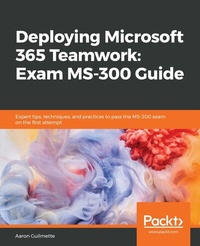
Deploying Microsoft 365 Teamwork: Exam MS-300 Guide
Expert tips, techniques, and practices to pass the MS-300 exam on the first attempt
1st Edition
Published on 3. June 2024
632 pages
978-1-83898-430-4 (ISBN)
Description

Prepare to achieve Microsoft 365 Certified Teamwork Administrator Associate certification by learning essential SharePoint Online concepts, and answering self-assessment questions to test your knowledgeKey Features - Cover essential topics based on the MS-300 exam, and learn with the help of detailed explanations
- Understand the collaborative features of SharePoint, both on-premises and as part of the Office 365 service
- Work through practice questions relating to business use cases for SharePoint Server and Online
Book DescriptionThe Microsoft MS-300 exam is designed to test the knowledge and skills of administrators in deploying, configuring, and managing SharePoint Online, SharePoint Server, SharePoint Hybrid, OneDrive for Business, and Teams. This book offers up-to-date coverage of the important topics based on the MS-300 exam and features question answers and insider tips to help you prepare for certification. Written in a clear, succinct way, the book starts by helping you configure and manage SharePoint Online. You'll then delve into OneDrive for Business, right from managing users and groups, through to monitoring sharing and security. Further chapters will guide you through working with Teams, with an emphasis on managing identity authentication, resolving issues with the service, and even observing usage patterns. Later, you'll get up to speed with workload integrations, covering the Yammer business communications platform, before moving on to understand how to integrate Microsoft Stream with SharePoint, Teams, and Yammer. Finally, you'll learn to develop data governance and user adoption strategies. By the end of this book, you'll be well-versed with SharePoint Online and have learned the essential techniques and concepts you need to know in order to pass the MS-300 certification exam.What you will learn - Discover the different Microsoft services and features that make up Office 365
- Configure cloud services for your environment and extend your infrastructure's capabilities
- Understand site architecture, site settings, and hub settings in SharePoint Online
- Explore business connectivity services for view and access options in SharePoint Online
- Configure Yammer to integrate with Office 365 groups, SharePoint, and Teams
- Deploy SharePoint Online, OneDrive for Business, and Microsoft Teams successfully, including bots and connectors
Who this book is forThis book is for SharePoint developers, administrators, or those who want to explore Microsoft's teamwork solution platforms and pass the certification exam to boost their career as Microsoft Teamwork Administrator Associates. Anyone who has achieved Microsoft's entry-level admin certification and wants to progress to intermediate certification will also find this book useful.
- Understand the collaborative features of SharePoint, both on-premises and as part of the Office 365 service
- Work through practice questions relating to business use cases for SharePoint Server and Online
Book DescriptionThe Microsoft MS-300 exam is designed to test the knowledge and skills of administrators in deploying, configuring, and managing SharePoint Online, SharePoint Server, SharePoint Hybrid, OneDrive for Business, and Teams. This book offers up-to-date coverage of the important topics based on the MS-300 exam and features question answers and insider tips to help you prepare for certification. Written in a clear, succinct way, the book starts by helping you configure and manage SharePoint Online. You'll then delve into OneDrive for Business, right from managing users and groups, through to monitoring sharing and security. Further chapters will guide you through working with Teams, with an emphasis on managing identity authentication, resolving issues with the service, and even observing usage patterns. Later, you'll get up to speed with workload integrations, covering the Yammer business communications platform, before moving on to understand how to integrate Microsoft Stream with SharePoint, Teams, and Yammer. Finally, you'll learn to develop data governance and user adoption strategies. By the end of this book, you'll be well-versed with SharePoint Online and have learned the essential techniques and concepts you need to know in order to pass the MS-300 certification exam.What you will learn - Discover the different Microsoft services and features that make up Office 365
- Configure cloud services for your environment and extend your infrastructure's capabilities
- Understand site architecture, site settings, and hub settings in SharePoint Online
- Explore business connectivity services for view and access options in SharePoint Online
- Configure Yammer to integrate with Office 365 groups, SharePoint, and Teams
- Deploy SharePoint Online, OneDrive for Business, and Microsoft Teams successfully, including bots and connectors
Who this book is forThis book is for SharePoint developers, administrators, or those who want to explore Microsoft's teamwork solution platforms and pass the certification exam to boost their career as Microsoft Teamwork Administrator Associates. Anyone who has achieved Microsoft's entry-level admin certification and wants to progress to intermediate certification will also find this book useful.
More details
Other editions
Additional editions
Aaron Guilmette
Deploying Microsoft 365 Teamwork: Exam MS-300 Guide
Expert tips, techniques, and practices to pass the MS-300 exam on the first attempt
Book
01/2020
Packt Publishing
€53.70
Shipment within 3-4 weeks
Person
Guilmette Aaron :
Aaron Guilmette is a Principal Architect at Planet Technologies, an award-winning Microsoft Partner focused on the Public Sector. As an author of over a dozen IT books, he specializes in identity, messaging, and automation technologies. Previous to Planet Technologies, Aaron was a Senior Program Manager for Microsoft focusing on Microsoft 365 Customer Experience. When he's not writing books or tools for his customers, Aaron can be found tinkering on cars.
Aaron Guilmette is a Principal Architect at Planet Technologies, an award-winning Microsoft Partner focused on the Public Sector. As an author of over a dozen IT books, he specializes in identity, messaging, and automation technologies. Previous to Planet Technologies, Aaron was a Senior Program Manager for Microsoft focusing on Microsoft 365 Customer Experience. When he's not writing books or tools for his customers, Aaron can be found tinkering on cars.
Content
Table of Contents - What is SharePoint Online?
- Planning and Configuring Site Collections and Hub Sites
- Planning and Configuring Customizations and Apps
- Planning and Configuring Managed Metadata
- Planning and Configuring Guest Access
- Managing SharePoint Online
- Managing SharePoint Online Search
- Monitoring and Maintaining the SharePoint Online Service
- Configuring and Managing OneDrive for Business
- Managing Users and Groups
- Manage Sharing and Security
- Manage Sync Security
- Monitor and Maintain the OneDrive Service
- Planning and Configuring Teams Settings
- Plan Identity and Authentication for Teams
- Manage the Teams Environment
- Monitor and Maintain the Teams Service
- Integrate M365 Workloads
- Managing Yammer Capabilities
- Managing Stream Capabilities
- Integrating M365 Workloads with External Data
- Assessment Answers
- Planning and Configuring Site Collections and Hub Sites
- Planning and Configuring Customizations and Apps
- Planning and Configuring Managed Metadata
- Planning and Configuring Guest Access
- Managing SharePoint Online
- Managing SharePoint Online Search
- Monitoring and Maintaining the SharePoint Online Service
- Configuring and Managing OneDrive for Business
- Managing Users and Groups
- Manage Sharing and Security
- Manage Sync Security
- Monitor and Maintain the OneDrive Service
- Planning and Configuring Teams Settings
- Plan Identity and Authentication for Teams
- Manage the Teams Environment
- Monitor and Maintain the Teams Service
- Integrate M365 Workloads
- Managing Yammer Capabilities
- Managing Stream Capabilities
- Integrating M365 Workloads with External Data
- Assessment Answers
