

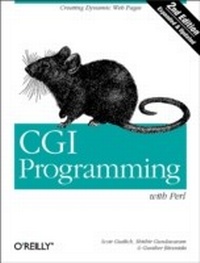
CGI Programming with Perl
Creating Dynamic Web Pages
1st Edition
Published on 29. June 2000
472 pages
978-1-4493-2679-1 (ISBN)
Description

Programming on the Web today can involve any of several technologies, but the Common Gateway Interface (CGI) has held its ground as the most mature method--and one of the most powerful ones--of providing dynamic web content. CGI is a generic interface for calling external programs to crunch numbers, query databases, generate customized graphics, or perform any other server-side task. There was a time when CGI was the only game in town for server-side programming; today, although we have ASP, PHP, Java servlets, and ColdFusion (among others), CGI continues to be the most ubiquitous server-side technology on the Web.CGI programs can be written in any programming language, but Perl is by far the most popular language for CGI. Initially developed over a decade ago for text processing, Perl has evolved into a powerful object-oriented language, while retaining its simplicity of use. CGI programmers appreciate Perl's text manipulation features and its CGI.pm module, which gives a well-integrated object-oriented interface to practically all CGI-related tasks. While other languages might be more elegant or more efficient, Perl is still considered the primary language for CGI.CGI Programming with Perl, Second Edition, offers a comprehensive explanation of using CGI to serve dynamic web content. Based on the best-selling CGI Programming on the World Wide Web, this edition has been completely rewritten to demonstrate current techniques available with the CGI.pm module and the latest versions of Perl. The book starts at the beginning, by explaining how CGI works, and then moves swiftly into the subtle details of developing CGI programs.Topics include:Incorporating JavaScript for form validationControlling browser cachingMaking CGI scripts secure in PerlWorking with databasesCreating simple search enginesMaintaining state between multiple sessionsGenerating graphics dynamicallyImproving performance of your CGI scripts
More details
Other editions
Additional editions
Shishir Gundavaram
CGI Programming with Perl
Book
08/2000
2nd Edition
O'Reilly
€37.50
Shipment within 3-4 weeks
Content
- Intro
- CGI Programming with Perl, 2nd Edition
- SPECIAL OFFER: Upgrade this ebook with O'Reilly
- A Note Regarding Supplemental Files
- Preface
- What's in the Book
- What You Are Expected to Know Before Reading
- Overview of the Book
- Conventions in This Book
- How to Contact Us
- Acknowledgments
- Acknowledgments from the First Edition
- 1. Getting Started
- History
- How CGI Is Used Today
- Introduction to CGI
- Sample CGI
- Invoking CGI Scripts
- Alternative Technologies
- Why Perl?
- Alternatives to CGI
- Web Server Configuration
- Configuring CGI Scripts
- Configuring by directory
- Configuring by extension
- 2. The Hypertext Transport Protocol
- URLs
- Elements of a URL
- Absolute and Relative URLs
- URL Encoding
- HTTP
- The Request and Response Cycle
- HTTP Headers
- HTTP 1.1 and HTTP 1.0
- Browser Requests
- The Request Line
- PUT and DELETE
- GET
- HEAD
- POST
- Request Header Field Lines
- Host
- Content-Length
- Content-Type
- Authorization
- User-Agent
- Accept
- Referer
- Cookies
- Server Responses
- The Status Line
- Server Headers
- Content-Base
- Content-Length
- Content-Type
- Date
- ETag
- Last-Modified
- Location
- Server
- Set-Cookie
- WWW-Authenticate
- Proxies
- Identifying Clients
- Caching
- Content Negotiation
- Media Type
- Internationalization
- Encoding
- Summary
- 3. The Common Gateway Interface
- The CGI Environment
- File Handles
- STDIN
- STDOUT
- STDERR
- Environment Variables
- CGI Environment Variables
- Examining Environment Variables
- CGI Output
- Partial Headers
- Outputting documents
- Forwarding to another URL
- Specifying status codes
- Complete (Non-Parsed) Headers
- Examples
- Check the Client Browser
- User Authentication and Identification
- Restricting Image Hijacking
- 4. Forms and CGI
- Sending Data to the Server
- Form Tags
- Quick Reference to Form Tags
- The &FORM& Tag
- The &INPUT& Tag
- Text fields
- Password fields
- Hidden fields
- Checkboxes
- Radio buttons
- Submit buttons
- Reset buttons
- Image buttons
- Plain buttons
- The &SELECT& Tag
- The &OPTION& tag
- The &TEXTAREA& Tag
- Decoding Form Input
- 5. CGI.pm
- Overview
- Denial of Service Attacks
- The Kitchen Sink
- Standard and Object-Oriented Syntax
- Handling Input with CGI.pm
- Environment Information
- Accept
- http
- https
- query_string
- self_url
- url
- virtual_host
- Accessing Parameters
- Modifying parameters
- POST and the query string
- Index queries
- Supporting image buttons as submit buttons
- Exporting Parameters to a Namespace
- File Uploads with CGI.pm
- Generating Output with CGI.pm
- Controlling HTTP Headers with CGI.pm
- Media type
- Status
- Caching
- Specifying an alternative target
- Redirection
- Other headers
- Starting and Ending Documents
- start_html
- end_html
- Standard HTML Elements
- Form Elements
- Alternatives for Generating Output
- Lots of print Statements
- Here Documents
- Handling Errors
- Dying Gracefully
- Trapping die
- CGI::Carp
- Error Subroutines
- Custom Module
- 6. HTML Templates
- Reasons for Using Templates
- Rolling Your Own
- Server Side Includes
- Configuration
- Format
- Environment Variables
- Tailoring SSI Output
- Including Boilerplates
- Executing CGI Programs
- Common Errors
- HTML::Template
- Syntax
- Loops
- Conditionals
- Including other files
- Summary
- Embperl
- Configuration
- Execute
- mod_perl
- embpcgi.pl
- Syntax
- Embperl code blocks
- Variable scope
- Meta-commands
- HTML Logic
- Tables
- List elements
- Form input elements
- Global Variables
- Example
- Embperl handler
- Summary
- Mason
- A Component Approach
- 7. JavaScript
- Background
- History
- Compatibility
- Forms
- Input Validation
- Validating elements
- Validating submits
- Validation example
- Validating twice
- Data Exchange
- WDDX
- Example
- Bookmarklets
- Bookmarklet Basics
- Compatibility
- Bookmarklets and CGI
- 8. Security
- The Importance of Web Security
- Handling User Input
- Calling External Applications
- User Input and the Shell
- Security Strategies
- fork and exec
- Trusting the Browser
- Encryption
- MD5
- SHA-1
- Perl's Taint Mode
- How Taint Works
- What Is Monitored by Taint Mode
- How Taintedness Is Removed
- Allowing versus disallowing
- Why Use Taint Mode?
- Common Problems with Taint Mode
- Data Storage
- Dynamic Filenames
- Location of Files
- File Permissions
- Summary
- 9. Sending Email
- Security
- Mailers and Shells
- False Identities
- Spam
- Email Addresses
- Validating Syntax
- Structure of Internet Email
- sendmail
- Command-Line Options
- Mail Queue
- mailx and mail
- Perl Mailers
- procmail
- Autoreply from nobody
- Forwarding to Another User
- 10. Data Persistence
- Text Files
- Locking
- flock
- Manual lock files
- Write Permissions
- Temporary Files
- Anonymous temporary files
- Named temporary files
- Delimiters
- DBD::CSV
- DBM Files
- DB_File
- MLDBM
- Introduction to SQL
- Creating a Database
- Inserting Data
- Accessing Data
- Updating Data
- Deleting Data
- DBI
- Using DBI
- Connecting to DBI
- Database manipulation
- Database querying
- DBI Address Book
- Address book database creation script
- Address book CGI script
- 11. Maintaining State
- Query Strings and Extra Path Information
- Hidden Fields
- Client-Side Cookies
- Setting Cookies
- Testing for Cookies
- 12. Searching the Web Server
- Searching One by One
- Searching One by One, Take Two
- Regex-Based Search Engine
- Inverted Index Search
- Search Application
- 13. Creating Graphics on the Fly
- File Formats
- GIF
- The LZW patent
- PNG
- JPEG
- Outputting Image Data
- An Example
- binmode
- Including Dynamic Images in HTML
- Redundant path information
- Preventing caching
- Generating PNGs with GD
- Installation
- Using GD
- Additional GD Modules
- GD::Text
- GD::Text::Align
- GD::Graph
- GD::Graph3D
- PerlMagick
- Installation
- Requirements
- Enabling LZW compression
- Converting PNGs to GIFs or JPEGs
- PDF and PostScript Support
- Image Processing
- 14. Middleware and XML
- Communicating with Other Servers
- Sockets
- IO::Socket
- LWP
- An Introduction to XML
- Document Type Definition
- Writing an XML Parser
- CGI Gateway to XML Middleware
- 15. Debugging CGI Applications
- Common Errors
- Application Permissions
- The Pound-Bang
- Line Endings
- "Malformed" Header
- Perl Coding Techniques
- Use strict
- Check Status of System Calls
- Is It Open?
- Trap die
- File Locking
- Unbuffer Output Stream
- Use binmode
- Debugging Tools
- Check Syntax
- Check Error Logs
- Running Scripts from the Command Line
- Dumping Variables
- Debuggers
- The Perl debugger
- ptkdb
- ActiveState Perl debugger
- 16. Guidelines for Better CGI Applications
- Architectural Guidelines
- Plan for Future Growth
- Use Directories to Organize Your Projects
- Use Relative URLs
- Separate Configuration from Your Primary Code
- Separating Display from Your Primary Code
- Separating Storage from Your Primary Code
- Number of Scripts per Application
- Using one CGI program rather than many for each major application
- Using multiple CGI scripts for each major application
- Using Submit Buttons to Control Flow
- Coding Guidelines
- 17. Efficiency and Optimization
- Basic Perl Tips, Top Ten
- Benchmark Your Code
- Benchmark Modules, Too
- Localize Variables with my
- Avoid Slurping
- undef Versus ( )
- SelfLoader
- autouse
- Avoid the Shell
- Find Existing Solutions for Your Problems
- Regular Expressions
- FastCGI
- Installing FastCGI
- mod_perl
- Installation and Configuration
- mod_perl Considerations
- A. Works Cited and Further Reading
- References
- Additional Reading
- RFCs
- Other Specifications
- Project Home Pages
- Newsgroups
- B. Perl Modules
- CPAN
- Installing Modules
- perldoc
- Index
- About the Authors
- Colophon
- SPECIAL OFFER: Upgrade this ebook with O'Reilly
- Copyright
