

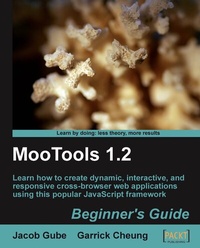
MooTools 1.2 Beginner's Guide
Learn how to create dynamic, interactive, and responsive cross-browser web applications using this popular JavaScript framework
1st Edition
Published on 13. January 2025
280 pages
978-1-84719-459-6 (ISBN)
Description

Learn how to create dynamic, interactive, and responsive cross-browser web applications using this popular JavaScript frameworkKey Features - Learn how to build super-charged web forms
- Learn how to write powerful and flexible cross-browser code
- Make your web applications more dynamic and user-interactive with AJAX
- Packed with examples that will show you step by step the most important aspects of getting started with MooTools
Book DescriptionMooTools is a simple-to-use JavaScript library, ideal for people with basic JavaScript skills who want to elevate their web applications to a superior level. If you're a newcomer to MooTools looking to build dynamic, rich, and user-interactive web site applications this beginner's guide with its easy-to-follow step-by-step instructions is all you need to rapidly get to grips with MooTools.What you will learn - Bringing web pages to life using animation
- Boosting the responsiveness of your web applications using AJAX with MooTools
- Building a web form dynamically responsive to a multitude of browser events
- The basics core functions of MooTools and how they work
- Creating your own versatile plug-ins that can be customized to fit your own personal requirements
- How to rapidly build a quick and easy web application using the power of MooTools
Who this book is forThis book is perfect for MooTools newcomers. You do not require any familiarity with MooTools whatsoever, only a willingness to learn. Basic knowledge of JavaScript syntax and concepts is the only requirement. This book will allow you to grasp the basics of MooTools so that you will be well on the way to creating exciting, customizable web pages and applications.
- Learn how to write powerful and flexible cross-browser code
- Make your web applications more dynamic and user-interactive with AJAX
- Packed with examples that will show you step by step the most important aspects of getting started with MooTools
Book DescriptionMooTools is a simple-to-use JavaScript library, ideal for people with basic JavaScript skills who want to elevate their web applications to a superior level. If you're a newcomer to MooTools looking to build dynamic, rich, and user-interactive web site applications this beginner's guide with its easy-to-follow step-by-step instructions is all you need to rapidly get to grips with MooTools.What you will learn - Bringing web pages to life using animation
- Boosting the responsiveness of your web applications using AJAX with MooTools
- Building a web form dynamically responsive to a multitude of browser events
- The basics core functions of MooTools and how they work
- Creating your own versatile plug-ins that can be customized to fit your own personal requirements
- How to rapidly build a quick and easy web application using the power of MooTools
Who this book is forThis book is perfect for MooTools newcomers. You do not require any familiarity with MooTools whatsoever, only a willingness to learn. Basic knowledge of JavaScript syntax and concepts is the only requirement. This book will allow you to grasp the basics of MooTools so that you will be well on the way to creating exciting, customizable web pages and applications.
All prices
More details
Other editions
Additional editions
Jacob Gube
Mootools 1.2 Beginner's Guide
Book
12/2009
Packt Publishing
€51.00
Shipment within 3-4 weeks
Content
- Intro
- MooTools 1.2 Beginner's Guide
- Table of Contents
- MooTools 1.2 Beginner's Guide
- Credits
- About the Authors
- About the Reviewer
- Preface
- What this book covers
- What you need for this book
- Who this book is for
- Conventions
- Reader feedback
- Customer support
- Errata
- Piracy
- Questions
- 1. MooTools and Me
- What is MooTools?
- Why use MooTools?
- The advantages of using MooTools
- Writing terse and elegant code
- Extending native JavaScript
- Cross-browser compatibility
- Working with the Document Object Model
- The advantage of using open-source projects
- Downloading and installing MooTools
- Time for action-downloading and installing the MooTools Core
- What just happened?
- Different MooTools downloads
- The domready event listener
- Rolling your own MooTools
- MooTools Core
- Time for action-exploring the MooTools Core Builder
- What just happened?
- Have a go hero - - explore the MooTools Core Builder output
- MooTools More
- Time for action-exploring the MooTools More Builder
- What just happened?
- The API concept
- MooTools resources
- MooTools Docs
- MooTools Users Google groups
- mooforum
- The MooTorial
- Summary
- 2. Writing JavaScript with MooTools
- Writing unobtrusive JavaScript with MooTools
- An "obtrusive" JavaScript example
- What's so bad about it?
- Don't repeat it if you don't have to
- It'll be hard to maintain
- It's a bad practice to have functionality in your content structure
- Time for action-rewriting our script unobtrusively
- What just happened?
- Removing our inline event handlers
- Using the DOM to handle events
- Pop quiz - - rewriting our script unobstrusively
- Creating MooTools classes
- What the heck is a class?
- Real-world analogy
- Creating a MooTools class
- The Implements property
- The options property
- The initialize method
- Our own Dog class methods: .bark() and .sit()
- Time for action-creating an instance of Dog
- What just happened?
- Have a go hero - - use the .sit() class method
- Time for action-giving our class instance some custom options
- Time for action-determining the value of our options
- Extending classes
- Time for action-extending the ShowDog class with the Dog class
- What just happened?
- Class inheritance
- Have a go hero - doing more with the thing
- Using MooTools classes
- The concept of chainability
- The Chain class
- A Chain example
- A look ahead: Chaining Fx .Tween
- Time for action-create a chain of Fx.Tween methods
- What just happened?
- Isn't MooTools classy?
- Chainability
- Have a go hero - doing more with chaining Fx.Tween methods
- Summary
- 3. Selecting DOM Elements
- MooTools and CSS selectors
- Working with the $() and $$() functions
- The $() dollar function
- The $$() dollars function
- When to use which
- Time for action-selecting an element with the dollar function
- Time for action-selecting elements with the dollars function
- Time for action-selecting multiple sets of elements with the dollars function
- What just happened?
- $() versus document.getElementById()
- Selecting multiple sets of elements
- Have a go hero - tween the list item element
- Common errors with the dollar and dollars functions
- The dollar function doesn't work with CSS selectors!
- Drop the pound # sign when using the $() function
- Pop quiz - find the bad apple in the bunch
- Selection using pseudo-classes
- Pseudo-class example: Zebra striping a table
- Time for action-using pseudo-classes to zebra stripe a table
- What just happened?
- Other pseudo-class selectors
- Working with attribute selectors
- Attribute selector operators
- Attribute selector example: Styling different types of links
- Time for action-using = attribute selector
- Time for action-using != attribute selector
- Time for action-using ^= attribute selector
- Time for action-using $= attribute selector
- What just happened?
- Attribute selector case sensitivity
- DOM selection makes unobtrusive JavaScript do-able
- Summary
- 4. The Core's Useful Utility Functions
- What is the Core?
- Browser: Getting information about the client
- Determining if the client has a specific feature
- Browser.Features.xpath
- Browser.Features.xhr
- Getting information about the client's rendering engine
- Determining the client's rendering engine and version
- Time for action-determining the client's rendering engine and version
- Checking if the client is using a particular web browser
- Have a go hero - checking to see if your browser uses Gecko
- Determining if the client has Adobe Flash installed
- Finding out information about the client's operating system
- Potential uses of this property
- Example scenario: Offering the correct download based on the client's platform
- SuperSoftware HTML
- SuperSoftware CSS
- Time for action-using Browser.Platform to customize SuperSoftware's download page
- What just happened?
- Pop quiz - finding out information about the client's operating system
- Exploring the Core utility functions
- Checking to see if objects are defined
- Seeing if an object has a value with $chk
- Checking if an object is defined with $defined
- Selecting the first defined object using $pick
- Getting the return of first working function with $try
- Dealing with time and intervals
- The $time() function
- Time for action-the $time() function
- What just happened?
- The $clear() function
- Time for action-exploring the $clear() function with periodical()
- What just happened?
- Utility functions for working with objects
- Extending objects with $extend()
- Merging objects with $merge()
- Iterating through objects using $each
- Time for action-exploring the $each function
- What just happened?
- Other utility functions in the Core
- Generating a random number with $random
- Converting objects to arrays with $splat
- Determining the data type using $type
- Limited use functions
- Creating a function placeholder with $empty
- Returning arguments using $lambda
- Creating a function that returns the specified value using $arguments
- Summary
- 5. Working with Events
- What are events exactly?
- Window events
- Form events
- Keyboard events
- Mouse events
- MooTools custom mouse events
- Adding event listeners
- Adding a single event listener
- Time for action-highlighting focused fields of web forms
- What just happened?
- Adding multiple event listeners
- Time for action-adding tooltips to the web form
- What just happened?
- Creating custom events
- Time for action-creating a custom event for showing help tips
- What just happened?
- Have a go hero - create your own custom event
- Removing, cloning, and firing off events
- Removing events from elements
- Removing a single event from elements
- Time for action-removing an event
- Removing a type of event, or all events, from elements
- Cloning events from another element
- Firing off events
- Time for action-firing off a click event
- The MooTools event object
- Using event object methods
- Preventing the default behavior
- Time for action-preventing the default behavior of a hyperlink
- Preventing event bubbling
- Time for action-preventing event bubbling
- What just happened?
- Stopping default behavior and event propagation
- Using event properties
- Summary
- 6. Bringing Web Pages to Life with Animation
- MooTools' Fx class
- Basic syntax
- Fx options
- Animating a CSS property with Fx.Tween
- Time for action - creating a hide/show FAQ page
- What just happened?
- Have a go hero - modifying the hide/show transition effect
- Tweening a single CSS property using the tween() method
- Time for action-toggling the visibility of a div
- What just happened?
- Fading elements
- Time for action - fading an image in and out
- What just happened?
- Highlighting elements
- Time for action - indicating blank form fields that are required
- What just happened?
- Animating multiple CSS properties with Fx.Morph
- Time for action - enlarging an image
- What just happened?
- Have a go hero - modify the transition type
- Using the morph() shortcut method
- Time for action - experimenting with morph
- What just happened?
- Other Fx methods
- Starting an effect
- Setting properties immediately
- Cancelling a transition
- Pausing effect
- Resuming a paused effect
- Summary
- 7. Going 2.0 with Ajax
- What you'll need
- Creating a Request object
- Request object options
- Request events options
- Running a function immediately when a request is made
- Running a function when the request is completed
- Running a function when the request is cancelled
- Other Request events
- Requesting data
- Time for action-requesting remote data
- What just happened?
- Requesting HTML and JSON data
- Working with HTML data
- Time for action-updating a web page with HTML
- What just happened?
- Loading HTML documents remotely
- Time for action-loading HTML data
- Working with JSON data
- Time for action-working with Ajax and JSON
- What just happened?
- Cancelling a Request
- Sending data
- Time for action-sending data to PHP
- What just happened?
- Setting and getting HTTP headers
- Setting an HTTP header for an Ajax Request object
- Getting an HTTP header
- Time for action-getting the Last-Modified HTTP header
- What just happened?
- Have a go hero - get the content length of the requested page
- Summary
- 8. Beefing Up MooTools: Using the MooTools More Plugins
- Downloading MooTools More plugins
- Time for action-downloading the Fx.Accordion plugin
- What just happened?
- Installing MooTools plugins
- Time for action-installing Fx.Accordion
- What just happened?
- Discovering a handful of MooTools More plugins
- Creating engaging content using Fx.Accordion
- Time for action-creating an accordion
- What just happened?
- Fx.Accordion options
- Downloading all the MooTools More plugins we need
- Time for action-downloading more Mootools More plugins
- Extending JavaScript's native Date object
- Time for action-building a Date calculator tool
- What just happened?
- Making web forms more user-friendly with the OverText plugin
- Time for action-creating a web form that uses OverText
- What just happened?
- Drag-and-drop with Drag and Drag.Move
- Time for action-creating a simple drag-and-drop game
- What just happened?
- Summary
- 9. Creating Your Own Plugin
- Why create a plugin?
- Designing the plugin
- Time for action-creating a design sheet for our plugin
- What just happened?
- Creating the ImageCaption script
- Time for action-writing the ImageCaption script
- What just happened?
- Noting down pitfalls and places of improvement to the script
- Converting the script to a flexible plugin
- Time for action-creating the ImageCaption plugin
- What just happened?
- Instantiating the plugin
- Time for action-basic instantiation of the ImageCaption plugin
- What just happened?
- Creating a more complex instance of the plugin
- Time for action-creating new instances of the plugin
- Creating multiple instances of the plugin
- Time for action-multiple instances of the ImageCaption plugin
- What just happened?
- Preparing your plugin for the public
- Documenting your plugin with comments
- Time for action-documenting the ImageCaption plugin
- What just happened?
- External documentation
- Time for action-creating a basic download page for the ImageCaption plugin
- What just happened?
- Summary
- Index

