

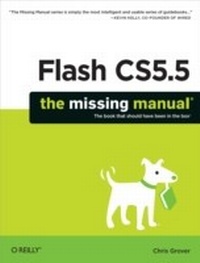
Flash CS5.5: The Missing Manual
1st Edition
Published on 14. June 2011
866 pages
978-1-4493-1374-6 (ISBN)
Description

You can build everything from simple animations to full-fledged iOS and Android apps with Flash CS5.5, but learning this complex program can be difficultunless you have this fully updated, bestselling guide. Learn how to create gorgeous Flash effects even if you have no programming experience. With Flash CS5.5: The Missing Manual, you'll move from the basics to power-user tools with ease.Learn animation basics. Discover how to turn simple ideas into stunning animations.Master Flash's tools. Learn the animation and effects tools with clear explanations and hands-on examples.Use 3D effects. Rotate objects and make them move in three dimensions.Create lifelike motion. Use the IK Bones tool to simulate realistic body movements and other linked motions.Build apps for tablets and smartphones. Create the next generation of iPhone, iPad, and Android apps.Add multimedia. Incorporate your own audio and video files into Flash.Create rich interactive animations. Dive into advanced interactivity with easy-to-learn ActionScript examples.
More details
Other editions
Additional editions
Chris Grover
Flash CS5.5: The Missing Manual
Book
07/2011
6th Edition
O'Reilly
€42.00
Shipment within 10-20 days
Content
- Intro
- Copyright
- Table of Contents
- The Missing Credits
- Introduction
- Part One: Creating a Flash Animation
- Chapter 1. Getting Around Flash
- Starting Flash
- A Tour of the Flash Workspace
- Menu Bar
- The Stage
- The Timeline
- Panels and Toolbars
- Toolbars
- Tools Panel
- Properties Panel
- Library Panel
- Other Flash Panels
- The Flash CS5 Test Drive
- Open a Flash File
- Explore the Properties Panel
- Resize the Stage
- Zoom In and Out
- Make It Move
- Play an Animation
- Save a File
- Chapter 2. Creating Simple Drawings
- Plan Before You Draw
- Creating a Storyboard
- Five Questions for a Better Result
- Preparing to Draw
- Setting Document Properties
- Adding Measurement Guides
- Drawing a Shape
- Choosing a Drawing Mode
- Merge Drawing Mode
- Object Drawing Mode
- Using Merge Mode and Object Mode Together
- Selecting Objects on the Stage
- Essential Drawing Terms
- Creating Original Artwork
- Drawing and Painting with Tools
- Aligning Objects with the Align Tools
- Erasing Mistakes with the Eraser Tool
- Copying and Pasting Drawn Objects
- Adding Color
- Changing the Color of a Stroke (Line)
- Changing the Color of a Fill
- Chapter 3. Animate Your Art
- Frame-by-Frame Animation
- Creating a Frame-by-Frame Animation
- Test Your Frame-by-Frame Animation
- Editing Your Frame-by-Frame Animation
- Selecting Frames and Keyframes
- Inserting and Deleting Keyframes and Frames
- Making It Move with Motion Tweens
- Tweening a Symbol's Dimension Properties
- Copying and Pasting Frames
- Reversing Frames in a Frame Span
- Editing the Motion Path
- Moving the Motion Path
- Adding Curves to the Motion Path
- Moving End Points on the Motion Path
- Copying and Pasting a Motion Path
- Copying and Pasting Properties
- Shape Tweening (Morphing)
- Shape Hints
- Using Multiple Layers for Shape Tweens
- Classic Tween
- Part Two: Advanced Drawing and Animation
- Chapter 4. Organizing Frames and Layers
- Working with Frames
- Copying and Pasting Frames
- Moving Frames and Keyframes
- Editing Multiple Frames
- Working with Multiple Layers
- Showing and Hiding Layers
- Working with Layers
- Renaming Layers
- Copying and Pasting Layers
- Reordering (Moving) Layers
- Deleting a Layer
- Locking and Unlocking Layers
- Organizing Layers
- Outline View
- Organizing Layers with Folders
- Spotlight Effect Using Mask Layers
- Chapter 5. Advanced Drawing and Coloring
- Selecting Graphic Elements
- The Selection Tool
- The Subselection Tool
- The Lasso Tool
- Manipulating Graphic Elements
- Modifying Object Properties
- Moving, Cutting, Pasting, and Copying
- Transforming Objects
- Moving and Rotating Objects in 3-D
- Stacking Objects
- Converting Strokes to Fills
- Aligning Objects
- Spray Painting Symbols
- Drawing with the Deco Tool
- Advanced Color and Fills
- Color Basics
- RGB and HSB
- Creating Custom Colors
- Specifying Colors for ActionScript
- Saving Color Swatches
- Using an Image As a Fill "Color"
- Applying a Gradient
- Importing a Custom Color Palette
- Copying Color with the Eyedropper
- Chapter 6. Choosing and
- Text Questions
- Choosing TLF or Classic Text
- Choose a Text Type
- About Typefaces and Fonts
- Adding Text to Your Document
- Changing Text Position, Height, and Width
- Rotating, Skewing, and Moving in 3-D
- Changing Text Color
- Creating a Text Hyperlink
- Creating a Hyperlink Using Classic Text
- Choosing and Using Text Containers
- Creating Vertical Text Containers
- Multiline and Single-Line Text Containers
- Applying Advanced Formatting to Text
- Create a Multicolumn Text Container
- Flow Text from One Container to Another
- Animating Text Without ActionScript
- Experimenting with Animated Text
- Moving Text in Three Dimensions
- Text Properties by Subpanel
- Text Engine Properties
- Position and Size
- 3D Position and View (TLF Text Only)
- Character
- Advanced Character (TLF Text Only)
- Paragraph
- Options (Classic Text Only)
- Container and Flow (TLF Text Only)
- Color Effect (TLF Text Only)
- Display (TLF Text Only)
- Filters
- Chapter 7. Reusable Flash:
- Symbols and Instances
- Graphic Symbols
- Multiframe Graphic Symbols
- Movie Clip Symbols
- Button Symbols
- Templates
- Opening a Prebuilt Template
- Customizing the Photo Album Template
- Create Your Own Template
- Chapter 8. Advanced Tweens with the Motion Editor
- Applying Motion Presets
- Saving a Custom Motion Preset
- Modifying a Motion Preset
- Changing the Motion Path
- Deleting a Motion Path
- Copying and Pasting a Motion Path
- Orienting Tweened Objects to a Motion Path
- Swapping the Tweened Object
- Editing a Tween Span
- Viewing and Editing Property Keyframes in the Timeline
- Copying Properties Between Property Keyframes
- A Tour of the Motion Editor
- Workflow for Common Tweens
- Adding and Removing Property Keyframes
- Moving Property Keyframes
- Fine-Tuning Property Changes
- Adding and Removing Color Effects
- Using Filters in Tweens
- Customizing Your Motion Editor View
- Changing Transparency with the Motion Editor
- Easing Tweens
- Applying an Ease Preset
- Creating a Custom Ease Preset
- Chapter 9. Realistic Animation with IK Bones
- Linking Symbols with Bones
- Changing the Pose Layer
- Creating Branching Armatures
- Controlling the Degree of Rotation
- Moving Bones
- Repositioning Symbol Instances
- Changing the Length of a Bone
- Deleting Bones
- Perfect Posing with Control Handles
- Baby Steps with Pins
- Making Shapes Move with Bones
- Working with Control Points
- Apply Spring to a Motion
- Animating an Armature with ActionScript
- Chapter 10. Incorporating Non-Flash Media Files
- Importing Graphics
- Importing Illustrator Graphics Files
- Importing Photoshop Graphic Files
- Import Options for Bitmaps
- Import Options for Text
- Other Photoshop Import Options
- Importing Fireworks Graphics
- Import Options for Objects
- Import Options for Text
- Copying Fireworks Effects and Blends
- Editing Bitmaps
- Turning Bitmaps into Fills
- Turning Bitmaps into Vectors
- Editing Bitmaps with Photoshop
- Importing a Series of Graphics Files
- Exporting Graphics from Flash
- Chapter 11. Incorporating Sound and Video
- Incorporating Sound
- Importing Sound Files
- Adding an Imported Sound to a Frame (or Series of Frames)
- Editing Sound Clips in Flash
- Incorporating Video
- Encoding: Making Flash Video Files
- Encoding Part of a Video Clip
- Resizing and Cropping a Video Clip
- Adding Cue Points to Your Video
- Other Techniques for Reducing Video File Sizes
- Preparing to Import Video Files
- Importing Video Files
- Importing a Flash Video File Stored on Your Computer
- Importing a Flash Video from the Web
- Customizing the Video Playback Component
- Part Three: Adding Interactivity
- Chapter 12. Introduction to ActionScript 3
- Getting to Know ActionScript 3
- The Flash/ActionScript Partnership
- ActionScript 3
- ActionScript vs. JavaScript and Other Languages
- ActionScript 3 Spoken Here
- Beginning Your ActionScript Project
- Writing ActionScript Code in the Timeline
- Using the Script Pane Toolbar
- Writing Code in an ActionScript File
- Object-Oriented Thinking
- ActionScript Classes
- Changing an Object's Properties
- Functions and Methods Put the Action in ActionScript
- Events
- Using Data Types, Variables, and Constants
- Numbers
- Strings
- Boolean
- Arrays
- ActionScript Built-In Data Types
- Variables
- Constants
- Conditionals and Loops
- Conditionals: if() and switch() Statements
- Loops: while() and for() Statements
- Combining ActionScript's Building Blocks
- Chapter 13. Controlling Actions with Events
- How Events Work
- Mouse Events
- Getting Help for Events and Event Listeners
- Creating a Rollover with a Mouse Event
- Add Statements to an Event Listener
- Creating a Tabbed Window with Mouse Events
- Setting the Stage for Tabbed Folder Display
- Planning Before Coding
- Copy-and-Tweak Coding
- Keyboard Events and Text Events
- Using Event Properties
- Capturing Text Input with TextEvent
- Keeping Time with TimerEvent
- Removing Event Listeners
- In Case of Other Events
- Smartphone and Tablet Events
- Chapter 14. Organizing Objects with the Display List
- The Display List: Everything in Its Place
- When Display Objects are Display Object Containers
- Adding Objects to the Display List
- Add a Second Object to the Display List
- Using trace() to Report on the Display List
- Placing Objects Inside Display Containers
- Moving Objects from One Container to Another
- Removing Objects from the Display List
- Managing the Stacking Order
- Adding Display Objects by Index Position
- Removing Display Objects by Index Position
- Getting the Name or Index Position of a Display Object
- Swapping the Position of Two Children
- Summary of Properties and Methods
- DisplayObjectContainer Properties
- DisplayObjectContainer Methods
- Chapter 15. Controlling the Timeline and Animation
- Slowing Down (or Speeding Up) Animation
- Setting a Document Frame Rate
- Setting a Frame Rate with ActionScript
- Timeline Stop and Go
- Using ActionScript to Start a Timeline
- Organizing Your Animation
- Working with Labeled Frames
- Working with Scenes
- Looping a Series of Frames
- Looping Part of the Timeline
- Reversing a Series of Frames
- Reversing Frames in the Timeline
- Chapter 16. Components for Interactivity
- Adding Components
- Making Button Components Work with ActionScript
- Modifying Components in the Properties Panel
- Adding a ColorPicker Component
- The Built-In Components
- User Interface Components
- Finding Additional Components
- Chapter 17. Choosing, Using, and Animating Text
- What Font Does Your Audience Have?
- Embedding Fonts in Your SWF file
- Controlling Text with ActionScript
- ActionScript Text: String Theory
- Creating a New String
- Joining Strings
- Using TextField's appendText() Method
- Adding Line Breaks to a String
- Finding a String Within a String
- Replacing Words or Characters in a String
- Converting Strings to Uppercase or Lowercase
- Creating Text Fields with ActionScript
- Positioning, Sizing, and Formatting a Text Field
- Formatting the Text Field's Background and Border
- Adjust the Space Between Text and Border
- Autosizing a Text Field
- Formatting Characters and Paragraphs
- Formatting with HTML and CSS
- HTML and CSS Philosophical Differences
- Using HTML Text in Flash
- Creating a Hyperlink with HTML
- Using CSS to Format Classic Text in Flash
- Formatting Text with an External CSS File
- Choosing the Right Text Formatting System
- Chapter 18. Drawing with ActionScript
- What's the Point?
- Beginning with the Graphics Class
- Drawing Lines
- Drawing Curves
- Drawing Built-In Shapes
- Drawing Irregular Shapes
- Making Drawings Move
- Using ActionScript's TimerEvent to Animate Drawings
- Moving Objects Independently
- Shapes, Sprites, and Movie Clips for Drawings
- Removing Lines and Shapes
- Part Four: Debugging and Delivering Your Animation
- Chapter 19. Testing and Debugging Your Animation
- Testing Strategies
- Planning Ahead
- Techniques for Better Testing
- Testing on the Stage
- Using the Test Movie Commands
- Testing Inside a Web Page
- Testing Download Time
- Simulating Downloads
- The Art of Debugging
- Checking with the Syntax Checker
- Finding Errors with the Compiler Errors Panel
- Using the Output Panel and trace() Statement
- Analyzing Code with the Debugger
- Setting and Working with Breakpoints
- Chapter 20. Publishing and Exporting
- Optimizing Flash Documents
- Ten Optimization Strategies
- Publishing Your Animations
- Publishing As a Compiled Flash (.swf) File
- Publishing As a Web Page
- Publishing a Frame As a Static Image File
- Publishing As an Animated GIF
- Publishing As a Standalone Projector
- Exporting Flash to Other Formats
- Exporting the Contents of a Single Frame
- Exporting an Entire Animation
- Chapter 21. Introducing Adobe AIR
- Meet Adobe AIR
- Differences Between AIR and Flash
- Creating Your First AIR Application
- Create a Code Signing Certificate
- Convert a Flash Animation to AIR
- Publish Your AIR Application
- Manually Install Adobe AIR Runtime
- Chapter 22. Making iPhone Apps
- Your First "Hello iPad" App
- Joining the iOS Developer Program
- The Purpose of Developer Certificates and App IDs
- Getting a Developer's Certificate
- Assigning Devices for Testing
- Creating an App ID for Your Project
- Creating and Installing a Provisioning Profile
- Creating an iOS App that Responds to Gestures
- Using the Swipe to Next/Previous Code Snippet
- Air for iOS App Settings
- General Settings
- Deployment Settings
- Icon Settings
- Publishing, Installing, and Testing Your App on an iDevice
- Building a Tap-Ready App
- Tips for iOS App Development
- Chapter 23. Building Android Apps
- Meet AIR for Android
- Your First "Hello Android" App
- App Building with the Android Accelerometer Template
- Building Apps for Both iOS and Android
- Resizing Graphics for Multiplatform Development
- Tips for Android App Development
- Part Five: Appendixes
- Appendix A. Installation and Help
- Flash CS5.5 Minimum System Requirements
- Installing and Activating Flash Professional CS5.5
- Uninstalling and Deactivating Flash Professional CS5.5
- Getting Help from Flash
- Getting Help from Adobe
- More Flash Books
- Finding Flash Gurus
- Appendix B. Flash Professional CS5.5, Menu by Menu
- File
- Edit
- View
- Insert
- Modify
- Text
- Commands
- Control
- Debug
- Window
- Help
- Index
- Colophon
