

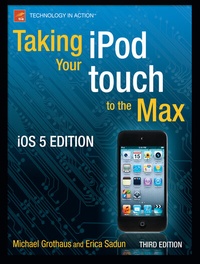
Taking your iPod touch to the Max, iOS 5 Edition
3rd Edition
Published on 13. June 2012
XVI, 476 pages
978-1-4302-3733-4 (ISBN)
Description

Unleash your iPod touch and take it to the limit using secret tips and techniques. Fast and fun to read, Taking Your iPod touch 5 to the Max will help you get the most out of iOS 5 on your iPod touch.
You'll find all the best undocumented tricks, as well as the most efficient and enjoyable introduction to the iPod touch available. Starting with the basics, you'll quickly move on to discover the iPod touch's hidden potential, like how to connect to a TV and get contract-free VoIP.
From e-mail and surfing the Web, to using iTunes, iBooks, games, photos, ripping DVDs and getting free VoIP with Skype or FaceTime-whether you have a new iPod touch, or an older iPod touch with iOS 5, you'll find it all in this book. You'll even learn tips on where to get the best and cheapest iPod touch accessories. Get ready to take iPod touch to the max!
More details
Other editions
Additional editions
Michael Grothaus | Erica Sadun
Taking your iPod touch to the Max, iOS 5 Edition
Book
12/2011
3rd Edition
APress
€28.84
Shipment within 15-20 days
Persons
Michael Grothaus is an American novelist and journalist living in London. He was first introduced to Apple computers in film school and went on to use them for years to create award-winning films. After discovering many of Hollywood s dirty little secrets while working for 20th Century Fox, he left and spent five years with Apple as a consultant. Since then, he s moved to Europe and written his first novel. Currently, Michael is a staff writer for AOL's popular tech news site TUAW.com, where he regularly interviews tech CEOs and writes about all things Mac. He is also the coauthor of Apress Taking Your iPad to the Max and Taking Your iPod touch to the Max, Second Edition. When not writing, he spends his time traveling Europe, northern Africa, and Asia. Epiphany Jones, a novel about trafficking and America s addiction to celebrity, is his latest book. You can contact him at MichaelGrothaus.com.
Content
- Bringing Home the iPod touch
- Putting Your Data and Media on the iPod touch
- Interacting with Your iPod touch
- Browsing with Wi-fi and Safari
- Touching Photos and Videos
- Touching Your Music
- Shopping at the iTunes Store
- Shopping at the App Store
- Reading and Buying Books with iBooks
- Setting Up and Using Mail
- Staying on Time and Getting There
- Using your Desk Set
- Photographing and Recording the World Around You
- Video Calling with FaceTime
- Customizing Your iPod touch
