

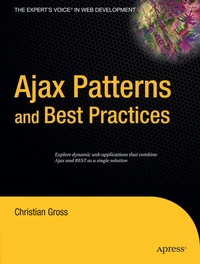
Ajax Patterns and Best Practices
Published on 21. November 2006
XXII, 416 pages
978-1-4302-0131-1 (ISBN)
Description

Ajax Patterns and Best Practices enables you to just pick up the book and then write applications that work properly. This book is not just about the technical, low-level details of the API's, but is about making something happen on both the client and server. For example, the Ajax Widgets chapter outlines a number of canned widgets that perform some functionality. The book explains the widget implementation so you can not only understand what is happening, but copy and paste if necessary.
More details
Other editions
Additional editions
Person
Christian Gross is a consultant with vast experience in the client/server world. He has consulted for Microsoft on DNA solutions, and he has held consulting positions with Daimler Benz, Microsoft, NatWest, and other major corporations. Gross was a contributor to Professional Active Server Pages, Professional SQL Server 6.5 Administration, Professional NT Internet Information Server Administration, and Programming Microsoft Windows 2000 Unleashed. He is the author of A Programmer's Introduction to Windows DNA.
Content
to Ajax.- The Nuts and Bolts of Ajax.- Content Chunking Pattern.- Cache Controller Pattern.- Permutations Pattern.- Decoupled Navigation Pattern.- Representation Morphing Pattern.- Persistent Communications Pattern.- State Navigation Pattern.- Infinite Data Pattern.- REST-Based Model View Controller Pattern.
Chapter 1 Introduction to Ajax (p. 1-2)
Asynchronous JavaScript and XML (Ajax)1 is both something old and something new-old because already existing technologies are used, but new because it combines these existing technologies into techniques that very few considered previously. Simply put, because of Ajax a new generation of applications and ideas are bubbling on the developer scene. A very brief definition of Ajax is as follows: Ajax is a technology that complements Web 2.0 and the integration of many web services at once.
This brief definition poses more questions than it answers, as now you are likely wondering what Web 2.0 is and what the integration of many web services are. Web 2.0 can be thought of as the Internet economy.2 Think about something as typical as an encyclopedia, and you will start to think about salespeople who carry extremely heavy books and knock on doors. In a Web 2.0 context, an encyclopedia means Wikipedia (http:// www.wikipedia.org). The Wikipedia project is an open effort by humanity to record itself. Whereas for a traditional encyclopedia a set of writers and editors write about certain topics, Wikipedia is created by people who write about what they know. Get enough people together and you get an encyclopedia that is on the Internet. What is thought-provoking about the Wikipedia project is that anybody can edit it, and therefore it usually contains more current and unusual information than a traditional encyclopedia. In some instances Wikipedia's selfcorrecting capabilities have proven to be problematic, but considering the scale and depth of the project, those instances have been exceptions.
The second part of Ajax is the integration of many web services at once. Ajax allows a higher level of interactivity in a HyperText Markup Language (HTML) page than was possible without Ajax technologies. The result is that an Ajax application changes from a web application to a web service manipulation technology. In a traditional web application, navigating content meant changing HTML pages. With Ajax, navigating content means navigating web services that could be generating HTML content, or Extensible Markup Language (XML) content, or other content.
Pictures Are Worth a Thousand Words
The definition explains Ajax, but you are probably still wondering what Ajax does. There is a saying that a picture is worth a thousand words, and the following images and their associated explanations illustrate best what Ajax does. Map.search.ch was one of the first major Ajax applications, and it illustrates the elegance of what an Ajax application can be. In a nutshell, Map.search.ch is used to find restaurants, houses, parking spots, and more throughout Switzerland. When you surf to the website http://map.search.ch, you will see something similar to Figure 1-1.
Asynchronous JavaScript and XML (Ajax)1 is both something old and something new-old because already existing technologies are used, but new because it combines these existing technologies into techniques that very few considered previously. Simply put, because of Ajax a new generation of applications and ideas are bubbling on the developer scene. A very brief definition of Ajax is as follows: Ajax is a technology that complements Web 2.0 and the integration of many web services at once.
This brief definition poses more questions than it answers, as now you are likely wondering what Web 2.0 is and what the integration of many web services are. Web 2.0 can be thought of as the Internet economy.2 Think about something as typical as an encyclopedia, and you will start to think about salespeople who carry extremely heavy books and knock on doors. In a Web 2.0 context, an encyclopedia means Wikipedia (http:// www.wikipedia.org). The Wikipedia project is an open effort by humanity to record itself. Whereas for a traditional encyclopedia a set of writers and editors write about certain topics, Wikipedia is created by people who write about what they know. Get enough people together and you get an encyclopedia that is on the Internet. What is thought-provoking about the Wikipedia project is that anybody can edit it, and therefore it usually contains more current and unusual information than a traditional encyclopedia. In some instances Wikipedia's selfcorrecting capabilities have proven to be problematic, but considering the scale and depth of the project, those instances have been exceptions.
The second part of Ajax is the integration of many web services at once. Ajax allows a higher level of interactivity in a HyperText Markup Language (HTML) page than was possible without Ajax technologies. The result is that an Ajax application changes from a web application to a web service manipulation technology. In a traditional web application, navigating content meant changing HTML pages. With Ajax, navigating content means navigating web services that could be generating HTML content, or Extensible Markup Language (XML) content, or other content.
Pictures Are Worth a Thousand Words
The definition explains Ajax, but you are probably still wondering what Ajax does. There is a saying that a picture is worth a thousand words, and the following images and their associated explanations illustrate best what Ajax does. Map.search.ch was one of the first major Ajax applications, and it illustrates the elegance of what an Ajax application can be. In a nutshell, Map.search.ch is used to find restaurants, houses, parking spots, and more throughout Switzerland. When you surf to the website http://map.search.ch, you will see something similar to Figure 1-1.
